







Question: This is a C program. The first code is the template provided for the main function. The next two is to output the image which
This is a C program. The first code is the template provided for the main function. The next two is to output the image which was also already provided. i just need to create the convolvulation of the horizantol and vertical edges along with calculating the final gradient image. This project is for performing edge detection and i really need help i am quite lost. 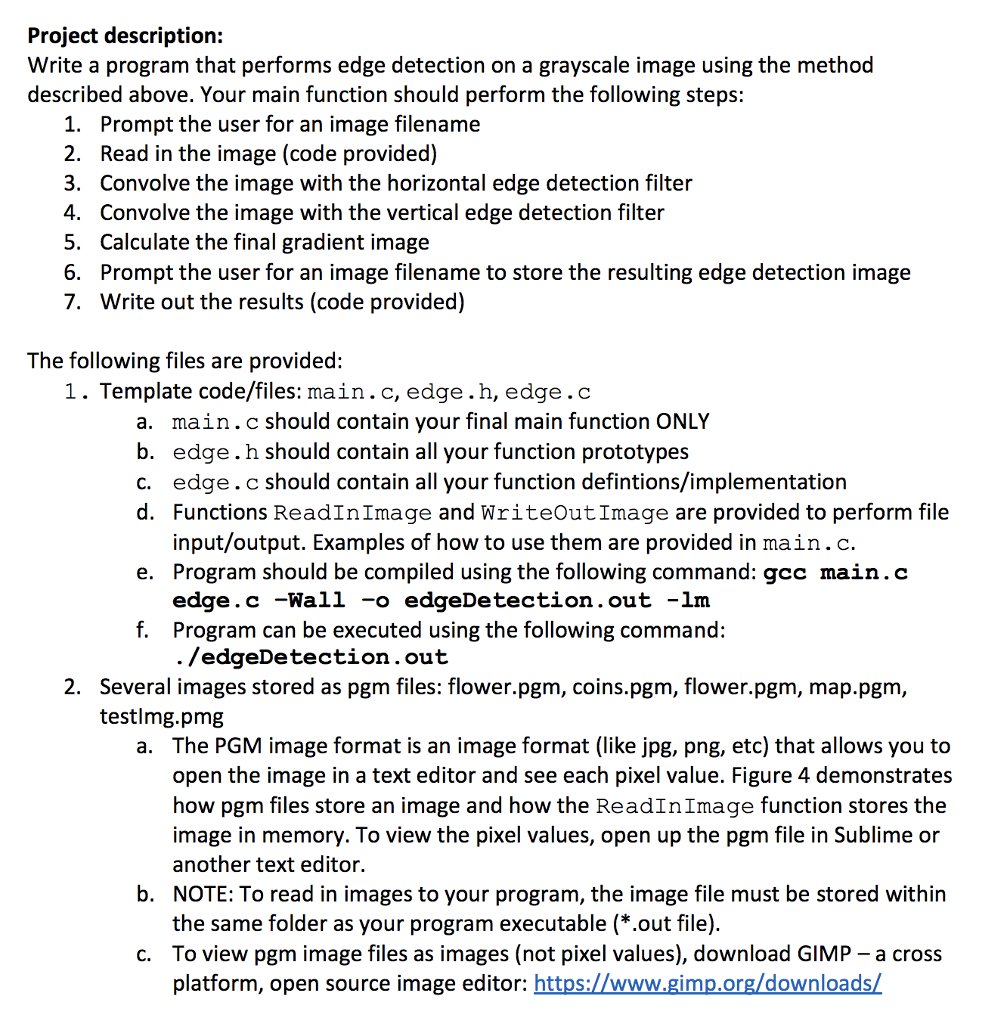
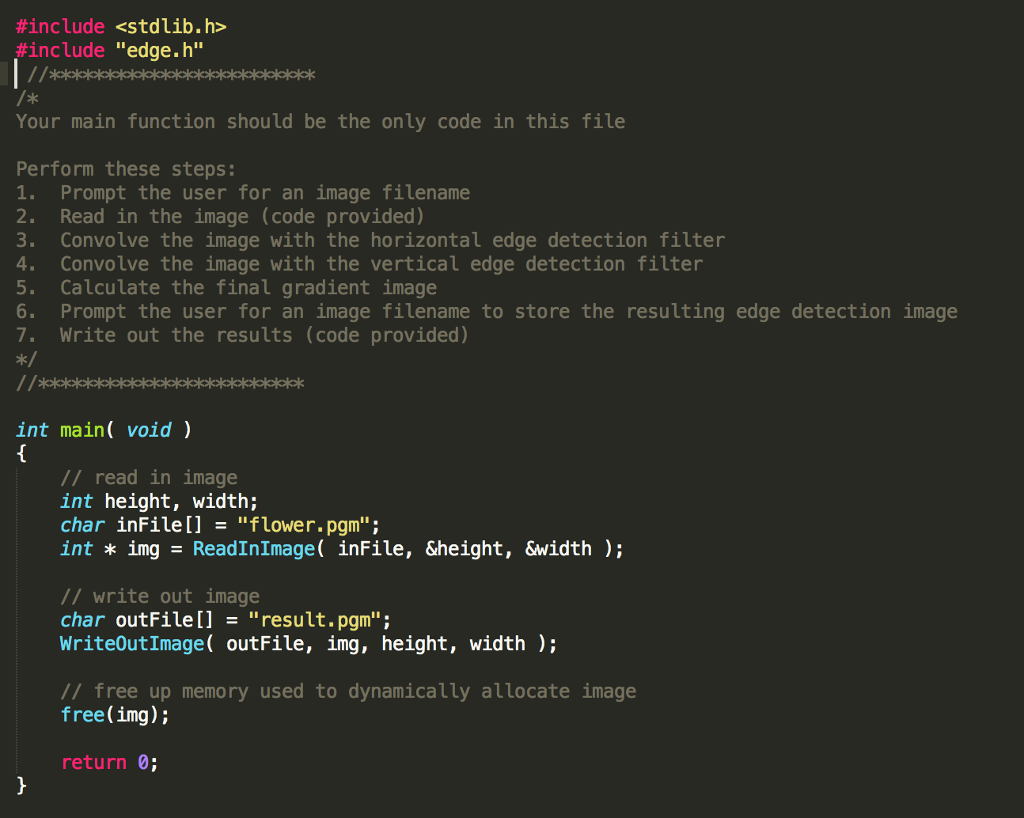
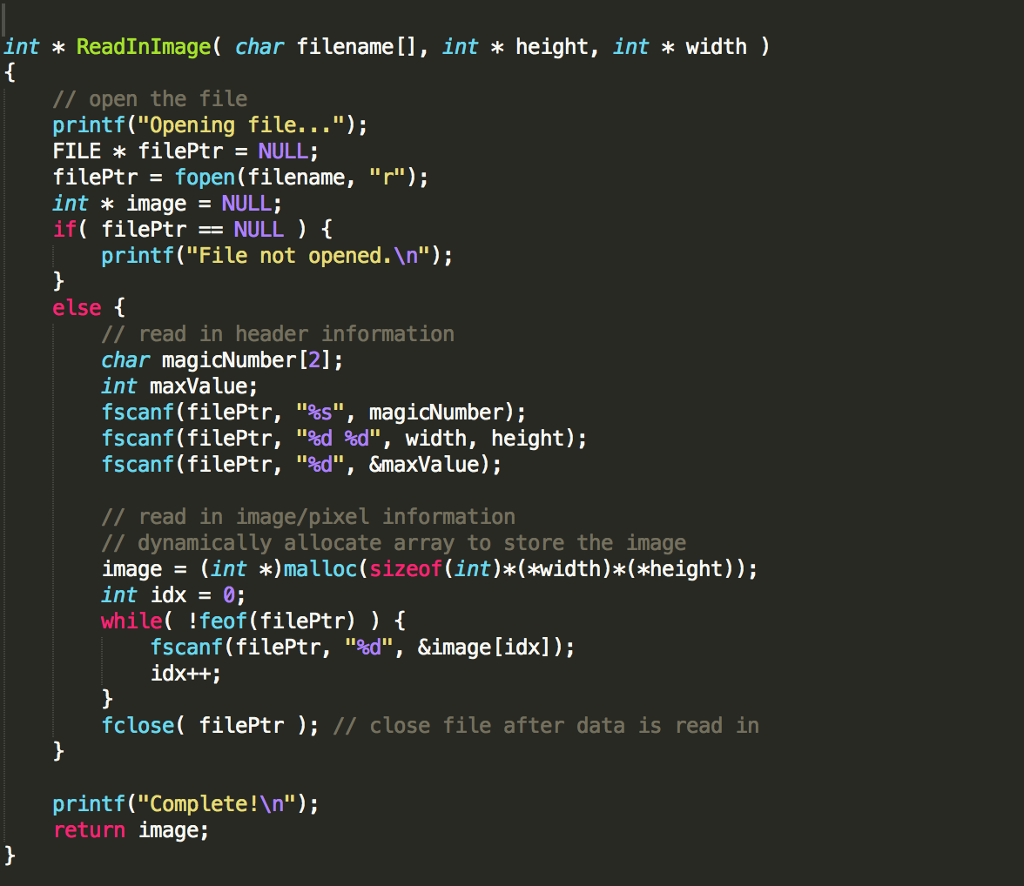
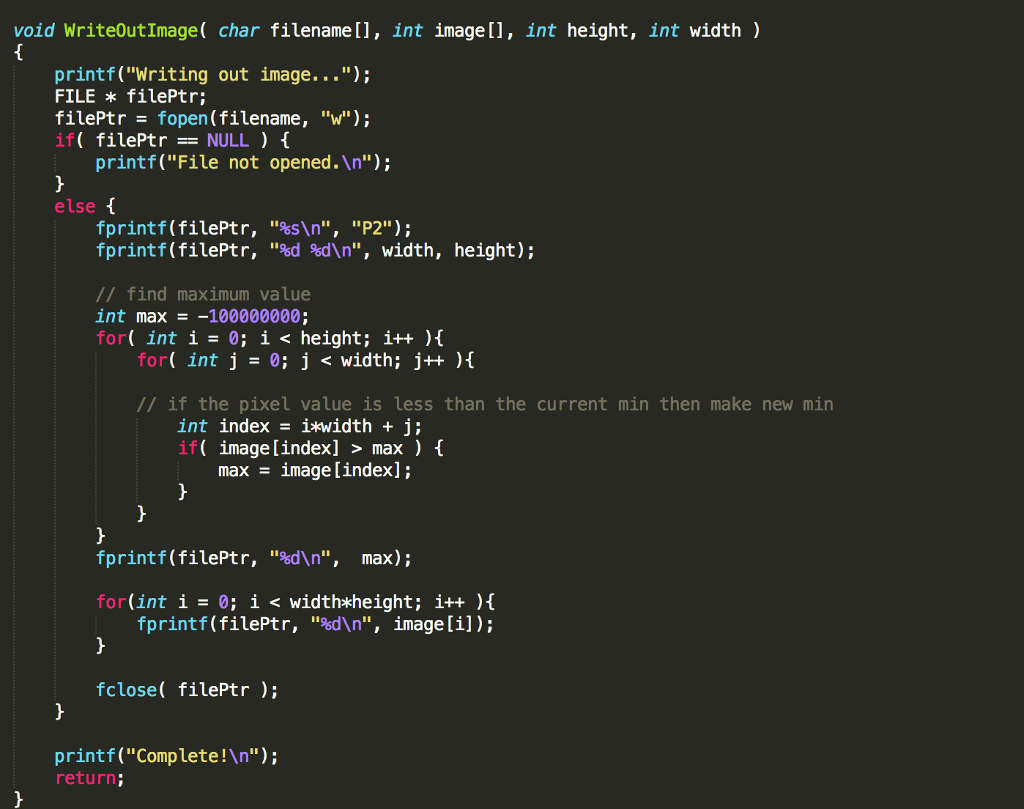
Project description: Write a program that performs edge detection on a grayscale image using the method described above. Your main function should perform the following steps: 1. Prompt the user for an image filename 2. Read in the image (code provided) 3. Convolve the image with the horizontal edge detection filter 4. Convolve the image with the vertical edge detection filter 5. Calculate the final gradient image 6. Prompt the user for an image filename to store the resulting edge detection image 7. Write out the results (code provided) The following files are provided: 1. Template code/files: main.c, edge.h, edge.c a. main.c should contain your final main function ONLY b. edge.h should contain all your function prototypes c. edge.c should contain all your function defintions/implementation d. Functions ReadInImage and WriteOutImage are provided to perform file input/output. Examples of how to use them are provided in main.c. e. Program should be compiled using the following command: gcc main.c edge.c -Wall -o edgeDetection. out -lm Program can be executed using the following command: . /edgeDetection.out f. Several images stored as pgm files: flower.pgm, coins.pgm, flower.pgm, map.pgm testlmg.pmg 2. a. The PGM image format is an image format (like jpg, png, etc) that allows you to open the image in a text editor and see each pixel value. Figure 4 demonstrates how pgm files store an image and how the ReadInImage function stores the image in memory. To view the pixel values, open up the pgm file in Sublime or another text editor. b. NOTE: To read in images to your program, the image file must be stored within the same folder as your program executable (*.out file) c. To view pgm image files as images (not pixel values), download GIMP a cross platform, open source image editor: https://www.gimp.org/downloads/ Project description: Write a program that performs edge detection on a grayscale image using the method described above. Your main function should perform the following steps: 1. Prompt the user for an image filename 2. Read in the image (code provided) 3. Convolve the image with the horizontal edge detection filter 4. Convolve the image with the vertical edge detection filter 5. Calculate the final gradient image 6. Prompt the user for an image filename to store the resulting edge detection image 7. Write out the results (code provided) The following files are provided: 1. Template code/files: main.c, edge.h, edge.c a. main.c should contain your final main function ONLY b. edge.h should contain all your function prototypes c. edge.c should contain all your function defintions/implementation d. Functions ReadInImage and WriteOutImage are provided to perform file input/output. Examples of how to use them are provided in main.c. e. Program should be compiled using the following command: gcc main.c edge.c -Wall -o edgeDetection. out -lm Program can be executed using the following command: . /edgeDetection.out f. Several images stored as pgm files: flower.pgm, coins.pgm, flower.pgm, map.pgm testlmg.pmg 2. a. The PGM image format is an image format (like jpg, png, etc) that allows you to open the image in a text editor and see each pixel value. Figure 4 demonstrates how pgm files store an image and how the ReadInImage function stores the image in memory. To view the pixel values, open up the pgm file in Sublime or another text editor. b. NOTE: To read in images to your program, the image file must be stored within the same folder as your program executable (*.out file) c. To view pgm image files as images (not pixel values), download GIMP a cross platform, open source image editor: https://www.gimp.org/downloads/
Step by Step Solution
There are 3 Steps involved in it

Get step-by-step solutions from verified subject matter experts
 Study Help