







Question: This is about matlab Function Name: spareChange Input: (double) A vector containing 4 numbers The first number in the vector is the number of pennies
This is about matlab
Function Name: spareChange Input: (double) A vector containing 4 numbers The first number in the vector is the number of pennies that you have. The second number in the vector is the number of nickels that you have. The third number in the vector is the number of dimes that you have. The fourth number in the vector is the number of quarters that you have Output: (double) The total amount of money you have.
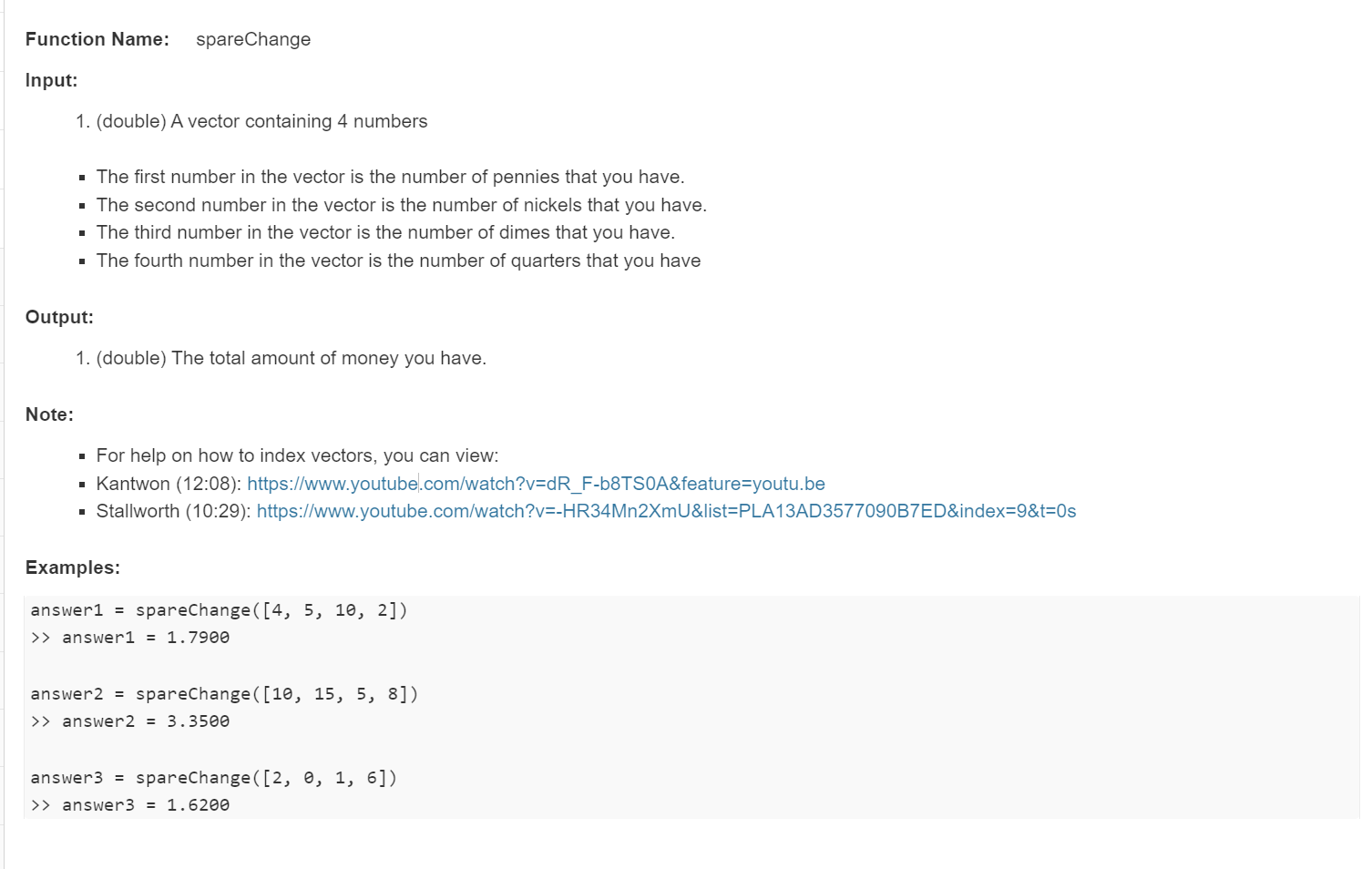
Input: 1. (double) A vector containing 4 numbers - The first number in the vector is the number of pennies that you have. - The second number in the vector is the number of nickels that you have. - The third number in the vector is the number of dimes that you have. - The fourth number in the vector is the number of quarters that you have Output: 1. (double) The total amount of money you have. Note: - For help on how to index vectors, you can view: - Kantwon (12:08): https://www.youtube.com/watch?v=dR_F-b8TS0A\&feature=youtu.be - Stallworth (10:29): https://www.youtube.com/watch?v=-HR34Mn2XmU\&list=PLA13AD3577090B7ED\&index=9\&t=0s Examples: answer1 = spareChange ([4,5,10,2]) >> answer 1=1.7900 answer2 = spareChange ([10,15,5,8]) >> answer 2=3.3500 answer3 = spareChange ([2,0,1,6]) >> answer 3=1.6200
Step by Step Solution
There are 3 Steps involved in it

Get step-by-step solutions from verified subject matter experts
 Study Help