







Question: this is for javascript Extra 4-1 Develop the Sales Tax Calculator s exercise, you'll develop an application that calculates the sales tax and In thi
this is for javascript
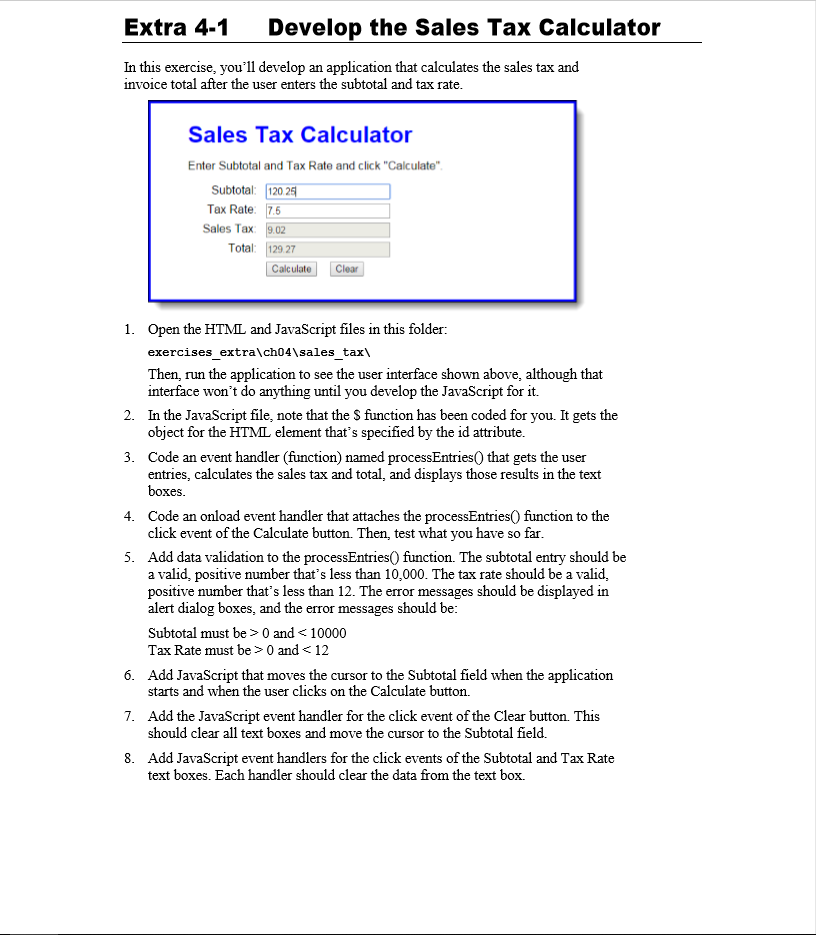
Extra 4-1 Develop the Sales Tax Calculator s exercise, you'll develop an application that calculates the sales tax and In thi invoice total after the user enters the subtotal and tax rate. Sales Tax Calculator Enter Subtotal and Tax Rate and click "Calculate" Subtotal: 1202 Tax Rate 7.6 Sales Tax: 9.02 Total: 129.27 Calculate Clear 1. Open the HTML and JavaScript files in this folder.: exercises extra\ch04\sales tax\ Then, run the application to see the user interface shown above, although that interface won't do anything until you develop the JavaScript for it. In the JavaScript file, note that the S function has been coded for you. It gets the object for the HTML element that's specified by the id attribute. 2. 3. Code an event handler (function) named processEntries0 that gets the user entries, calculates the sales tax and total, and displays those results in the text boxes Code an onload event handler that attaches the processEntries0 function to the click event of the Calculate button. Then, test what you have so far 4. 5. Add data validation to the processEntriesO function. The subtotal entry should be a valid, positive number that's less than 10,000. The tax rate should be a valid, positive number that's less than 12. The error messages should be displayed in alert dialog boxes, and the error messages should be Subtotal must be > 0 and 0 and
Step by Step Solution
There are 3 Steps involved in it

Get step-by-step solutions from verified subject matter experts
 Study Help