







Question: This is Matlab need answers with proper comments please PART 3- Read in values from a real data source using the Import Tool The Bureau
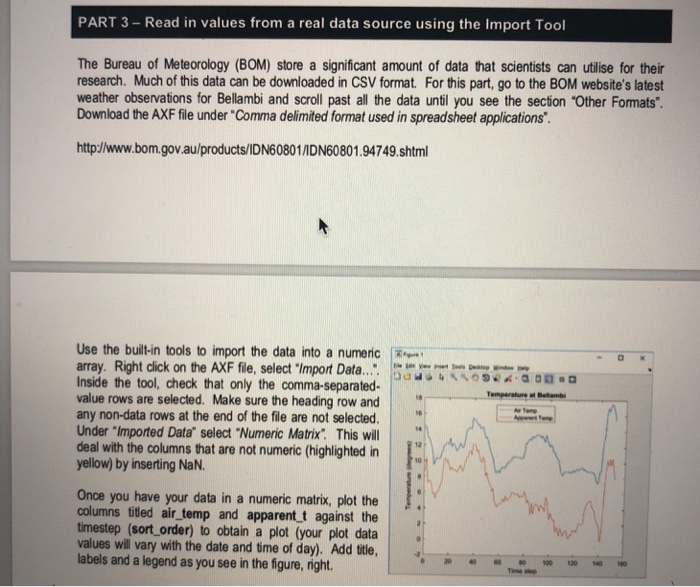
PART 3- Read in values from a real data source using the Import Tool The Bureau of Meteorology (BOM) store a significant amount of data that scientists can utilise for their research. Much of this data can be downloaded in CSV format. For this part, go to the BOM website's latest weather observations for Bellambi and scroll past all the data until you see the secion "Other Formats'. Download the AXF file under "Comma delimited format used in spreadsheet applications. http://www.bom.gov.au/products/IDN60801/DN60801.94749.shtml Use the built-in tools to import the data into a numeric array. Right click on the AXF file, select "Import Data.. ota Inside the tool, check that only the comma-separated- value rows are selected. Make sure the heading row and any non-data rows at the end of the file are not selected. Under "Imported Data" select "Numeric Matrix; This wll deal with the columns that are not numeric (highlighted in | yellow) by inserting NaN. Once you have your data in a numeric matrix, plot the columns tited air_temp and apparent t against the timestep (sort order) to obtain a plot (your plot data values will vary with the date and time of day). Add tile, labels and a legend as you see in the figure, right. 0 2 4 000 120 40 180
Step by Step Solution
There are 3 Steps involved in it

Get step-by-step solutions from verified subject matter experts
 Study Help