







Question: this is microsoft Excel question QUESTION 3) Create a Sub called silly Sub: Define 3 VBA Variables as Integer (james, fontColor, back Color) Use the
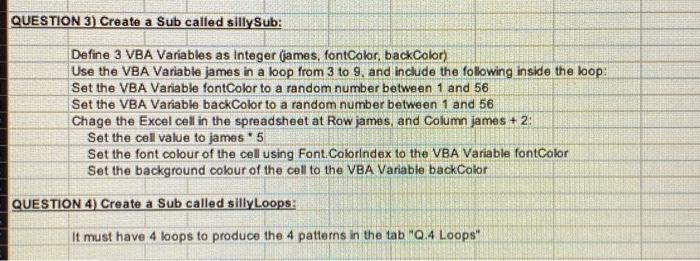
QUESTION 3) Create a Sub called silly Sub: Define 3 VBA Variables as Integer (james, fontColor, back Color) Use the VBA Variable james in a loop from 3 to 9. and include the following inside the loop: Set the VBA Variable fontColor to a random number between 1 and 56 Set the VBA Variable backColor to a random number between 1 and 56 Chage the Excel cell in the spreadsheet at Row james, and Column james + 2 Set the cell value to james 5 Set the font colour of the cell using Font Colorindex to the VBA Variable fontColor Set the background colour of the cell to the VBA Variable backColor QUESTION 4) Create a Sub called silly Loops: It must have 4 loops to produce the 4 patterns in the tab "Q.4 Loops
Step by Step Solution
There are 3 Steps involved in it

Get step-by-step solutions from verified subject matter experts
 Study Help