







Question: This is one complete qurstion and please code in C in a Unc Enivortment . Thnak you. 1. 150 = 25*2] Create a script of
This is one complete qurstion and please code in C in a Unc Enivortment . Thnak you.
![Unc Enivortment . Thnak you. 1. 150 = 25*2] Create a script](https://s3.amazonaws.com/si.experts.images/answers/2024/08/66cd1a4ed2975_64666cd1a4e5953e.jpg)
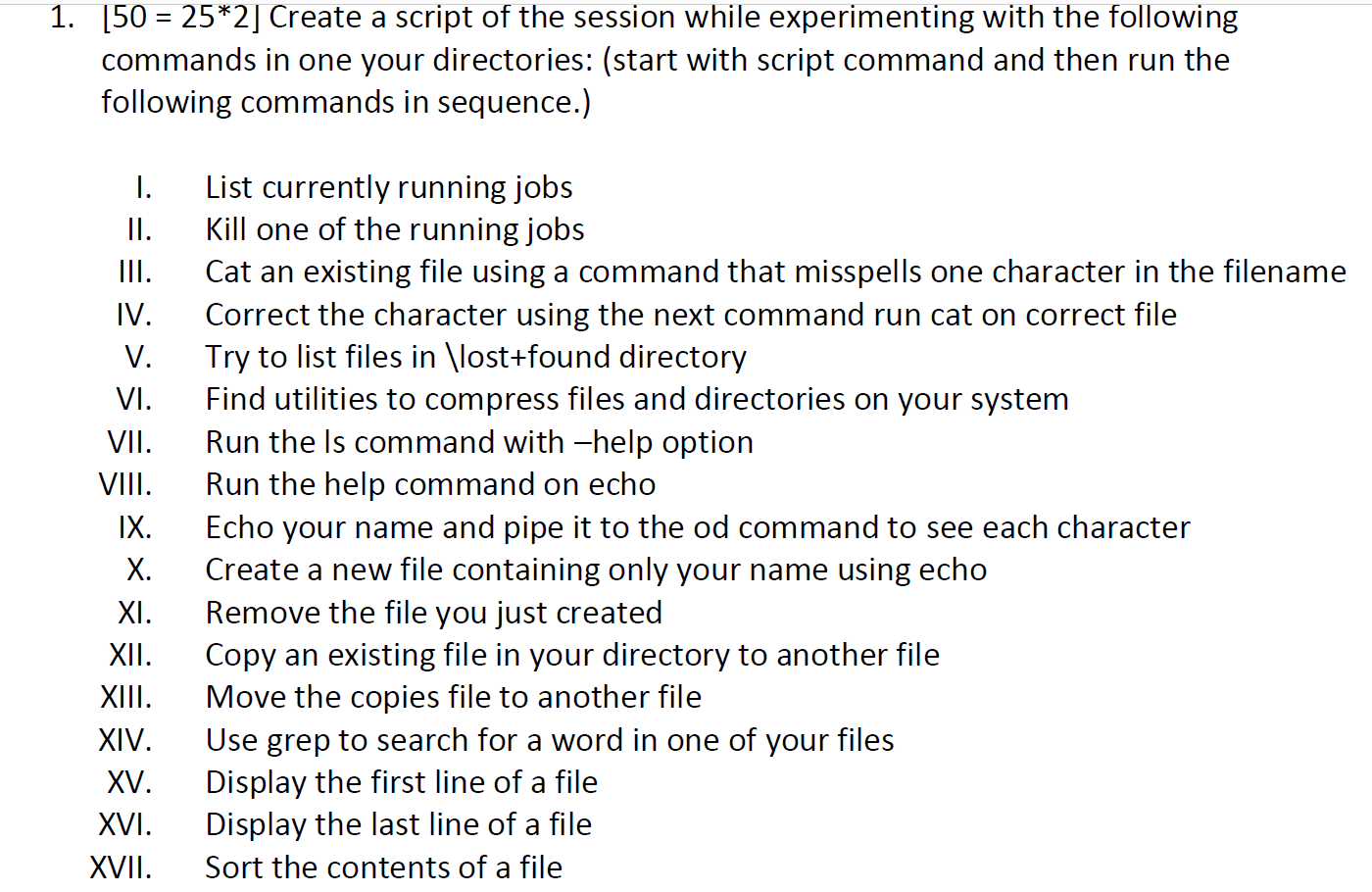
1. 150 = 25*2] Create a script of the session while experimenting with the following commands in one your directories: (start with script command and then run the following commands in sequence.) I. II. III. VI. VII. VIII. IX. X. XI. XII. XIII. XIV. XV. XVI. XVII. List currently running jobs Kill one of the running jobs Cat an existing file using a command that misspells one character in the filename Correct the character using the next command run cat on correct file Try to list files in \lost+found directory Find utilities to compress files and directories on your system Run the Is command with -help option Run the help command on echo Echo your name and pipe it to the od command to see each character Create a new file containing only your name using echo Remove the file you just created Copy an existing file in your directory to another file Move the copies file to another file Use grep to search for a word in one of your files Display the first line of a file Display the last line of a file Sort the contents of a file XVIII. XIX. XX. XXI. XXII. Compare two files Find the type of files in your directory Compress a directory using tar command Compress the tar file you created using gzip Put this .tar.gz file into another directory and uncompresss to get original directory back List the users on your system Write today's date and time Exit the script using exit command XXIII. XXIV. XXV. Upload the script file you just created as the submission for this assignment on eLearning. You can start with the script command which will put the result of all of the commands that you run into a file name typescript. You can submit the created file. 1. 150 = 25*2] Create a script of the session while experimenting with the following commands in one your directories: (start with script command and then run the following commands in sequence.) I. II. III. VI. VII. VIII. IX. X. XI. XII. XIII. XIV. XV. XVI. XVII. List currently running jobs Kill one of the running jobs Cat an existing file using a command that misspells one character in the filename Correct the character using the next command run cat on correct file Try to list files in \lost+found directory Find utilities to compress files and directories on your system Run the Is command with -help option Run the help command on echo Echo your name and pipe it to the od command to see each character Create a new file containing only your name using echo Remove the file you just created Copy an existing file in your directory to another file Move the copies file to another file Use grep to search for a word in one of your files Display the first line of a file Display the last line of a file Sort the contents of a file XVIII. XIX. XX. XXI. XXII. Compare two files Find the type of files in your directory Compress a directory using tar command Compress the tar file you created using gzip Put this .tar.gz file into another directory and uncompresss to get original directory back List the users on your system Write today's date and time Exit the script using exit command XXIII. XXIV. XXV. Upload the script file you just created as the submission for this assignment on eLearning. You can start with the script command which will put the result of all of the commands that you run into a file name typescript. You can submit the created file
Step by Step Solution
There are 3 Steps involved in it

Get step-by-step solutions from verified subject matter experts
 Study Help