







Question: This is runner code: import java.util.Scanner; public class runner_U7_L6_Activity_One{ public static void main(String[] args){ Scanner scan = new Scanner(System.in); System.out.println(Enter array length:); int len =
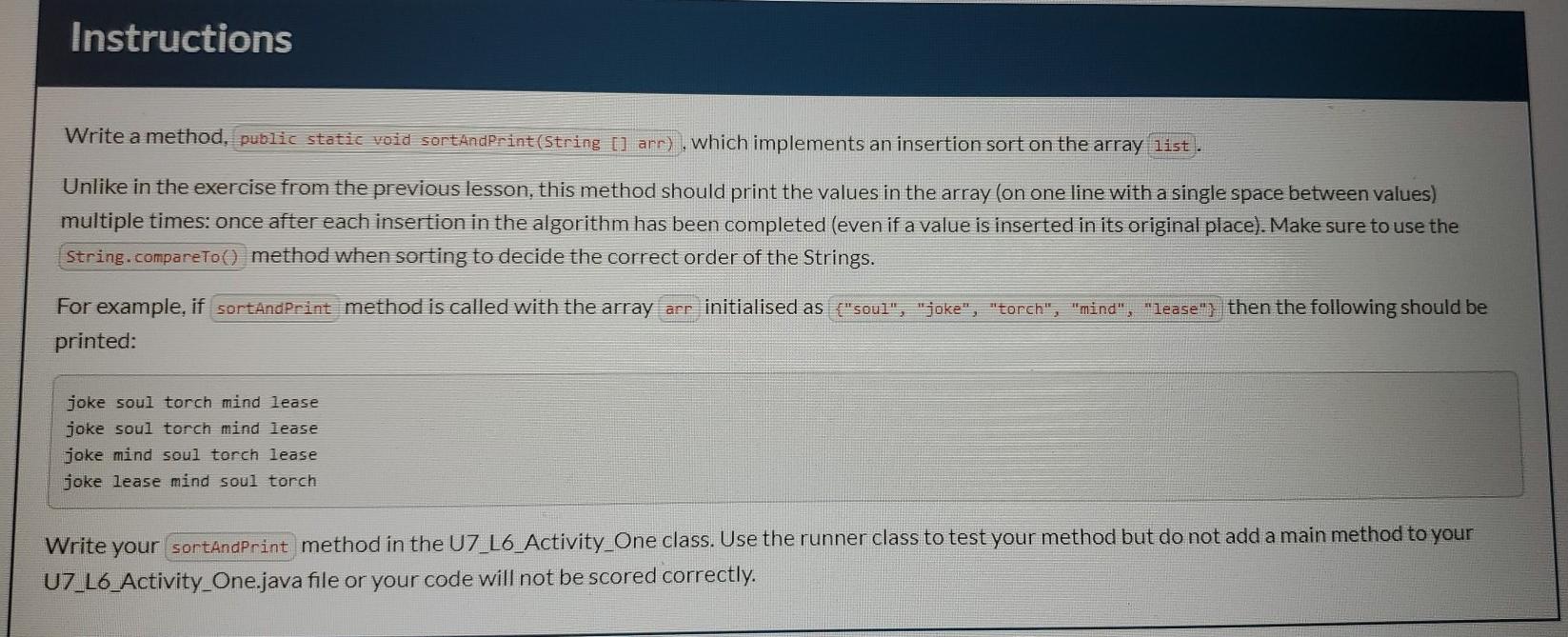
This is runner code: import java.util.Scanner; public class runner_U7_L6_Activity_One{ public static void main(String[] args){ Scanner scan = new Scanner(System.in); System.out.println("Enter array length:"); int len = scan.nextInt(); scan.nextLine(); String[] wordList = new String[len]; System.out.println("Enter values:"); for(int i = 0; i Instructions Write a method, public static void sortAndPrint(String [] arr), which implements an insertion sort on the array list. Unlike in the exercise from the previous lesson, this method should print the values in the array (on one line with a single space between values) multiple times: once after each insertion in the algorithm has been completed (even if a value is inserted in its original place). Make sure to use the String.compareTo() method when sorting to decide the correct order of the Strings. For example, if sortAndPrint method is called with the array arr initialised as {"soul", "joke", "torch", "mind", "lease", then the following should be printed: joke soul torch mind lease joke soul torch mind lease joke mind soul torch lease joke lease mind soul torch Write your sortAndPrint method in the U7_L6_Activity_One class. Use the runner class to test your method but do not add a main method to your U7_L6_Activity One.java file or your code will not be scored correctly
Step by Step Solution
There are 3 Steps involved in it

Get step-by-step solutions from verified subject matter experts
 Study Help