







Question: THIS IS THE LIBRARYMAIN.JAVA FILE. YOU DO NOT MAKE ANY MODIFICATIONS TO THIS FILE. THIS IS THE MOVIE.JAVA FILE. DO NOT MODIFY THIS FILE. THIS
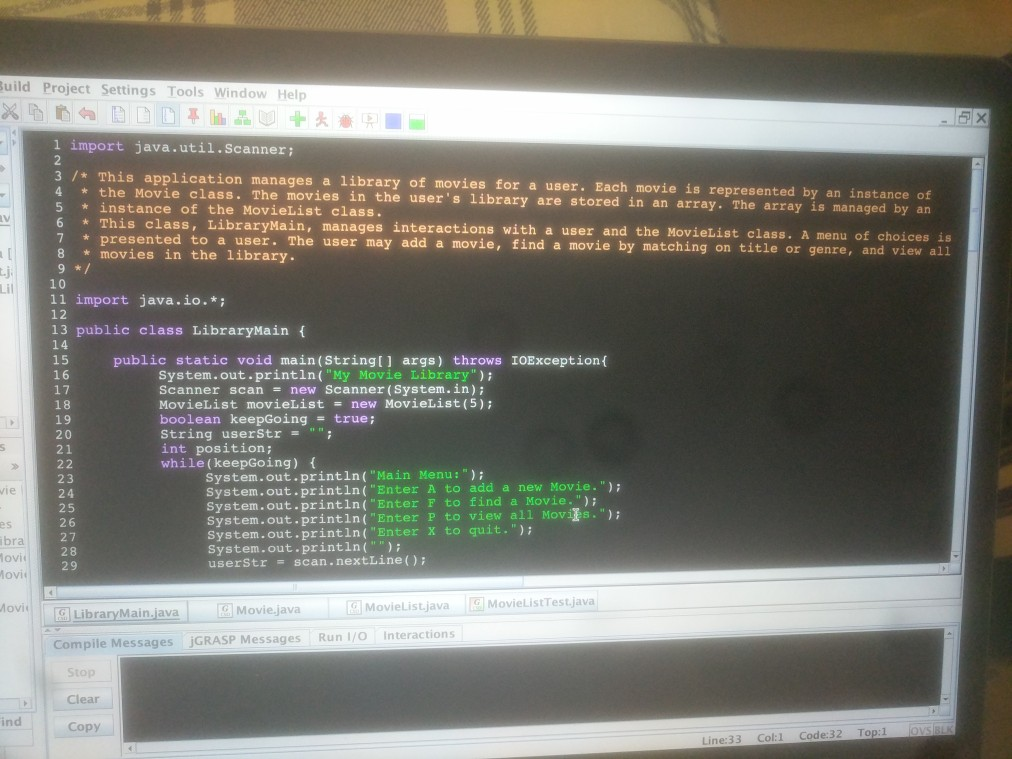
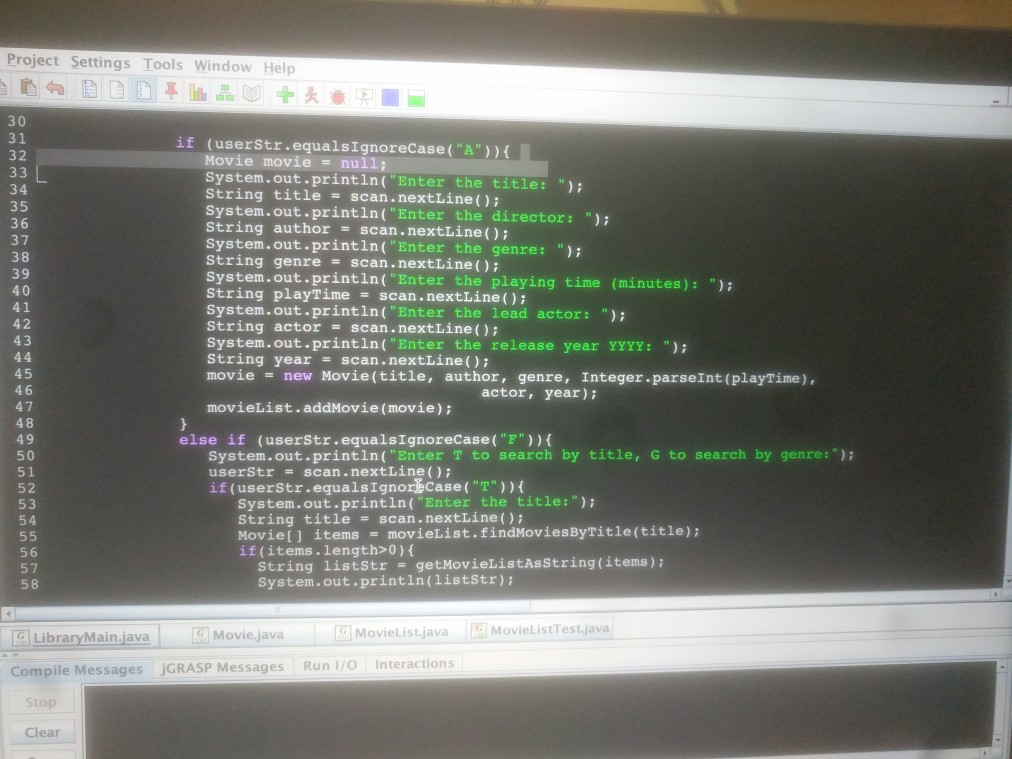
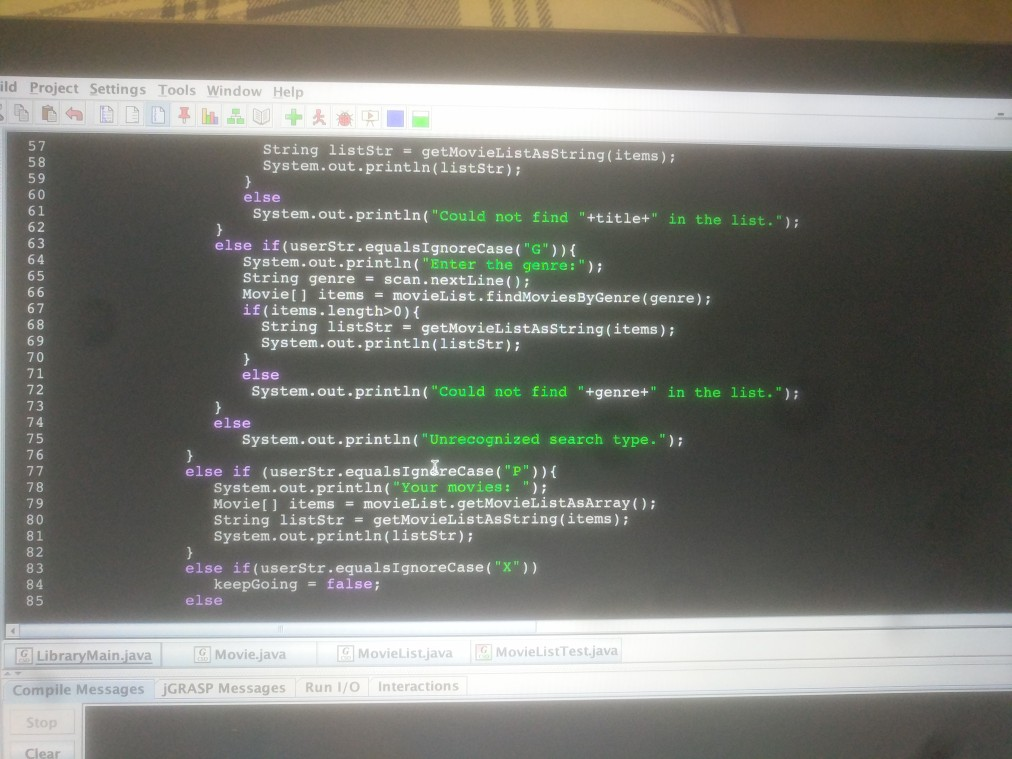
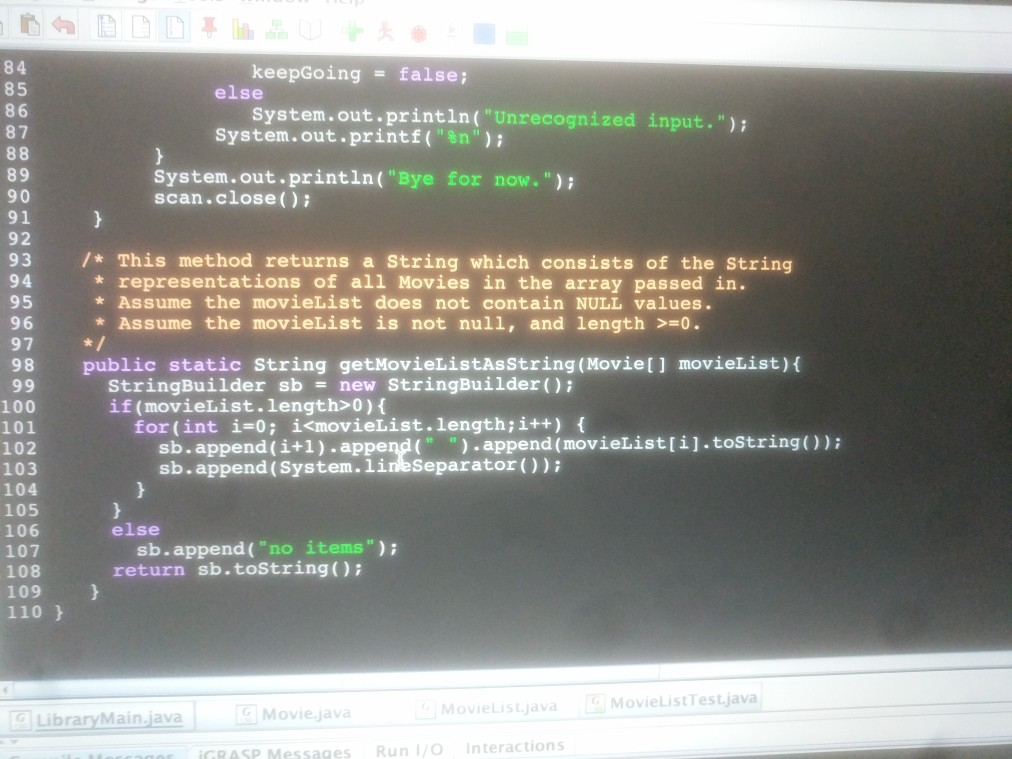
THIS IS THE LIBRARYMAIN.JAVA FILE. YOU DO NOT MAKE ANY MODIFICATIONS TO THIS FILE.
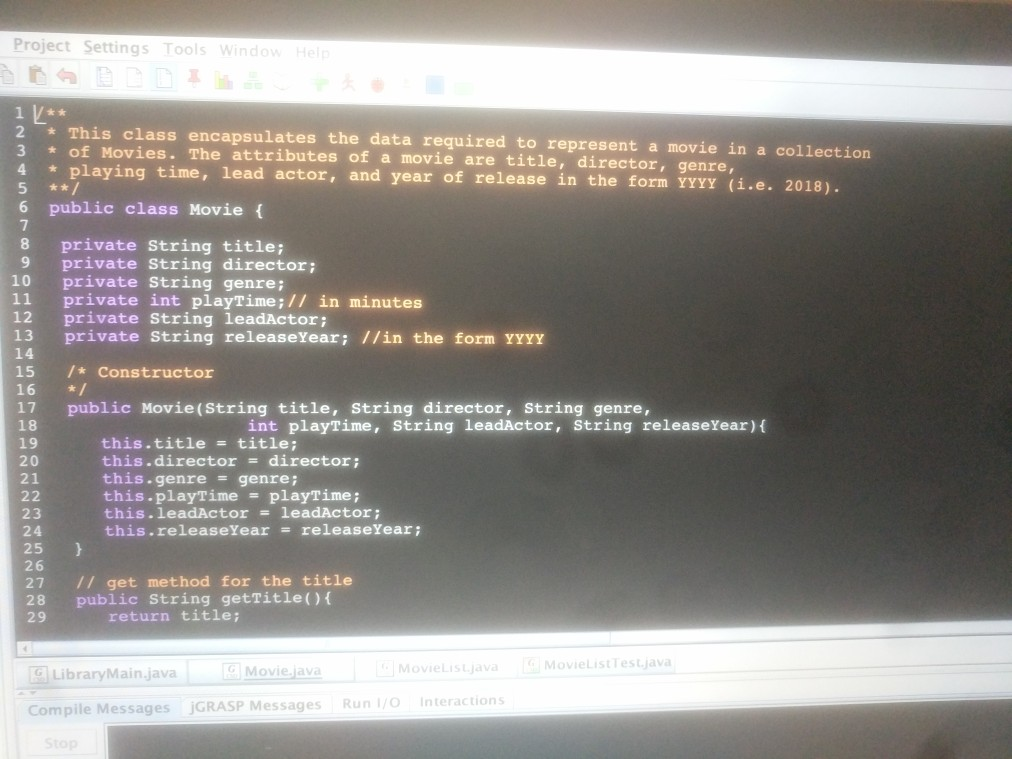
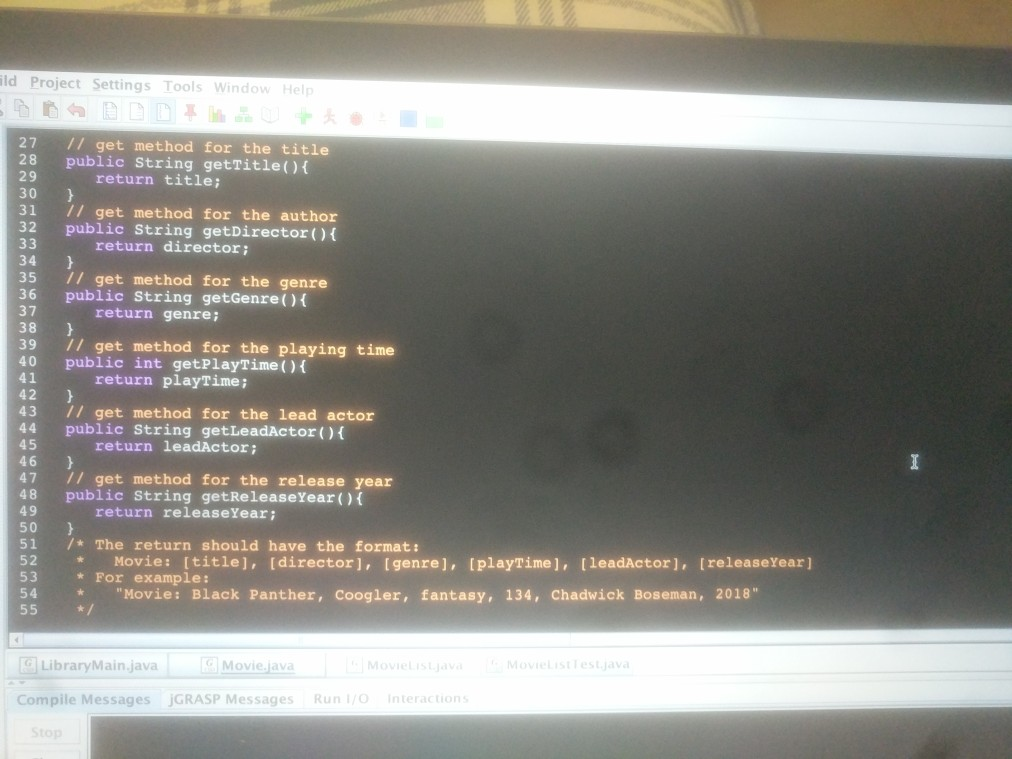
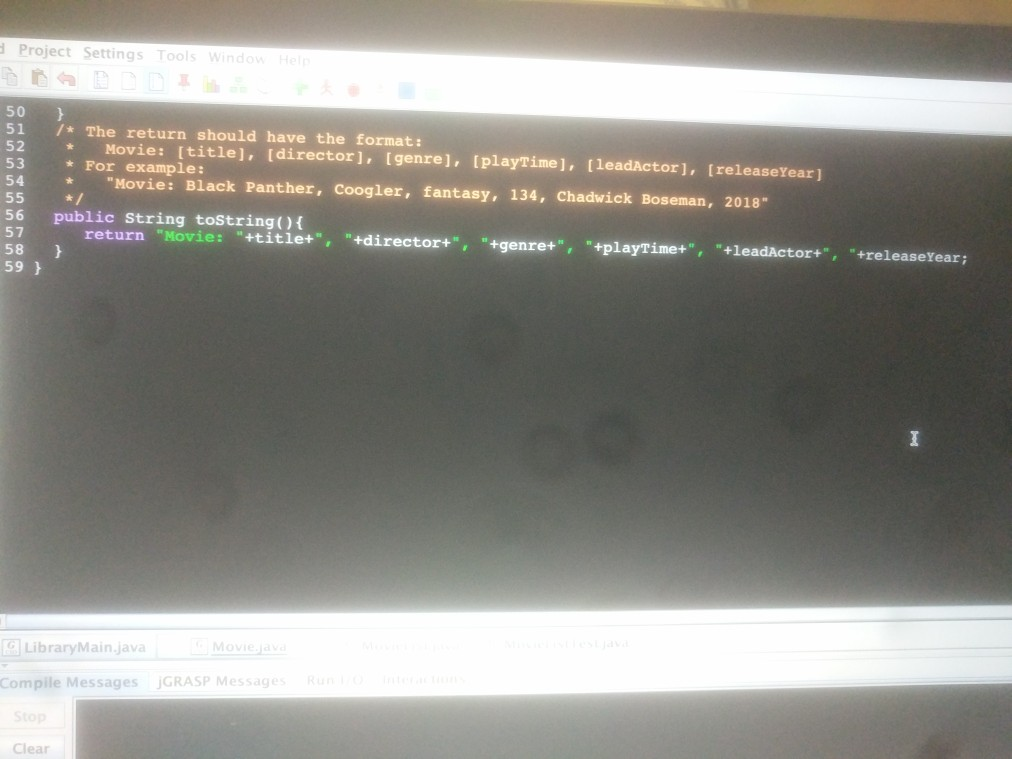
THIS IS THE MOVIE.JAVA FILE. DO NOT MODIFY THIS FILE.
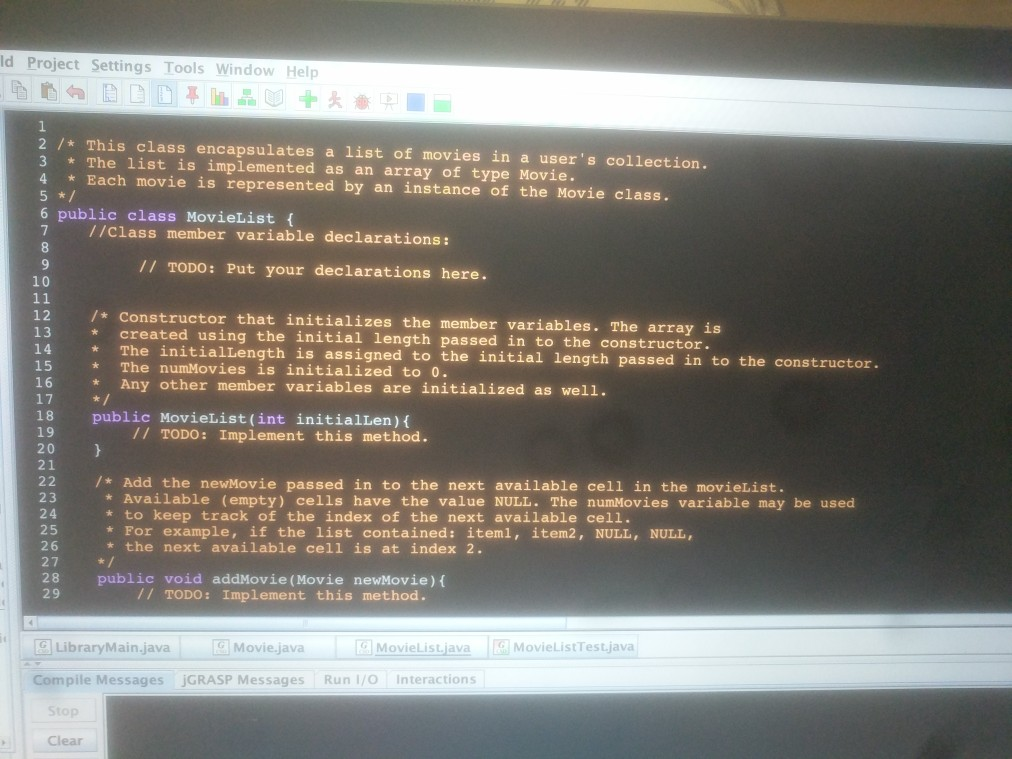
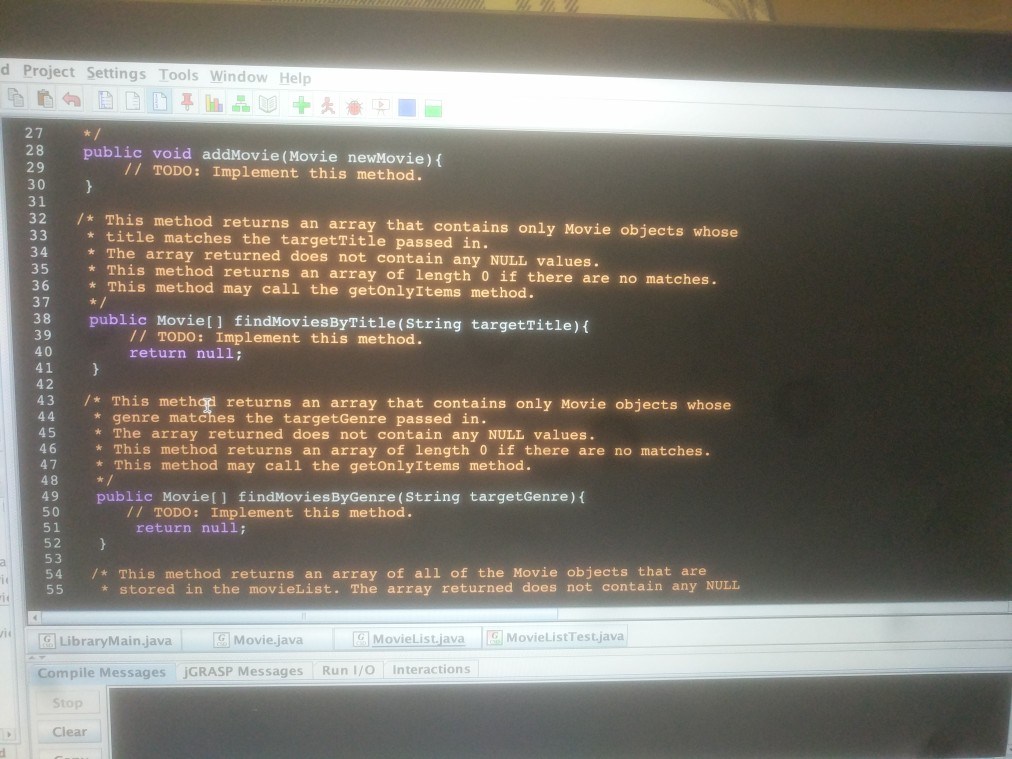
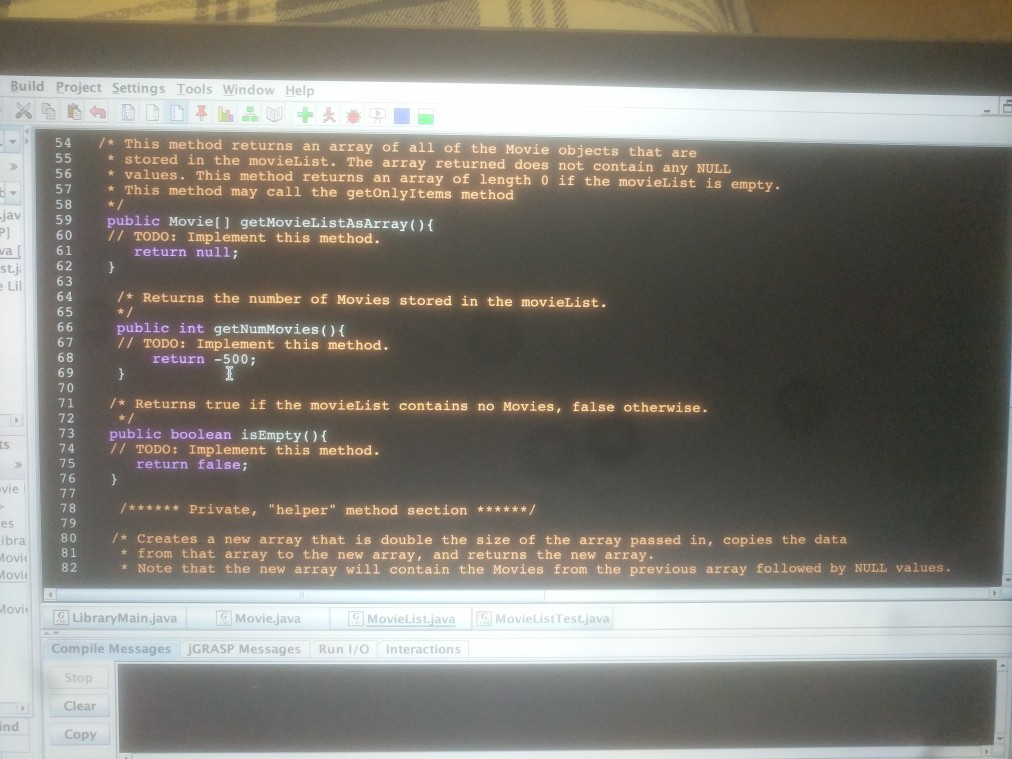
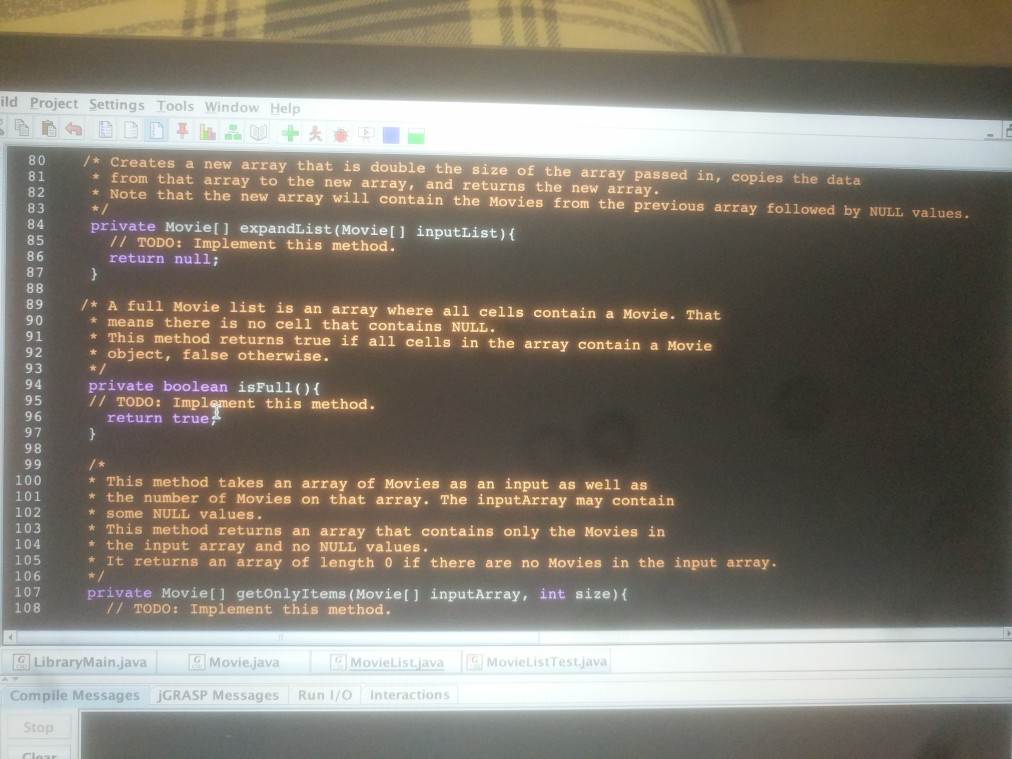
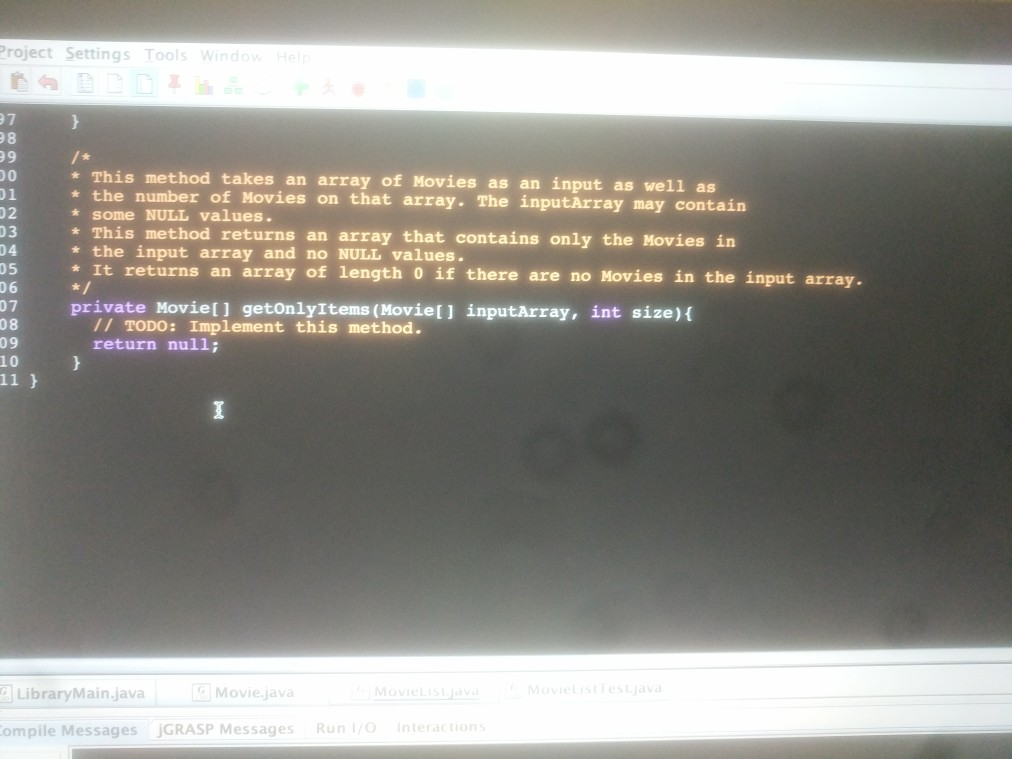
THIS IS THE MOVIELIST.JAVA FILE. ****THIS IS THE FILE YOU MODIFY
If you would like the test file. Please comment and I will send a transcript.
Thank You!!!
MOVIELIST.JAVA TRANSCRIPT
1 2 /* This class encapsulates a list of movies in a user's collection. 3 * The list is implemented as an array of type Movie. 4 * Each movie is represented by an instance of the Movie class. 5 */ 6 public class MovieList { 7 //Class member variable declarations: 8 9 // TODO: Put your declarations here. 10 11 12 /* Constructor that initializes the member variables. The array is 13 * created using the initial length passed in to the constructor. 14 * The initialLength is assigned to the initial length passed in to the constructor. 15 * The numMovies is initialized to 0. 16 * Any other member variables are initialized as well. 17 */ 18 public MovieList(int initialLen){ 19 // TODO: Implement this method. 20 } 21 22 /* Add the newMovie passed in to the next available cell in the movieList. 23 * Available (empty) cells have the value NULL. The numMovies variable may be used 24 * to keep track of the index of the next available cell. 25 * For example, if the list contained: item1, item2, NULL, NULL, 26 * the next available cell is at index 2. 27 */ 28 public void addMovie(Movie newMovie){ 29 // TODO: Implement this method. 30 } 31 32 /* This method returns an array that contains only Movie objects whose 33 * title matches the targetTitle passed in. 34 * The array returned does not contain any NULL values. 35 * This method returns an array of length 0 if there are no matches. 36 * This method may call the getOnlyItems method. 37 */ 38 public Movie[] findMoviesByTitle(String targetTitle){ 39 // TODO: Implement this method. 40 return null; 41 } 42 43 /* This method returns an array that contains only Movie objects whose 44 * genre matches the targetGenre passed in. 45 * The array returned does not contain any NULL values. 46 * This method returns an array of length 0 if there are no matches. 47 * This method may call the getOnlyItems method. 48 */ 49 public Movie[] findMoviesByGenre(String targetGenre){ 50 // TODO: Implement this method. 51 return null; 52 } 53 54 /* This method returns an array of all of the Movie objects that are 55 * stored in the movieList. The array returned does not contain any NULL 56 * values. This method returns an array of length 0 if the movieList is empty. 57 * This method may call the getOnlyItems method 58 */ 59 public Movie[] getMovieListAsArray(){ 60 // TODO: Implement this method. 61 return null; 62 } 63 64 /* Returns the number of Movies stored in the movieList. 65 */ 66 public int getNumMovies(){ 67 // TODO: Implement this method. 68 return -500; 69 } 70 71 /* Returns true if the movieList contains no Movies, false otherwise. 72 */ 73 public boolean isEmpty(){ 74 // TODO: Implement this method. 75 return false; 76 } 77 78 /****** Private, "helper" method section ******/ 79 80 /* Creates a new array that is double the size of the array passed in, copies the data 81 * from that array to the new array, and returns the new array. 82 * Note that the new array will contain the Movies from the previous array followed by NULL values. 83 */ 84 private Movie[] expandList(Movie[] inputList){ 85 // TODO: Implement this method. 86 return null; 87 } 88 89 /* A full Movie list is an array where all cells contain a Movie. That 90 * means there is no cell that contains NULL. 91 * This method returns true if all cells in the array contain a Movie 92 * object, false otherwise. 93 */ 94 private boolean isFull(){ 95 // TODO: Implement this method. 96 return true; 97 } 98 99 /* 100 * This method takes an array of Movies as an input as well as 101 * the number of Movies on that array. The inputArray may contain 102 * some NULL values. 103 * This method returns an array that contains only the Movies in 104 * the input array and no NULL values. 105 * It returns an array of length 0 if there are no Movies in the input array. 106 */ 107 private Movie[] getOnlyItems(Movie[] inputArray, int size){ 108 // TODO: Implement this method. 109 return null; 110 } 111 }
uild Project Settings Tools Window Help 1 import java.util.scanner 3 /* Th 4 *the Movie class. The movies in 5 instance of the MovieList class. is application manages a library of mov ies for a user. Each movie is represented by an instance of the user's library are stored in an array. The array is managed by an 6This class, LibraryMain, manages interactions with a user and the MovieList class. A menu of cho st class. A menu of choices is * presented to a user. The user may add a movie, find a movie by matching on title or genre, and view all 8 movies in the library. t.j Lil 10 11 import java.io.* 12 13 public class LibraryMain 14 public static void main(String[] args) throws IOException 16 17 18 19 20 21 System.out.println( "My Movie Library); Scanner scan new Scanner (System.in)i MovieList movieList = new MovieList (5); boolean keepGoing = true ; String userstr int position; while(keepGoing) f 23 2 4 25 26 27 System.out.println( "Main Menu:) System.out.println( "Enter A to add a new Movie.") System.out.println("Enter F to find a Movie.i System.out.println("Enter P to view al1 Movils.") System.out.println("Enter X to quit."): System.out.println() userstr scan. nextLine ( ) ; ie ibra ovi lovi 28 2 9 ovi Movie.java MovieList.java MovieListTest.java LibraryMain.java Compile Messages jGRASP MessagesRun 1/OInteractions Clear ind Copy Line:33 Col:1 Code:32 Top:1 uild Project Settings Tools Window Help 1 import java.util.scanner 3 /* Th 4 *the Movie class. The movies in 5 instance of the MovieList class. is application manages a library of mov ies for a user. Each movie is represented by an instance of the user's library are stored in an array. The array is managed by an 6This class, LibraryMain, manages interactions with a user and the MovieList class. A menu of cho st class. A menu of choices is * presented to a user. The user may add a movie, find a movie by matching on title or genre, and view all 8 movies in the library. t.j Lil 10 11 import java.io.* 12 13 public class LibraryMain 14 public static void main(String[] args) throws IOException 16 17 18 19 20 21 System.out.println( "My Movie Library); Scanner scan new Scanner (System.in)i MovieList movieList = new MovieList (5); boolean keepGoing = true ; String userstr int position; while(keepGoing) f 23 2 4 25 26 27 System.out.println( "Main Menu:) System.out.println( "Enter A to add a new Movie.") System.out.println("Enter F to find a Movie.i System.out.println("Enter P to view al1 Movils.") System.out.println("Enter X to quit."): System.out.println() userstr scan. nextLine ( ) ; ie ibra ovi lovi 28 2 9 ovi Movie.java MovieList.java MovieListTest.java LibraryMain.java Compile Messages jGRASP MessagesRun 1/OInteractions Clear ind Copy Line:33 Col:1 Code:32 Top:1
Step by Step Solution
There are 3 Steps involved in it

Get step-by-step solutions from verified subject matter experts
 Study Help