Question: This is the shell that was given: #include #include #include #include #include #include #include #include #define MAXLINE 80 #define MAXARGS 20 #define MAX_PATH_LENGTH 50 #define
 This is the shell that was given: #include #include #include #include#include #include #include #include #define MAXLINE 80 #define MAXARGS 20 #define MAX_PATH_LENGTH50 #define TRUE 1 /* function prototypes */ int parseline(char *cmdline, char**argv); //The two function prototypess below will be needed in lab10. //Leave

This is the shell that was given:

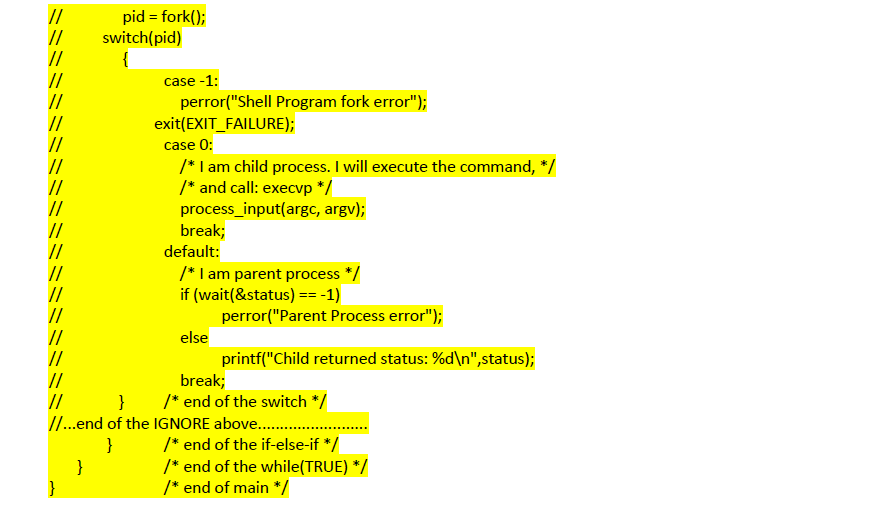
#include #include #include #include #include #include #include #include #define MAXLINE 80 #define MAXARGS 20 #define MAX_PATH_LENGTH 50 #define TRUE 1 /* function prototypes */ int parseline(char *cmdline, char **argv); //The two function prototypess below will be needed in lab10. //Leave them here to be used later. /* void process_input(int argc, char **argv); */ /* void handle_redir(int count, char *argv[]); */ /* ----------------------------------------------------------------- */ /* The main program starts here */ /* ----------------------------------------------------------------- */ int main(void) { char cmdline[MAXLINE]; char *argv[MAXARGS]; int argc; int status; pid_t pid; /* Loop forever to wait and process commands */ while (TRUE) { /* Print your shell name: csc60mshell (m for mini shell) */ printf("FillInThisSpace> "); /* Read the command line */ fgets(cmdline, MAXLINE, stdin); /* Call parseline to build argc/argv */ /* If user hits enter key without a command, continue to loop */ /* again at the beginning */ /* Hint: if argc is zero, no command declared */ /* Hint: look up for the keyword "continue" in C */ /* Handle build-in command: exit, pwd, or cd */ /* Put the rest of your code here */ //.......................IGNORE........................ // /* Else, fork off a process */ // else { // pid = fork(); // switch(pid) // { // case -1: // perror("Shell Program fork error"); // exit(EXIT_FAILURE); // case 0: // /* I am child process. I will execute the command, */ // /* and call: execvp */ // process_input(argc, argv); // break; // default: // /* I am parent process */ // if (wait(&status) == -1) // perror("Parent Process error"); // else // printf("Child returned status: %d ",status); // break; // } /* end of the switch */ //...end of the IGNORE above.........................
} /* end of the if-else-if */ } /* end of the while */ } /* end of main */ /* ----------------------------------------------------------------- */ /* parseline */ /* ----------------------------------------------------------------- */ /* parse input line into argc/argv format */ int parseline(char *cmdline, char **argv) { int count = 0; char *separator = " \t"; /* Includes space, Enter, Tab */ /* strtok searches for the characters listed in separator */ argv[count] = strtok(cmdline, separator); while ((argv[count] != NULL) && (count+1 , or both */ /* Step 2: perform system call execvp to execute command */ /* Hint: Please be sure to review execvp.c sample program */ /* if (........ == -1) { */ /* fprintf(stderr, "Error on the exec call "); */ /* _exit(EXIT_FAILURE); */ /* } */ // } /* ----------------------------------------------------------------- */ //void handle_redir(int count, char *argv[]) /* ----------------------------------------------------------------- */ /* ----------------------------------------------------------------- */

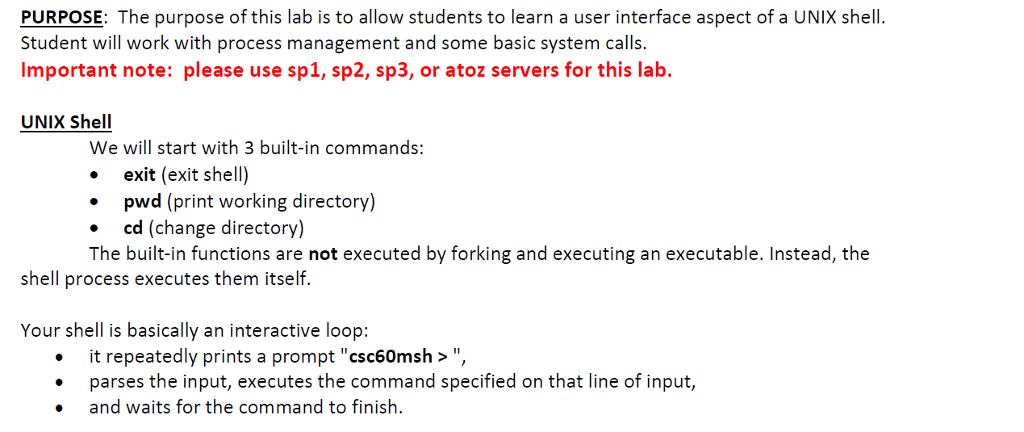
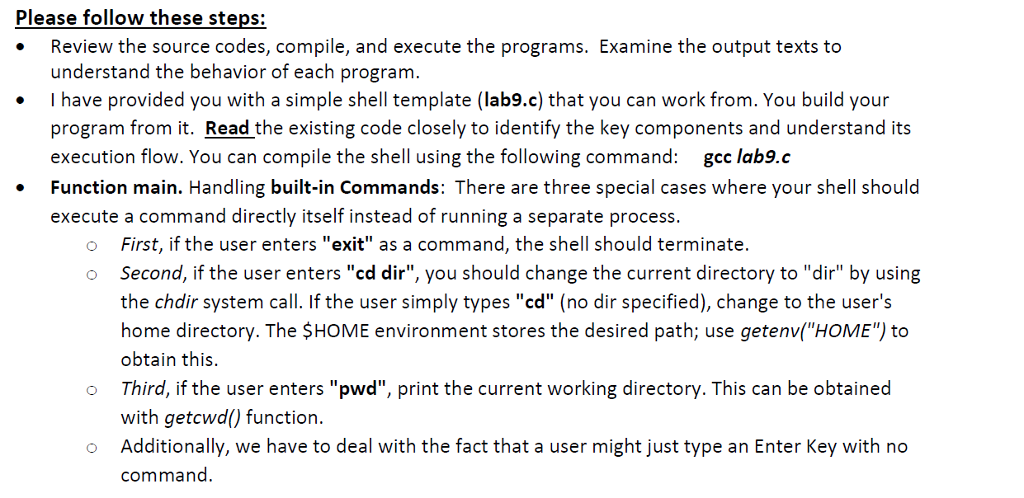
PURPOSE: The purpose of this lab is to allow students to learn a user interface aspect of a UNIX shell. Student will work with process management and some basic system calls. Important note: please use sp1, sp2, sp3, or atoz servers for this lab. UNIX Shell We will start with 3 built-in commands: exit (exit shell) pwd (print working directory) cd (change directory) The built-in functions are not executed by forking and executing an executable. Instead, the shell process executes them itself. Your shell is basically an interactive loop it repeatedly prints a prompt "csc60msh>", parses the input, executes the command specified on that line of input, and waits for the command to finish

Step by Step Solution

There are 3 Steps involved in it

1 Expert Approved Answer
Step: 1 Unlock blur-text-image
Question Has Been Solved by an Expert!

Get step-by-step solutions from verified subject matter experts

Step: 2 Unlock
Step: 3 Unlock

Students Have Also Explored These Related Databases Questions!