







Question: This lab will design a form that works with time. 1. Creation of a Project We will be creating a windows application 2. Create a
This lab will design a form that works with time.
1. Creation of a Project
We will be creating a windows application
2. Create a new project.
Start a new project named CalculateLetterGrade in the Labs\CalculateLetterGrade directory. Be sure to store the solution in its own directory.
3. Toolkit Menu
Use the toolkit to select you controls. Label, Text Boxes and Buttons. Drag them from the toolkit to the form to place them there.
4. Design a Form
The form that is the user interface will look as the image below. Name the form Clock.
5. Time - DateTime.
In order to calculate Time we use DataTime class.
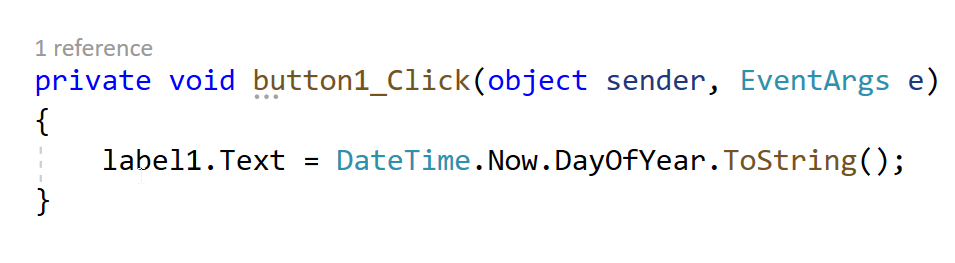
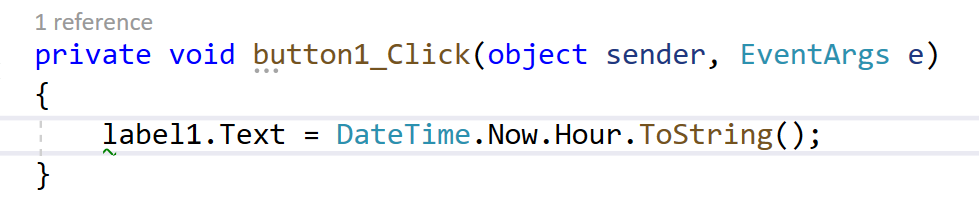
You can Create a Button and Label and play with DataTime functionality. A click on the button with the code below can change the label to give you several current time properties. DateTime.Now gives you current time.
Used to show Day Of The Week. 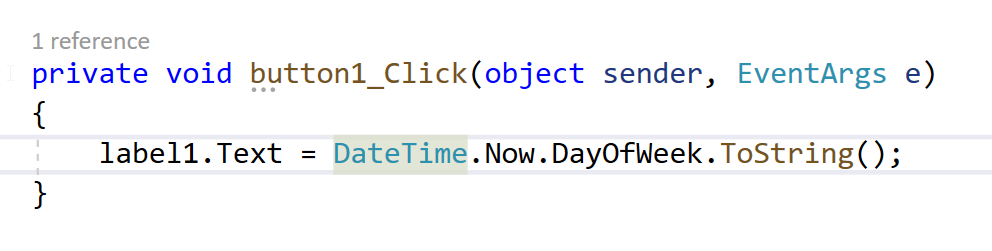
Used to show Day Of The Year.
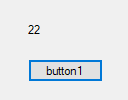
Gives you Hour. Current Time is 10pm.
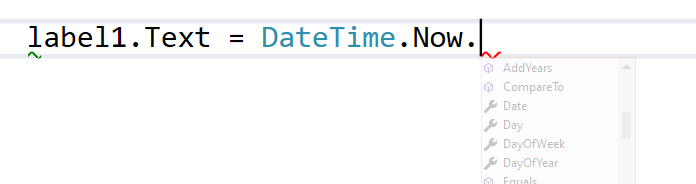
The Image shows toy Day Options with Now,
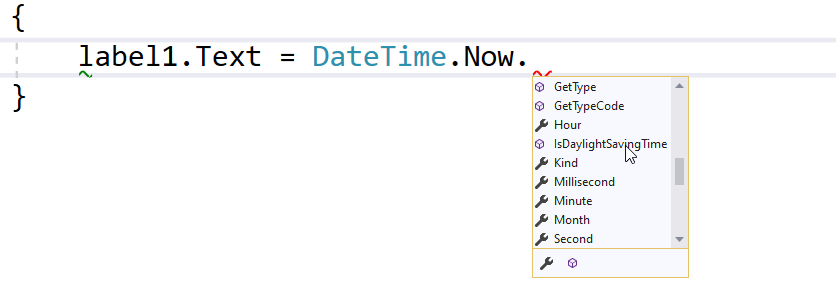
The image shows Minute Hour and Second Options.
6. Digital Font - Extra Credit
Font is the text characteristics you are going to use on the UI. In C Sharp we will develop digital clock and from internet we will download font(www.dafont.com/ds-digital.font) . Once you install you should be able to see the font in text selection.
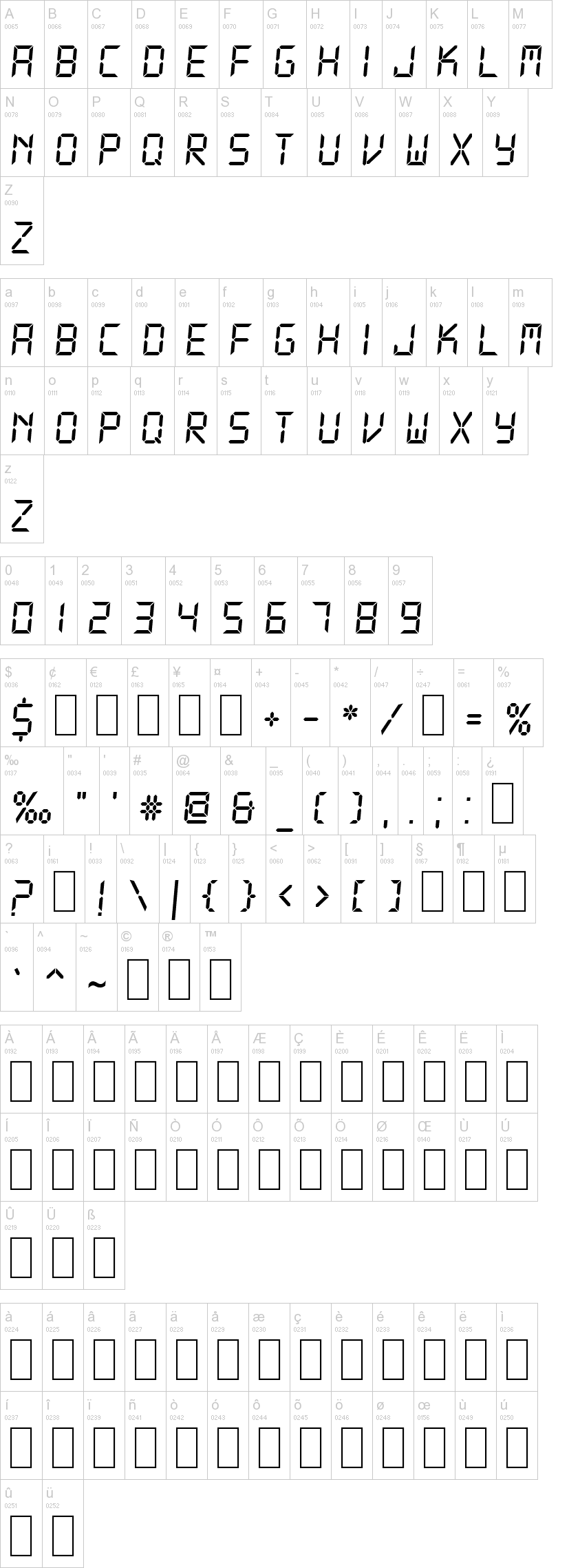
7. Create the following UI where you can get Date and Time.
You will make this UI to include time functionality. You will need to research how to add the boxes around numbers nd the edge.
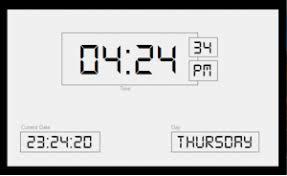
You can use make 5 Text Boxes (Time, Seconds, AM/PM, Date and Day). You can name the the textBoxes as below.
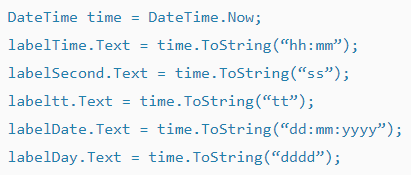
8. Adding Buttons and a Text Box.
To the above UI you will need to add one button that will calculate the time between button clicks and a text box to display the calculation.
Two clicks on the button 15 seconds apart will show 15 seconds in the newly created text box.
9. Adding Icons to Buttons.
Add an icon to the button using image in the properties tab.
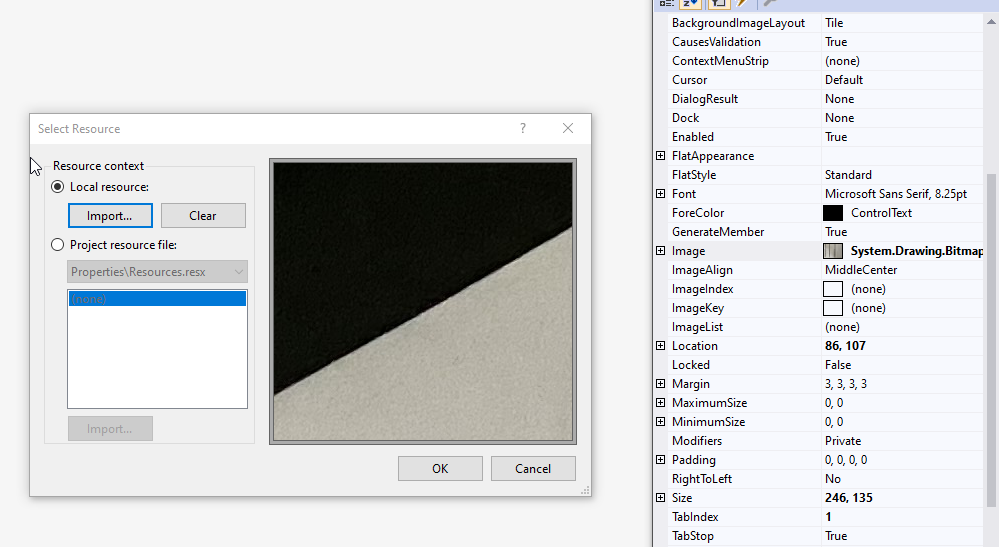
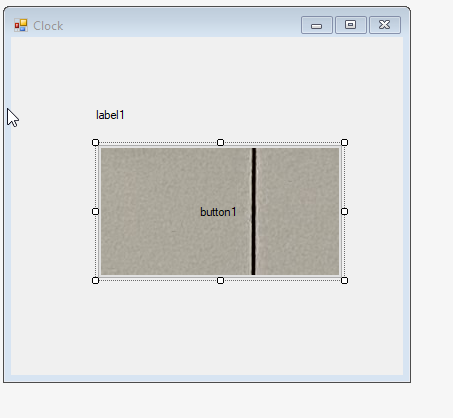
The image will show on the button. The button needs to be sized to similar dimension to see the image clearly. In this case the button is much larger.
Plz help me with this !!!!!!!!!!!!! Thank you.
1 reference private void button1_Click(object sender, EventArgs e) { label1.Text DateTime.Now.DayOfWeek.ToString(); } 1 reference private void button1_Click(object sender, EventArgs e) { label1.Text = DateTime.Now.DayOfYear.ToString(); } 22 button1 1 reference private void button1_Click(object sender, EventArgs e) { label1.Text DateTime.Now.Hour.ToString(); } label1.Text DateTime.Now.l AddYears Compare To Date Day DayOfWeek DayOfYear Fals { label1. Text = DateTime.Now. } GetType GetTypeCode Hour IsDaylightSaving Time Kind Millisecond Minute Month Second A B 0066 D 0068 J 0067 IE 0070 K E 0069 H G 0071 M 0065 0072 0073 0074 0075 0076 0077 A B C D E F G H I J K L M N 0078 U O 0079 R P 0080 S w T 0084 0 0081 V X Y 0082 0085 0085 0086 0087 0088 0089 N O P Q R S T U V W X Y Z 0090 e a 0097 b 0098 0099 d 0100 f 0102 k g 0103 h 0104 m 0109 0101 0105 0106 0107 0108 A B C D E F G H I J K L M n 0110 q r 0114 S 0115 t 0110 u 0117 V 0118 w 0119 X 0120 0111 0112 0113 0121 N O P Q R S T U V W X Y Z 0122 Z 4 2 5 6 0 0048 1 0049 8 3 0051 7 0055 9 0057 0050 0052 0053 0056 1 2 3 4 5 6 7 8 9 - $ 0036 0128 % 0037 0162 0163 0165 0164 0043 0045 0042 0247 0061 500000 + - * / - % % 0137 # 0035 @ 0064 & 0038 0191 0034 0039 0095 0040 0041 0044 0046 0059 0058 > ? 0063 $ u 0181 0161 0033 0092 0124 0123 0060 0062 0091 0093 0167 0182 %" '# @8o..::: ? \{}O100 III TM 0096 0094 0126 0169 0174 0153 A 0194 A 0196 0198 I 0203 0198 0195 0197 0199 0200 0201 0202 0204 00000000 N 0210 0211 CE 0140 0218 0205 0207 0209 0212 0213 0214 0216 0217 0219 B 0220 0223 000 0224 a 0226 0227 a 0228 0230 0233 0235 0225 0229 0231 0232 0234 0236 0238 1 0239 0241 o 0243 10000000 1000 0244 u 0249 ce 0156 0250 0237 0242 0245 0246 0248 0 0251 0252 0 0 04:24 34 PM 23:24:20 THURSORY DateTime time = DateTime.Now; labelTime.Text = time.ToString("hh:mm"); labelSecond.Text = time.ToString("ss"); labeltt. Text = time.ToString("tt"); labelDate.Text = time.ToString("dd: mm:yyyy"); labelDay.Text = time.ToString("dddd"); Tile True (none) Default None None True Select Resource Resource context O Local resource: Import... Clear Project resource file: Properties Resources.resx BackgroundImageLayout CausesValidation ContextMenu Strip Cursor DialogResult Dock Enabled E FlatAppearance FlatStyle E Font ForeColor Generate Member Image ImageAlign ImageIndex ImageKey ImageList Location Locked Margin Maximum Size Minimum Size Modifiers Padding RightToLeft e Size Tablndex TabStop Standard Microsoft Sans Serif, 8.25pt Control Text True System.Drawing.Bitmap MiddleCenter (none) (none) (none) 86, 107 False 3,3,3,3 0,0 0,0 Private 0,0,0,0 No 246, 135 1 True Import... OK Cancel Clock 0 x label1 button1
Step by Step Solution
There are 3 Steps involved in it

Get step-by-step solutions from verified subject matter experts
 Study Help