







Question: This lab will design a form that works with time. 1. Creation of a Project We will be creating a windows application 2. Create a
This lab will design a form that works with time.
1. Creation of a Project
We will be creating a windows application
2. Create a new project.
Start a new project named CalculateLetterGrade in the Labs\CalculateLetterGrade directory. Be sure to store the solution in its own directory.
3. Toolkit Menu
Use the toolkit to select you controls. Label, Text Boxes and Buttons. Drag them from the toolkit to the form to place them there.
4. Design a Form
The form that is the user interface will look as the image below. Name the form Clock.
5. Time - DateTime.
In order to calculate Time we use DataTime class.
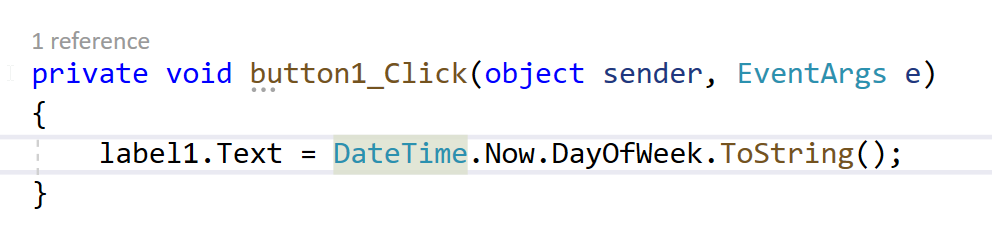
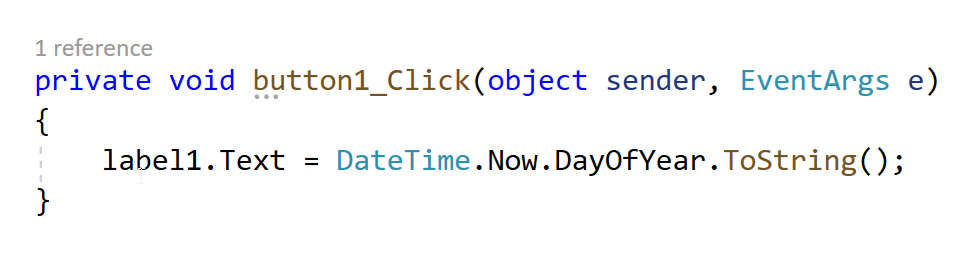
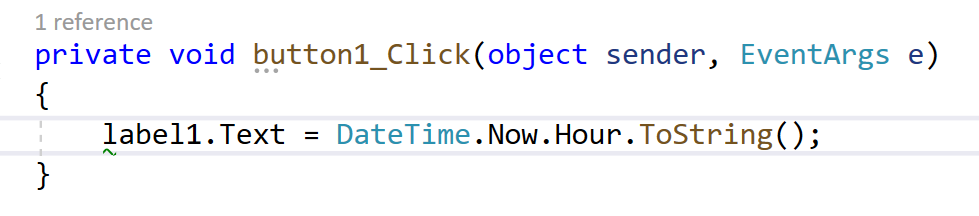
You can Create a Button and Label and play with DataTime functionality. A click on the button with the code below can change the label to give you several current time properties. DateTime.Now gives you current time.
Used to show Day Of The Week.
Used to show Day Of The Year.
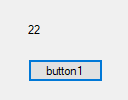
Gives you Hour. Current Time is 10pm.
The Image shows toy Day Options with Now,
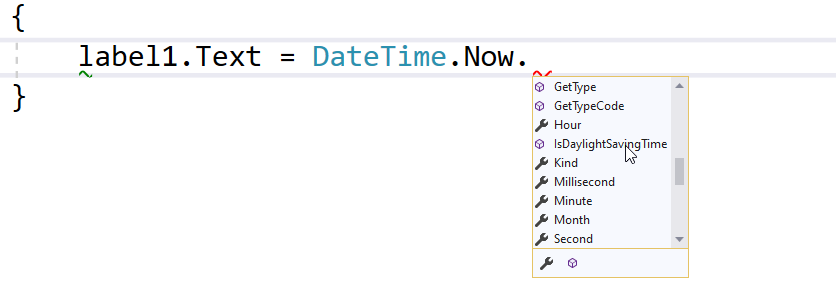
The image shows Minute Hour and Second Options.
6. Digital Font - Extra Credit
Font is the text characteristics you are going to use on the UI. In C Sharp we will develop digital clock and from internet we will download font(www.dafont.com/ds-digital.font) . Once you install you should be able to see the font in text selection.
7. Create the following UI where you can get Date and Time.
You will make this UI to include time functionality. You will need to research how to add the boxes around numbers nd the edge.
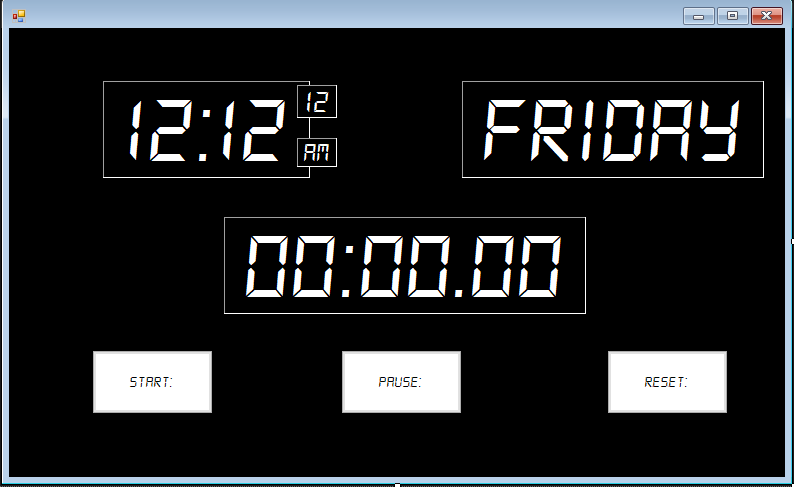
You can use make 5 Text Boxes (Time, Seconds, AM/PM, Date and Day). You can name the the textBoxes as below.
To the above UI you will need to add one button that will calculate the time between button clicks and a text box to display the calculation.
Two clicks on the button 15 seconds apart will show 15 seconds in the newly created text box.
9. Adding Icons to Buttons.
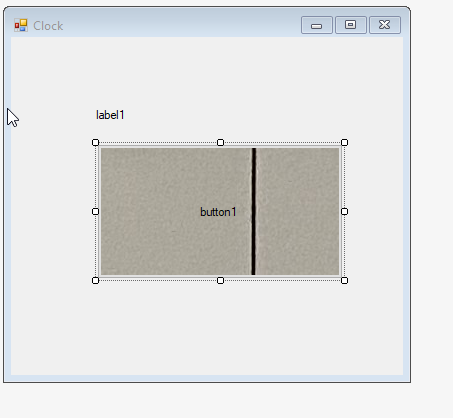
Add an icon to the button using image in the properties tab.
The image will show on the button. The button needs to be sized to similar dimension to see the image clearly. In this case the button is much larger.
1 reference private void button1_Click(object sender, EventArgs e) { label1.Text DateTime.Now.DayOfWeek.ToString(); } 1 reference private void button1_Click(object sender, EventArgs e) { label1.Text = DateTime.Now.DayOfYear.ToString(); } 22 button1 1 reference private void button1_Click(object sender, EventArgs e) { label1.Text DateTime.Now.Hour.ToString(); } { label1. Text = DateTime.Now. } GetType GetTypeCode Hour IsDaylightSaving Time Kind Millisecond Minute Month Second x 12 12:12 FRIDAY AM 00:00.00 START: PAUSE RESET: Clock 0 x label1 button1
Step by Step Solution
There are 3 Steps involved in it

Get step-by-step solutions from verified subject matter experts
 Study Help