







Question: This macro FUNCTION calculates the present value of a lump sum using values PASSED to the function (as arguments) for the cash flow (FV), the
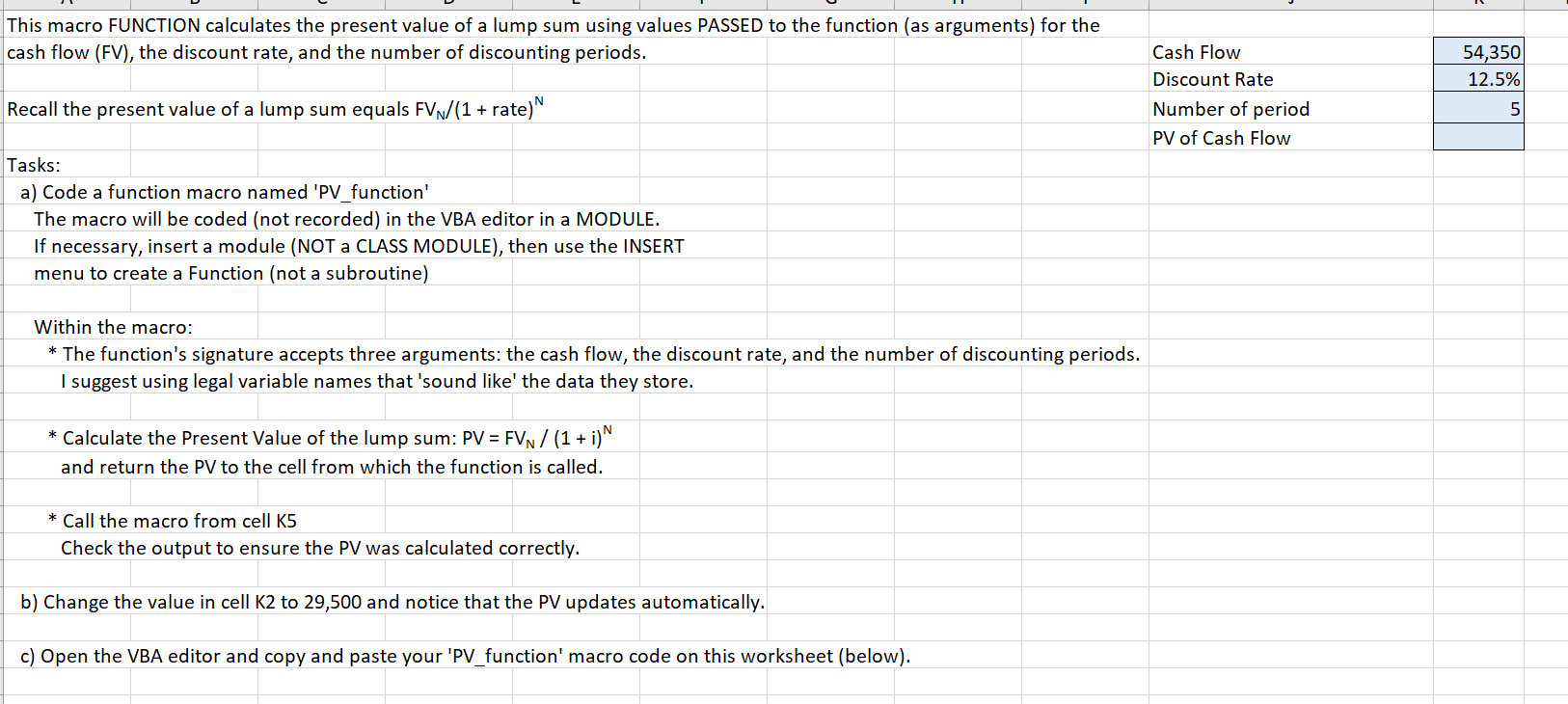
This macro FUNCTION calculates the present value of a lump sum using values PASSED to the function (as arguments) for the cash flow (FV), the discount rate, and the number of discounting periods. 54,350 12.5% Recall the present value of a lump sum equals FVN/(1 + rate)" Cash Flow Discount Rate Number of period PV of Cash Flow 5 Tasks: a) Code a function macro named 'PV_function' The macro will be coded (not recorded) in the VBA editor in a MODULE. If necessary, insert a module (NOT a CLASS MODULE), then use the INSERT menu to create a Function (not a subroutine) Within the macro: * The function's signature accepts three arguments: the cash flow, the discount rate, and the number of discounting periods. I suggest using legal variable names that 'sound like the data they store. * Calculate the Present Value of the lump sum: PV = FVN/ (1 + i)^ and return the PV to the cell from which the function is called. * Call the macro from cell K5 Check the output to ensure the PV was calculated correctly. b) Change the value in cell K2 to 29,500 and notice that the PV updates automatically. c) Open the VBA editor and copy and paste your 'PV_function' macro code on this worksheet (below). This macro FUNCTION calculates the present value of a lump sum using values PASSED to the function (as arguments) for the cash flow (FV), the discount rate, and the number of discounting periods. 54,350 12.5% Recall the present value of a lump sum equals FVN/(1 + rate)" Cash Flow Discount Rate Number of period PV of Cash Flow 5 Tasks: a) Code a function macro named 'PV_function' The macro will be coded (not recorded) in the VBA editor in a MODULE. If necessary, insert a module (NOT a CLASS MODULE), then use the INSERT menu to create a Function (not a subroutine) Within the macro: * The function's signature accepts three arguments: the cash flow, the discount rate, and the number of discounting periods. I suggest using legal variable names that 'sound like the data they store. * Calculate the Present Value of the lump sum: PV = FVN/ (1 + i)^ and return the PV to the cell from which the function is called. * Call the macro from cell K5 Check the output to ensure the PV was calculated correctly. b) Change the value in cell K2 to 29,500 and notice that the PV updates automatically. c) Open the VBA editor and copy and paste your 'PV_function' macro code on this worksheet (below)
Step by Step Solution
There are 3 Steps involved in it

Get step-by-step solutions from verified subject matter experts
 Study Help