







Question: ***THIS MUST BE DONE IN MATLAB*** 3) Adapt the procedure developed in Example 6 to rotate the square counterclockwise by increments of /10 about the
***THIS MUST BE DONE IN MATLAB***
3) Adapt the procedure developed in Example 6 to rotate the square counterclockwise by increments of /10 about the origin. Stop when the square is in its original location and then rotate it in the clockwise direction until the square is in its original location again. You may want to rescale the axis to axis([-2,2,-2,2])
Include the M-file. Do not include the figure. Hint: Since you are performing a computation several times, you will want to use two for loops: one loop for the counterclockwise rotation and another one for the clockwise rotation. Think about how many times you will need to go through the loops, keeping in mind that you are rotating the square counterclockwise for a full circle by increments of /10 and then rotating the square clockwise back again.
4. Adapt the procedure developed in Example 6 to show the square rotating in a counterclockwise direction about the origin by increments of /10 for a total angle of 2 and expanding at the same time by a factor of 11/10, then stopping and rotating in the clockwise direction as it shrinks to its original size (with a contraction factor of 10/11). At the end of the program, the figure should have returned to its original size and original location.
You may want to rescale the axis to axis([-8,8,-8,8]) Include the M-file. Do not include the figure. Hint: Similarly to Exercise 3, you might want to use two for loops: one loop for the counterclock- wise rotation + dilation, and another one for the clockwise rotation + contraction. Think about how many times you will need to go through the loops.
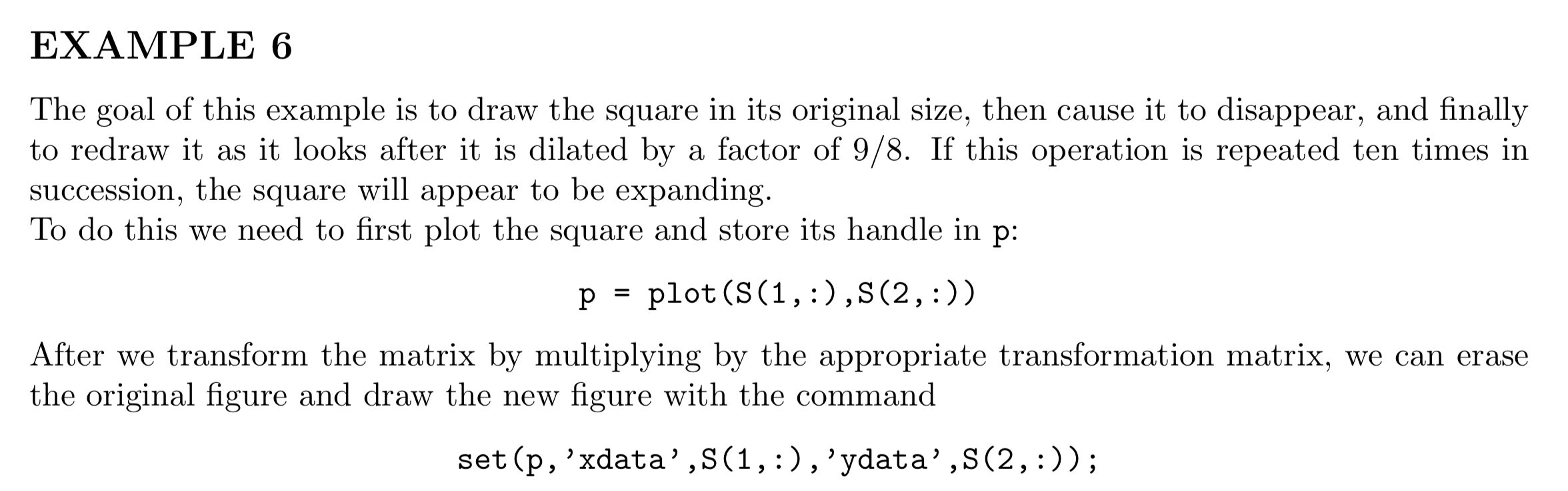
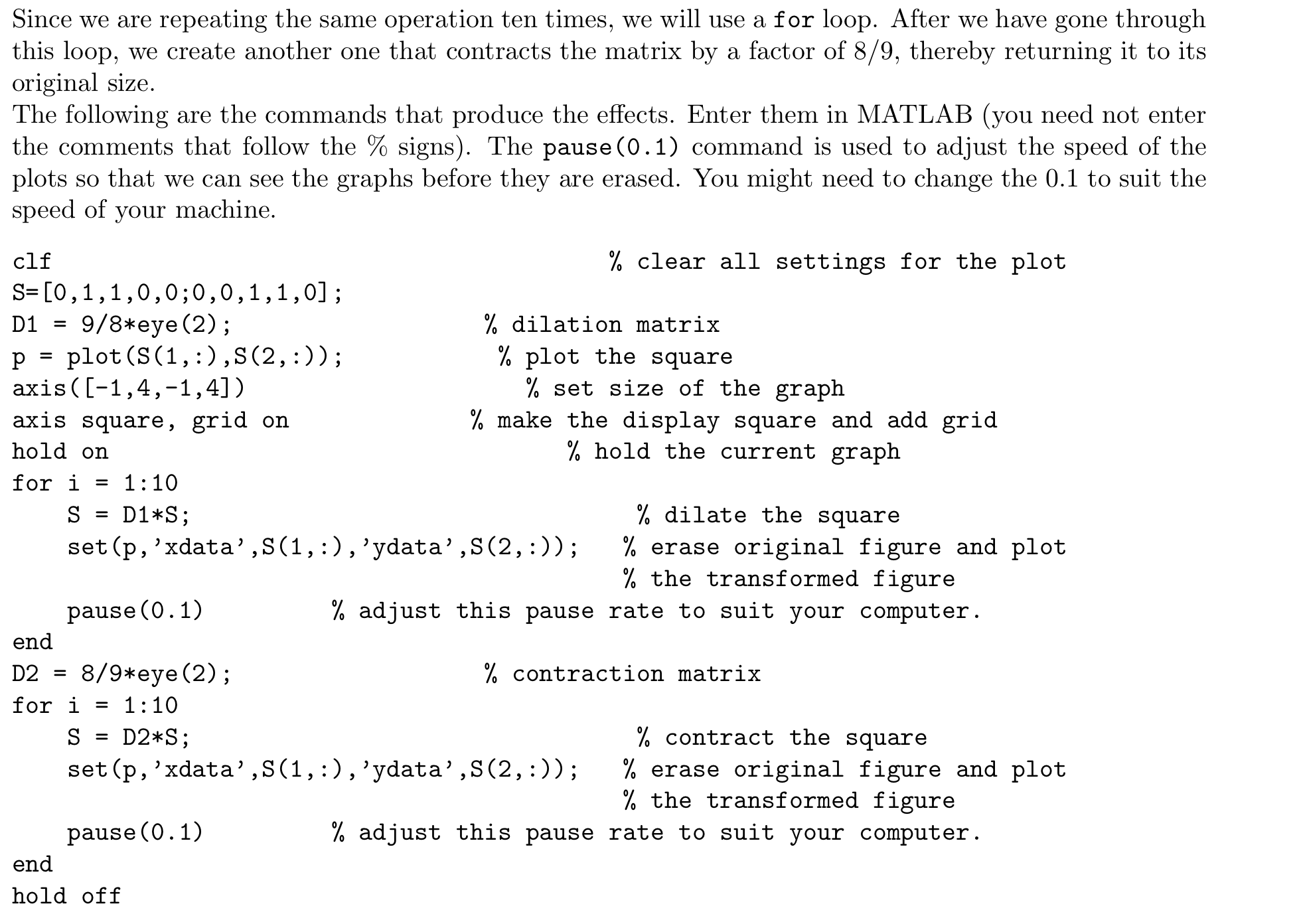
EXAMPLE 6 The goal of this example is to draw the square in its original size, then cause it to disappear, and finally to redraw it as it looks after it is dilated by a factor of 9/8. If this operation is repeated ten times in succession, the square will appear to be expanding To do this we need to first plot the square and store its handle in p: p - plot (S(1, :) ,S(2,:)) After we transform the matrix by multiplying by the appropriate transformation matrix, we can erase the original figure and draw the new figure with the command set(p, 'xdata',S(1,: ) , 'ydata',S(2,:))
Step by Step Solution
There are 3 Steps involved in it

Get step-by-step solutions from verified subject matter experts
 Study Help