







Question: This need to be on MySQL 1 Normal X AURA Emphasis EEEEE Heading 1 Subtitle Strong Paragraph Styles 2 Only after MySQL is installed with
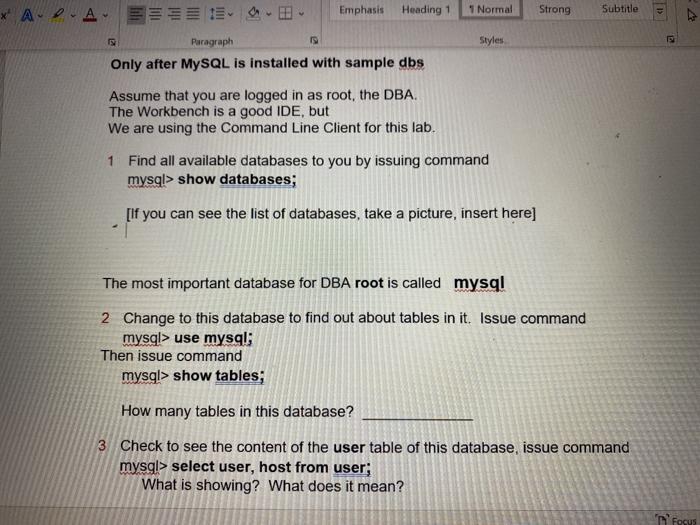
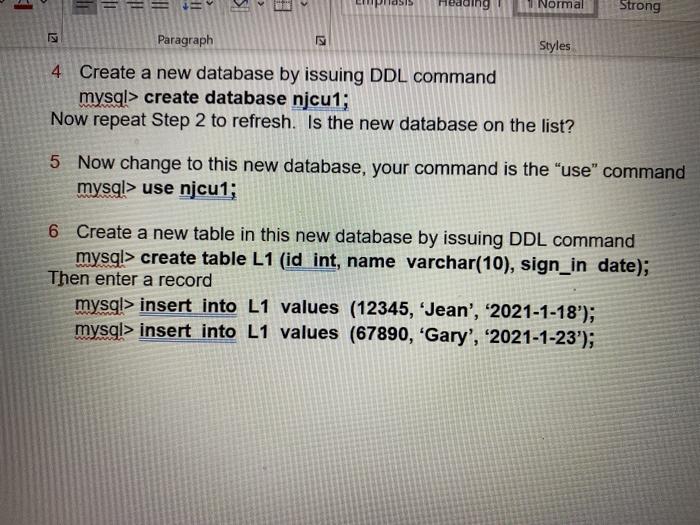
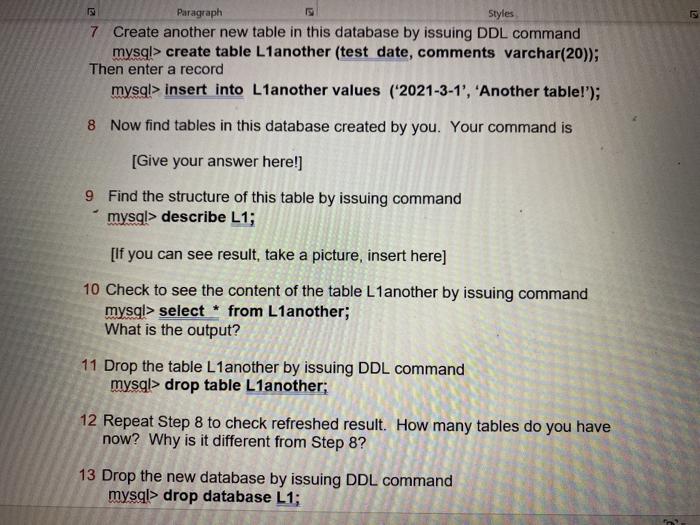
1 Normal X AURA Emphasis EEEEE Heading 1 Subtitle Strong Paragraph Styles 2 Only after MySQL is installed with sample dbs Assume that you are logged in as root, the DBA. The Workbench is a good IDE, but We are using the Command Line Client for this lab. 1 Find all available databases to you by issuing command mysql> show databases; [If you can see the list of databases, take a picture, insert here] The most important database for DBA root is called mysql 2 Change to this database to find out about tables in it. Issue command mysql> use mysql; Then issue command mysql> show tables, How many tables in this database? 3 Check to see the content of the user table of this database, issue command mysql> select user, host from user; What is showing? What does it mean? T Focus SIS 1 Normal Strong Paragraph Styles 4 Create a new database by issuing DDL command mysql> create database njcu1; Now repeat Step 2 to refresh. Is the new database on the list? 5 Now change to this new database, your command is the "use" command mysql> use njcu1; 6 Create a new table in this new database by issuing DDL command mysql> create table L1 (id int, name varchar(10), sign_in date); Then enter a record mysql> insert into L1 values (12345, Jean', '2021-1-18'); mysql> insert into L1 values (67890, "Gary', '2021-1-23'); Paragraph Styles 7 Create another new table in this database by issuing DDL command mysql> create table L1another (test date, comments varchar(20)); Then enter a record mysql> insert into L1another values (2021-3-1', 'Another table!'); 8 Now find tables in this database created by you. Your command is [Give your answer here!) 9 Find the structure of this table by issuing command mysql> describe L1; [If you can see result, take a picture, insert here) 10 Check to see the content of the table L1 another by issuing command mysql> select * from L1another; What is the output? 11 Drop the table L1another by issuing DDL command mysql> drop table L1another; 12 Repeat Step 8 to check refreshed result. How many tables do you have now? Why is it different from Step 8? 13 Drop the new database by issuing DDL command mysql> drop database L1; why is
Step by Step Solution
There are 3 Steps involved in it

Get step-by-step solutions from verified subject matter experts
 Study Help