







Question: This networked Tic Tac Toe game project will test your networking and database management knowledge. The server will maintain a database of users to
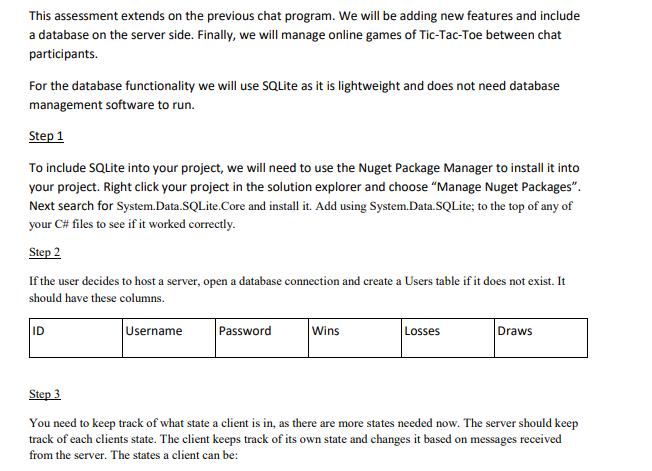

This networked Tic Tac Toe game project will test your networking and database management knowledge. The server will maintain a database of users to keep track of their login details and scores in tic tac toe. The server will keep track of each clients state and sync the tic tac toe gameboard across all clients. Up until this point we have worked directly with the database using a database management system software and running SQL commands, but this time we will need to work with code to communicate with the database locally to run these commands. Many programs, games and websites maintain a database on the server side. Managing a game across a network and keeping a database up to date can be difficult and will allow you to demonstrate a strong understanding of networking and database systems in a production environment. This assessment extends on the previous chat program. We will be adding new features and include a database on the server side. Finally, we will manage online games of Tic-Tac-Toe between chat participants. For the database functionality we will use SQLite as it is lightweight and does not need database management software to run. Step 1 To include SQLite into your project, we will need to use the Nuget Package Manager to install it into your project. Right click your project in the solution explorer and choose "Manage Nuget Packages". Next search for System.Data.SQLite.Core and install it. Add using System.Data.SQLite; to the top of any of your C# files to see if it worked correctly. Step 2 If the user decides to host a server, open a database connection and create a Users table if it does not exist. It should have these columns. Username ID Password Wins Losses Draws Step 3 You need to keep track of what state a client is in, as there are more states needed now. The server should keep track of each clients state. The client keeps track of its own state and changes it based on messages received from the server. The states a client can be: Login Chatting Playing When a client connects to the server they are in the login state. During that state, the client can either register a new username and password or login with existing credentials. If either work, then the client is progressed to chatting phase. In the chat state, if the user types !join and there is a free spot in the Tic-Tac-Toe game, then the server will send a message back to the user letting them know they are player 1 or 2 e.g !player1 or !player2. This will progress the clients state to playing and they should store locally what player they are. Step 4 The server will inform a player when it is their turn to make a move. When it is the clients turn, they will be allowed to use the Tic-Tac-Toe board. When they make a move, the move information needs to be sent to the server. The server updates its own board and broadcasts the boards state to all clients. Step 5 When the game of Tic-Tac-Toe is over(win/lose/draw) then the server should update the players scores in the database, inform the players of the results and server lets players know to return to the chatting state. Step 6 A new chat command !scores should be added that outputs all scores in the database to the asking client. Sort the scores from highest to lowest. Referencing It is essential that you use appropriate APA style for citing and referencing research. Please see more information on referencing here https://library.torrens.edu.au/academicskills/apa/tool Submission Instructions Zip all projects, related files and any instructional readme.txt files for submission. Name this zip file using this format: NDS203 [your name] [studentID]_Assignment3.zip Submit this task via the Assessment link in the main navigation menu in NDS203 Networking and Database Systems. The Learning Facilitator will provide feedback via the Grade Centre in the LMS portal. Feedback can be viewed in My Grades. Before you submit your assessment, please ensure you have read and understand the conditions outlined in the Academic Integrity Code Handbook. If you are unsure about anything in the Handbook, please reach out to your Learning Facilitator. Academic Integrity Declaration I declare that except where I have referenced, the work I am submitting for this assessment task is my own work. I have read and am aware of Torrens University Australia Academic Integrity Policy and Procedure viewable online at http://www.torrens.edu.au/policies-and-forms
Step by Step Solution
There are 3 Steps involved in it

Get step-by-step solutions from verified subject matter experts
 Study Help