







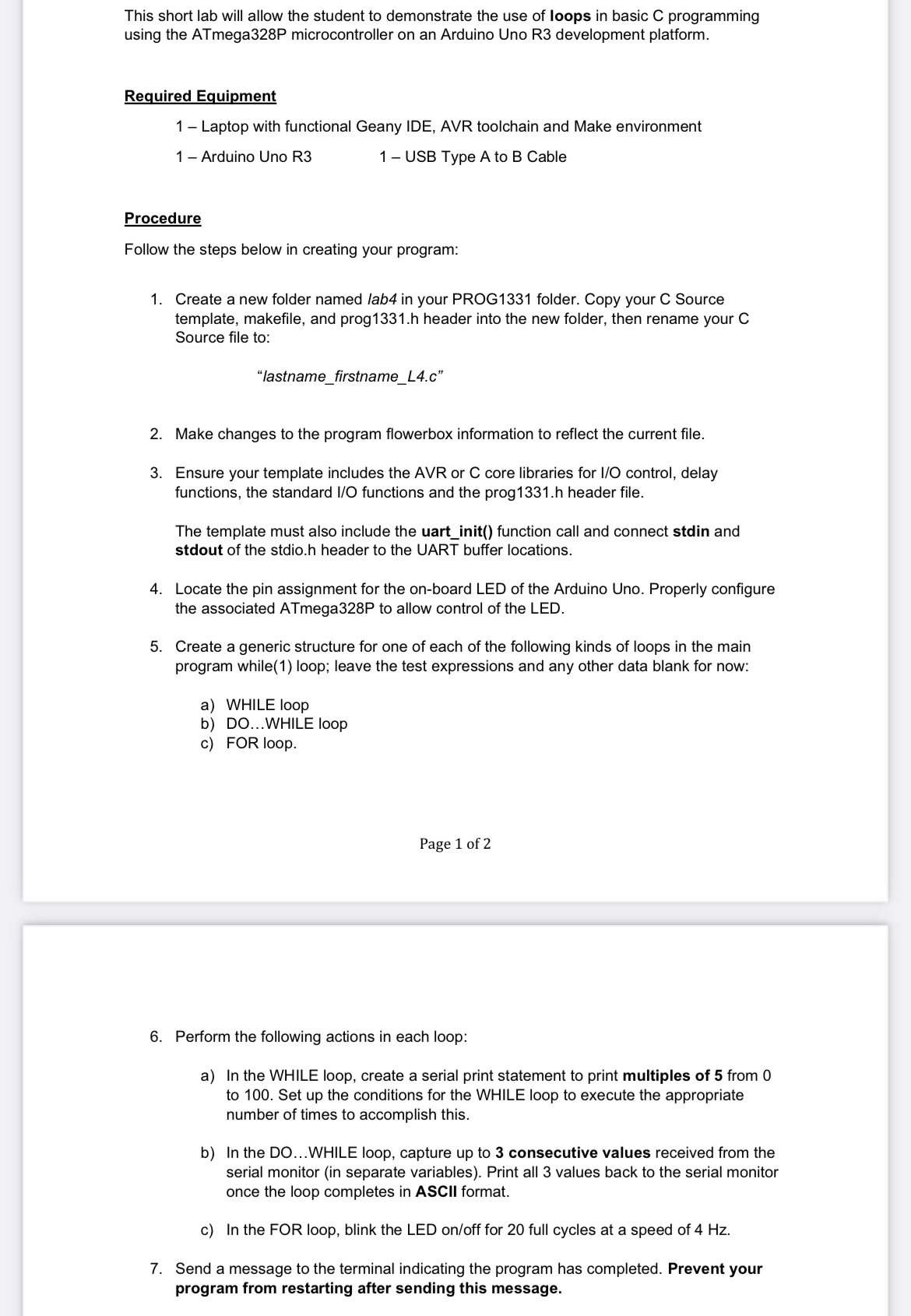
Question: This short lab will allow the student to demonstrate the use of loops in basic C programming using the ATmega 3 2 8 P microcontroller
This short lab will allow the student to demonstrate the use of loops in basic programming
using the ATmegaP microcontroller on an Arduino Uno R development platform.
Required Equipment
Laptop with functional Geany IDE, AVR toolchain and Make environment
Arduino Uno R USB Type A to B Cable
Procedure
Follow the steps below in creating your program:
Create a new folder named lab in your PROG folder. Copy your C Source
template, makefile, and prog h header into the new folder, then rename your C
Source file to:
"lastnamefirstnameLc
Make changes to the program flowerbox information to reflect the current file.
Ensure your template includes the AVR or C core libraries for IO control, delay
functions, the standard IO functions and the prog h header file.
The template must also include the uartinit function call and connect stdin and
stdout of the stdio.h header to the UART buffer locations.
Locate the pin assignment for the onboard LED of the Arduino Uno. Properly configure
the associated ATmegaP to allow control of the LED.
Create a generic structure for one of each of the following kinds of loops in the main
program while loop; leave the test expressions and any other data blank for now:
a WHILE loop
b DOWHILE loop
c FOR loop.
Perform the following actions in each loop:
a In the WHILE loop, create a serial print statement to print multiples of from
to Set up the conditions for the WHILE loop to execute the appropriate
number of times to accomplish this.
b In the DOWHILE loop, capture up to consecutive values received from the
serial monitor in separate variables Print all values back to the serial monitor
once the loop completes in ASCII format.
c In the FOR loop, blink the LED onoff for full cycles at a speed of
Send a message to the terminal indicating the program has completed. Prevent your
program from restarting after sending this message.
Step by Step Solution
There are 3 Steps involved in it
1 Expert Approved Answer
Step: 1 Unlock

Question Has Been Solved by an Expert!
Get step-by-step solutions from verified subject matter experts
Step: 2 Unlock
Step: 3 Unlock
 Study Help