







Question: This simulation allows you to shoot a charged particle into a magnetic field. 1. Click Start and observe the charged particle as it moves through
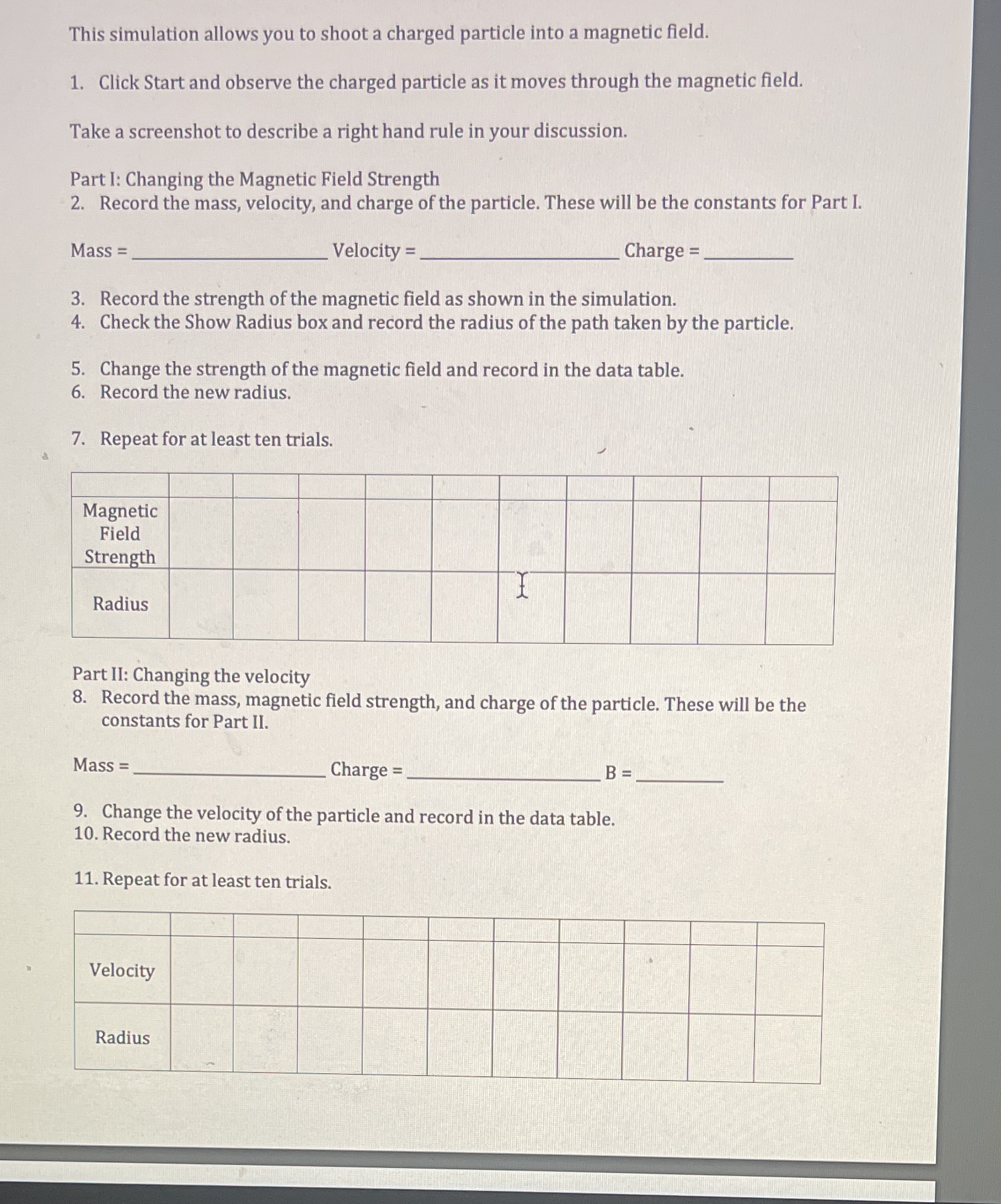
This simulation allows you to shoot a charged particle into a magnetic field. 1. Click Start and observe the charged particle as it moves through the magnetic field. Take a screenshot to describe a right hand rule in your discussion. Part I: Changing the Magnetic Field Strength 2. Record the mass, velocity, and charge of the particle. These will be the constants for Part I. Mass = Velocity = Charge = 3. Record the strength of the magnetic field as shown in the simulation. 4. Check the Show Radius box and record the radius of the path taken by the particle. 5. Change the strength of the magnetic field and record in the data table. 6. Record the new radius. 7. Repeat for at least ten trials. Magnetic Field Strength Radius Part II: Changing the velocity 8. Record the mass, magnetic field strength, and charge of the particle. These will be the constants for Part II. Mass = Charge = B = 9. Change the velocity of the particle and record in the data table. 10. Record the new radius. 11. Repeat for at least ten trials. Velocity Radius
Step by Step Solution
There are 3 Steps involved in it

Get step-by-step solutions from verified subject matter experts
 Study Help