







Question: This task needs to be coded in Java. Please show all steps from 1 to 9. Task 2 - Adding Tasks feature At the end
This task needs to be coded in Java. Please show all steps from 1 to 9.
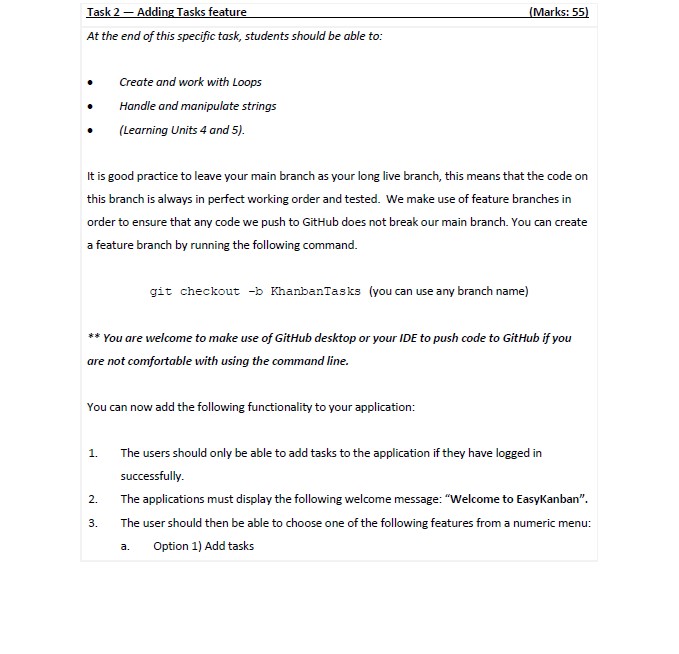
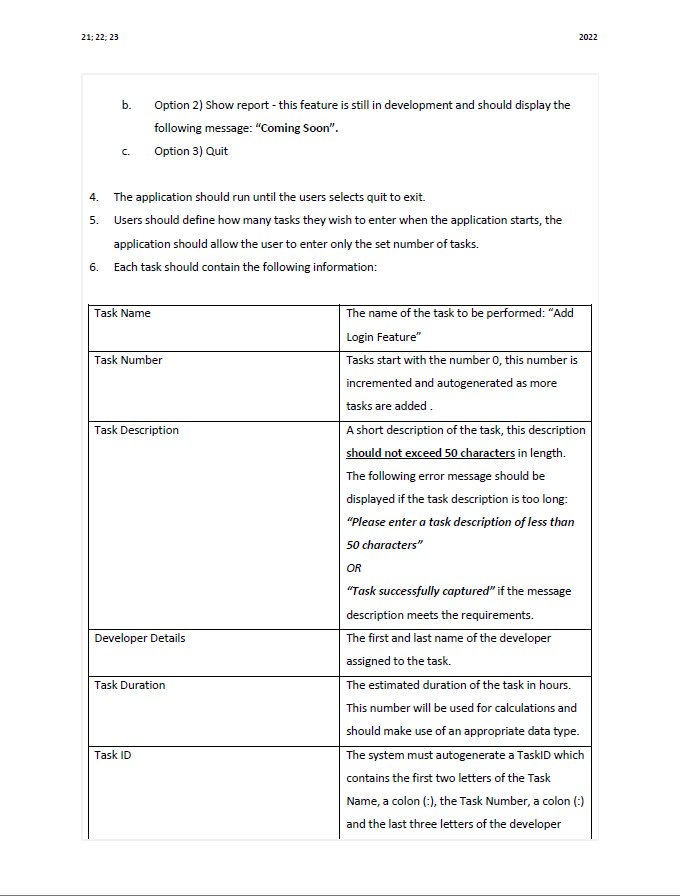
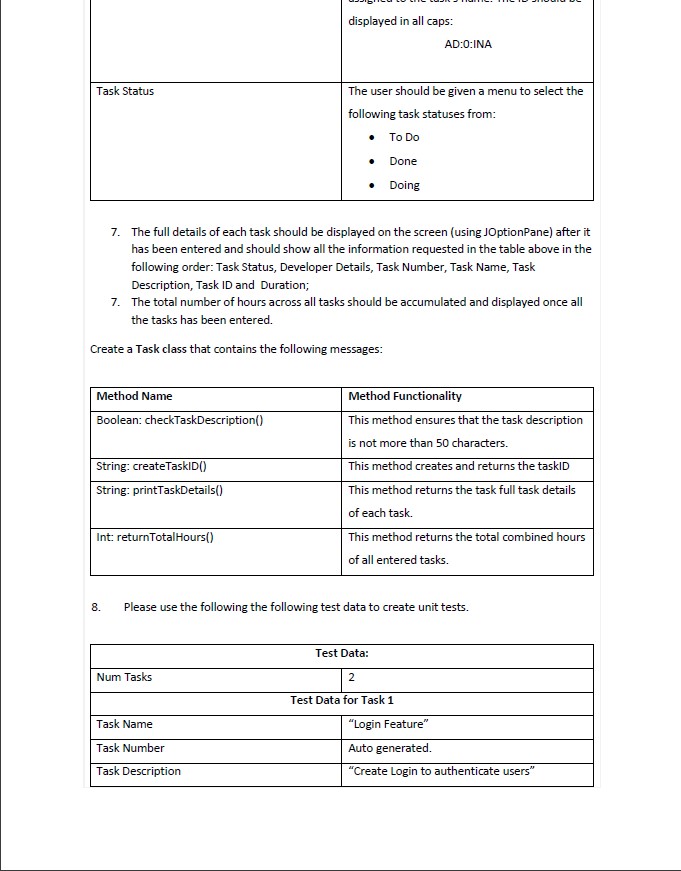
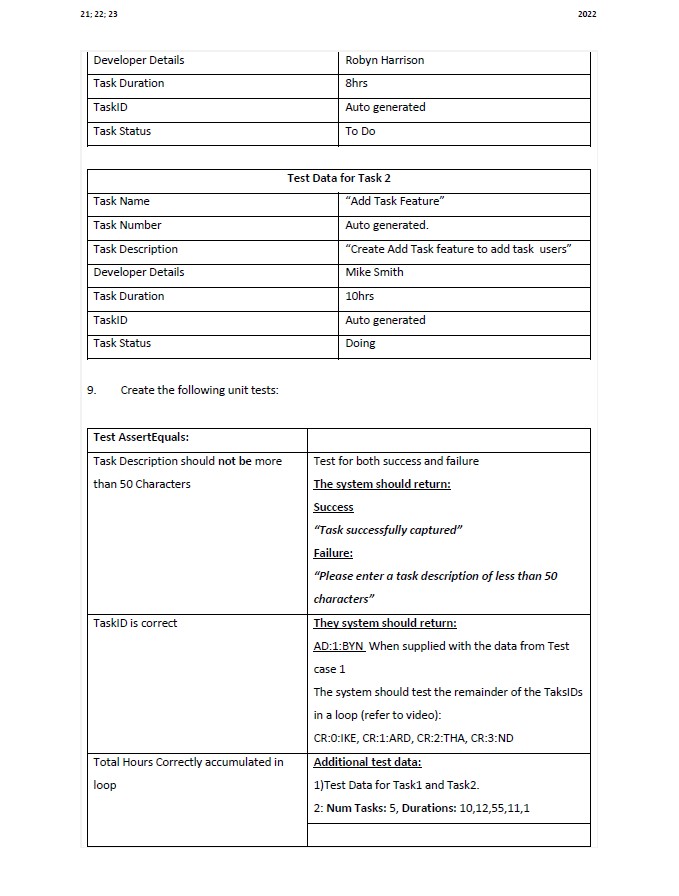

Task 2 - Adding Tasks feature At the end of this specific task, students should be able to: . Create and work with Loops Handle and manipulate strings (Learning Units 4 and 5). (Marks: 55) It is good practice to leave your main branch as your long live branch, this means that the code on this branch is always in perfect working order and tested. We make use of feature branches in order to ensure that any code we push to GitHub does not break our main branch. You can create a feature branch by running the following command. git checkout -b KhanbanTasks (you can use any branch name) ** You are welcome to make use of GitHub desktop or your IDE to push code to GitHub if you are not comfortable with using the command line. You can now add the following functionality to your application: 1. The users should only be able to add tasks to the application if they have logged in successfully. 2. The applications must display the following welcome message: "Welcome to EasyKanban". 3. a. The user should then be able to choose one of the following features from a numeric menu: Option 1) Add tasks
Step by Step Solution
There are 3 Steps involved in it
Solutions Answer publi... View full answer

Get step-by-step solutions from verified subject matter experts
 Study Help