







Question: This will be your first hands - on experience with Android on your own! The app design will follow the MVC pattern ( as all
This will be your first handson experience with Android on your own! The app design will follow the MVC pattern as all of our mobile apps this semester There will be model classes, view, and controller.
Begin by creating a new Android project in Android Studio, named according to the lab guidelines project name should be lab Set the minimum SDK of the project to API
Create a new assets folder in your project since your application will read in data from text files.
Create the following in thelabmodelpackage:
Incident.java
ResponseTeam.java
IncidentTracker.java
Your app should also contain:
MainActivity.java in thelabpackage
activitymain.xml in the res layout folder
logopng in the res drawable folder
incidents.csv Download
incidents.csv in the assets folder
App Design:
The View
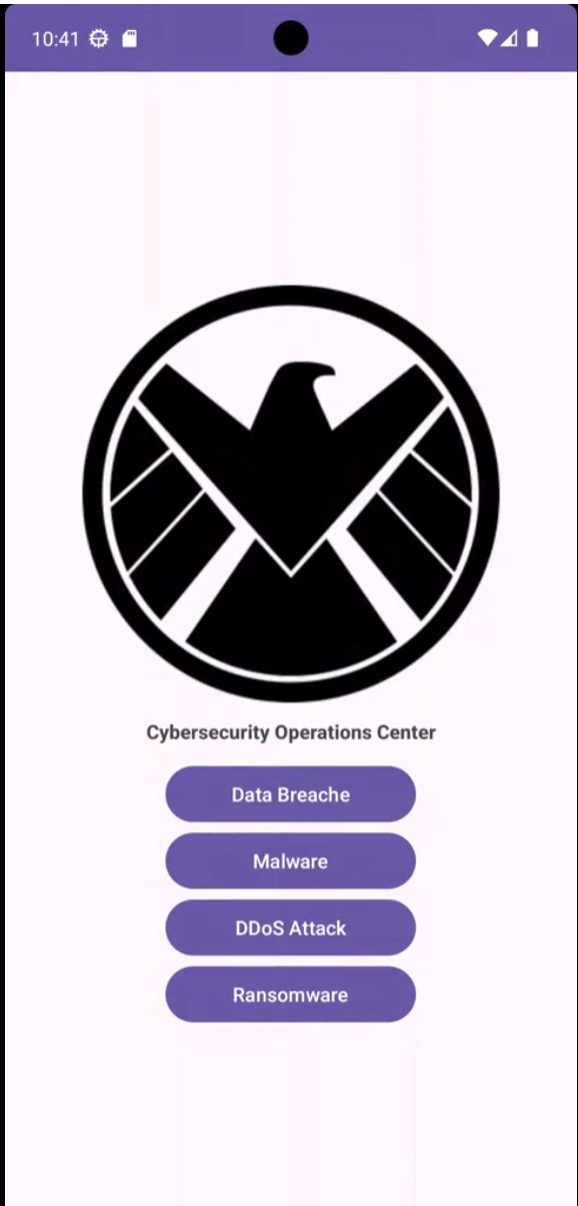
Your app will display a main screen with the CSOC logo the center name The Cybersecurity Operations Center and several buttons representing different types of cyber incidents eg data breaches, malware, DDoS attacks, etc. These components can be hardcoded and do not need to be dynamically loaded.
You may customize your apps appearance with fonts, images, colors, and configuration. You should include at least four types of incidents, and your app must follow the requirements outlined in this lab.
This app must have the following GUI components:
A logo for the app. The logo image is provided for you to use or you may optionally find your own.A label for the app shown here as The Cybersecurity Operations Center or more buttons for incidents.
The Controller
MainActivity.java will launch when the application is run, and show the activitymain.xml
MainActivity will have implementation for the View.OnClickListener interface using Anonymous Inner Classes to enable the buttons to listen to user clicks from the buttons on the GUI.
When the user clicks on a button, the controller will load the relevant incident data from the file and call the IncidentTracker class to display the incidents priority level, status, and response team in a Toast message.
See sample app run here.
The Model
Incident.java: This class will represent a cybersecurity incident. It will include:
An incident IDAn incident type eg "Data Breach"Priority level low medium, highTime of occurrence.Status eg "Under Investigation," "Resolved"A response team.
ResponseTeam.java: This class will represent a team assigned to an incident. Each response team will have:
A team IDA team name eg "Network Defense Team"A team leaders name.Contact information.
IncidentTracker.java: This class will manage the tracking of incidents. It will include:
An ArrayList of Incident objects.A loadIncidents method that reads the incident data from the incidents.csv file.A getIncident method that takes in an incident ID or type and returns the corresponding Incident object.
Sample app
Step by Step Solution
There are 3 Steps involved in it
1 Expert Approved Answer
Step: 1 Unlock

Question Has Been Solved by an Expert!
Get step-by-step solutions from verified subject matter experts
Step: 2 Unlock
Step: 3 Unlock
 Study Help