







Question: To increase the efficiency of your code, youre going to use the Taco.javaclass for every taco. Youre going to write the process of creating a
To increase the efficiency of your code, youre going to use the Taco.javaclass for every taco. Youre going to write the process of creating a taco object from an order in PoD.java.
Once youve created a Taco object, print out the toString() method by printing out the object. Remember that you dont need to do System.out.println(taco.toString()). Calling toString() is unnecessary.
public class Taco
{
//attributes
private boolean shell;
private boolean togo;
private String ingredients;
//constructor
public Taco()
{
shell = true;
ingredients = "none";
togo = true;
}
//Getters
public boolean getShell(){return shell;}
public boolean getTogo(){return togo;}
public String getIngredients(){return ingredients;}
//Setters
public void setShell(boolean shell){this.shell = shell;}
public void setTogo(boolean togo){this.togo = togo;}
public void setIngredients(String ingredients){this.ingredients = ingredients;}
public String toString()
{
String order = "";
if(shell)
order += "Shell: hard ";
else
order += "Shell: soft ";
if(togo)
order+= "Order: togo ";
else
order+= "Order: not togo ";
order += "Ingredients: " + ingredients;
return order;
}
}
import java.util.Scanner;
public class PoD {
public static void main( String [] args ) {
// PLEASE START YOUR CODE HERE
// *********************************************************
// *********************************************************
//PLEASE END YOUR CODE HERE
System.out.print("END OF OUTPUT");
}
}
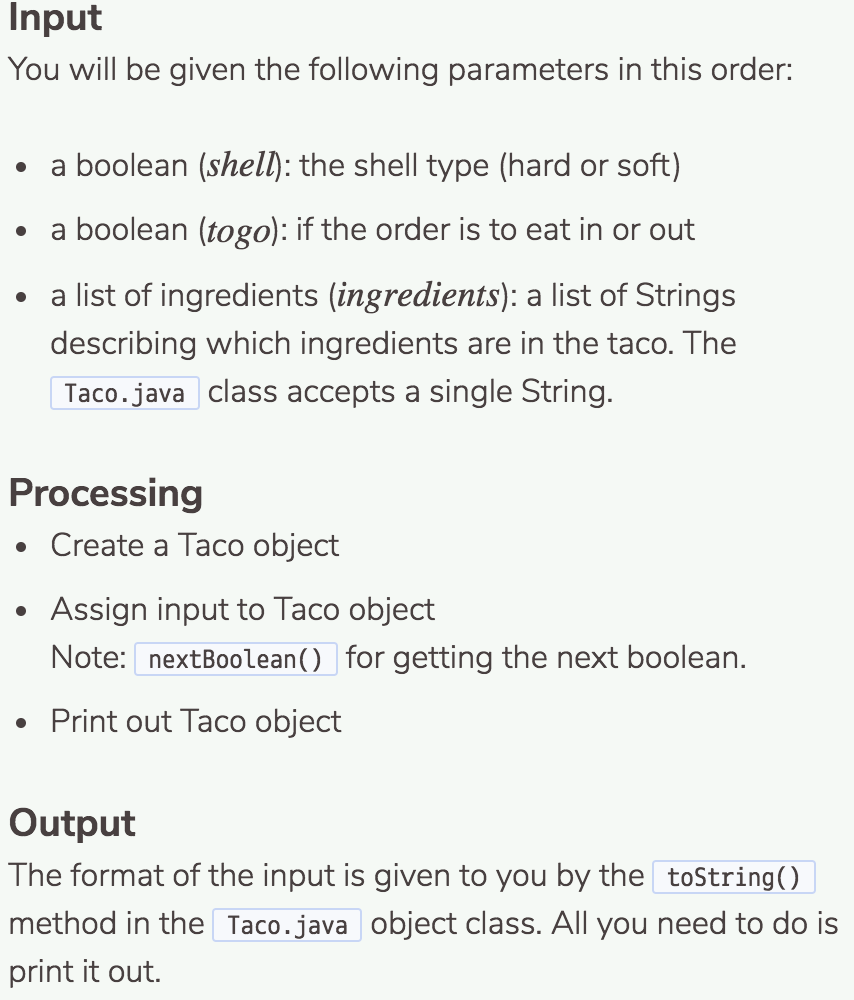
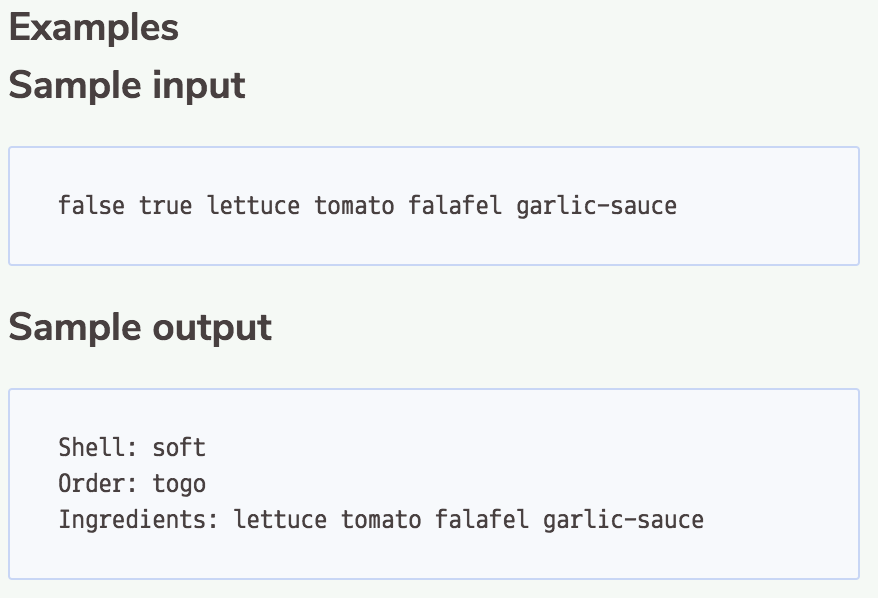
Input You will be given the following parameters in this order: a boolean (shell): the shell type (hard or soft) a boolean (togo): if the order is to eat in or out a list of ingredients (ingredients): a list of Strings describing which ingredients are in the taco. The Taco.java class accepts a single String. Processing Create a Taco object Assign input to Taco object Note: nextBoolean( for getting the next boolean. Print out Taco object Output The format of the input is given to you by the toString method in the Taco.java object class. All you need to do is print it out
Step by Step Solution
There are 3 Steps involved in it

Get step-by-step solutions from verified subject matter experts
 Study Help