







Question: To set up the simulation, click on the Vectors button (vector ) and choose acceleration at origin on the popup menu. If the Selected Vectors
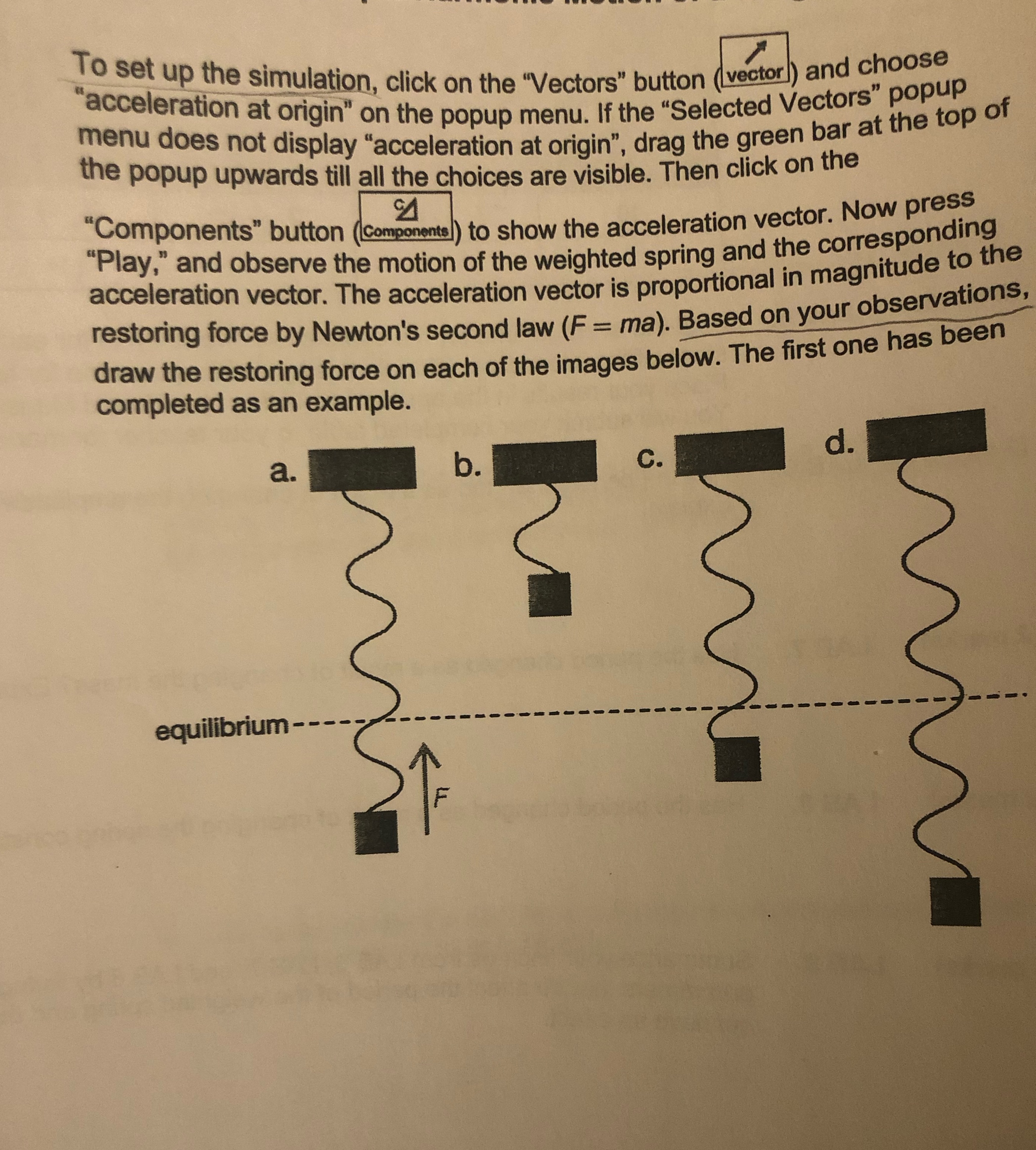
To set up the simulation, click on the "Vectors" button (vector ) and choose "acceleration at origin" on the popup menu. If the "Selected Vectors" popup menu does not display "acceleration at origin", drag the green bar at the top of the popup upwards till all the choices are visible. Then click on the "Components" button ((Components]) to show the acceleration vector. Now press "Play," and observe the motion of the weighted spring and the corresponding acceleration vector. The acceleration vector is proportional in magnitude to the restoring force by Newton's second law (F = ma). Based on your observations draw the restoring force on each of the images below. The first one has been completed as an example. a. b. C. d. equilibrium - - -- 7 7
Step by Step Solution
There are 3 Steps involved in it

Get step-by-step solutions from verified subject matter experts
 Study Help