



Question: Today we learned about the I/O hierarchy We can put the I/O hierarchy into perspective by showing what happens when an application program displays a
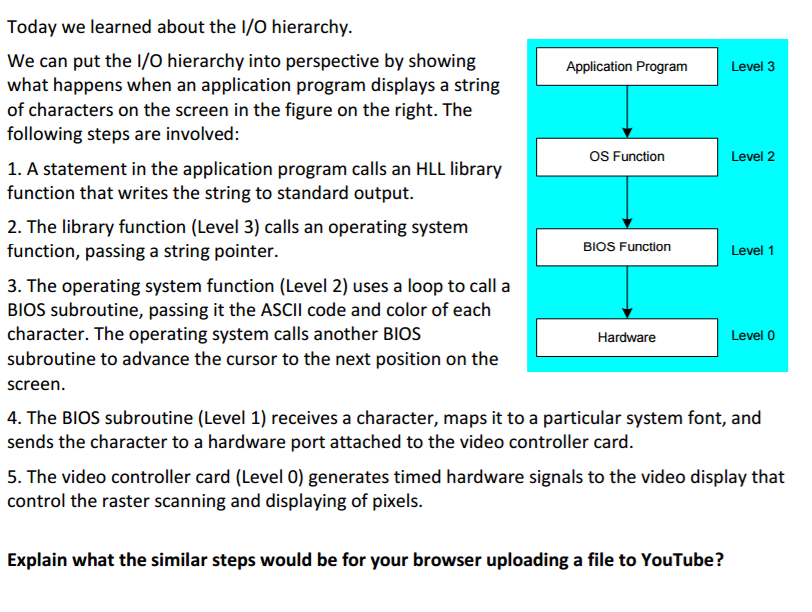
Today we learned about the I/O hierarchy We can put the I/O hierarchy into perspective by showing what happens when an application program displays a string of characters on the screen in the figure on the right. The following steps are involved: A statement in the application program calls an HLL library function that writes the string to standard output. The library function (Level 3) calls an operating system function, passing a string pointer. The operating system function (Level 2) uses a loop to call a BIOS subroutine, passing it the ASCII code and color of each character. The operating system calls another BIOS subroutine to advance the cursor to the next position on the Screen. The BIOS subroutine (Level 1) receives a character, maps it to a particular system font, and sends the character to a hardware port attached to the video controller card. The video controller card (Level 0) generates timed hardware signals to the video display that control the raster scanning and displaying of pixels. Explain what the similar steps would be for your browser uploading a file to YouTube
Step by Step Solution
There are 3 Steps involved in it

Get step-by-step solutions from verified subject matter experts