







Question: Trace the quick sort algorithm as it sorts the following array into ascending order. Since the given array is small, give MIN_SIZE a value of
Trace the quick sort algorithm as it sorts the following array into ascending order. Since the given array is small, give MIN_SIZE a value of 3 instead of the suggested 10.
54 26 93 17 77 31 44 55 20
Example: put each step in the table
| Initial Array | 54 | 26 | 93 | 17 | 77 | 31 | 44 | 55 | 20 |
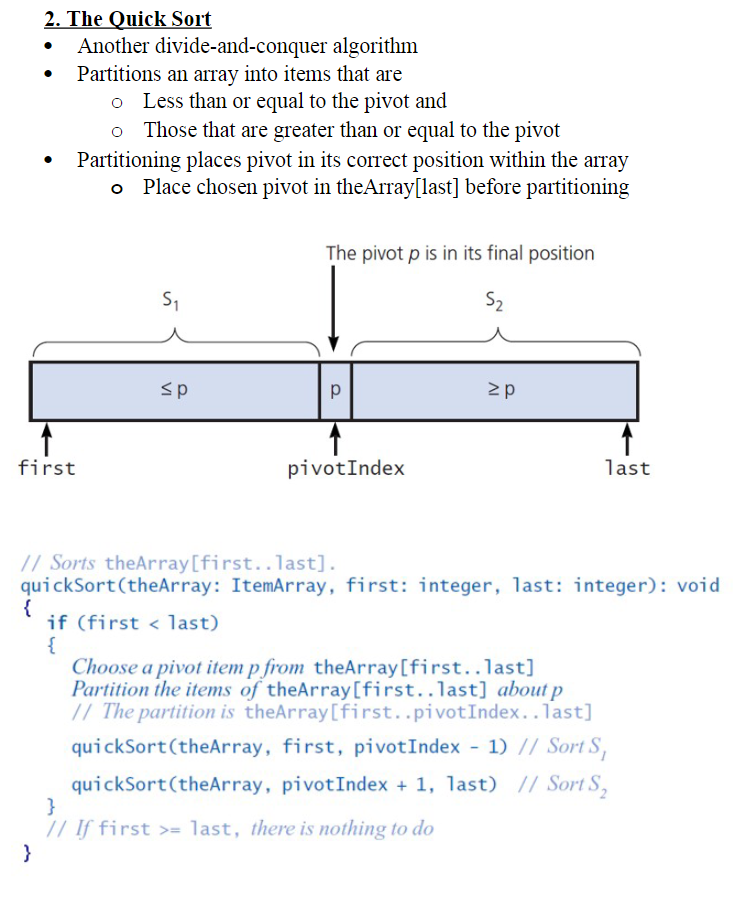
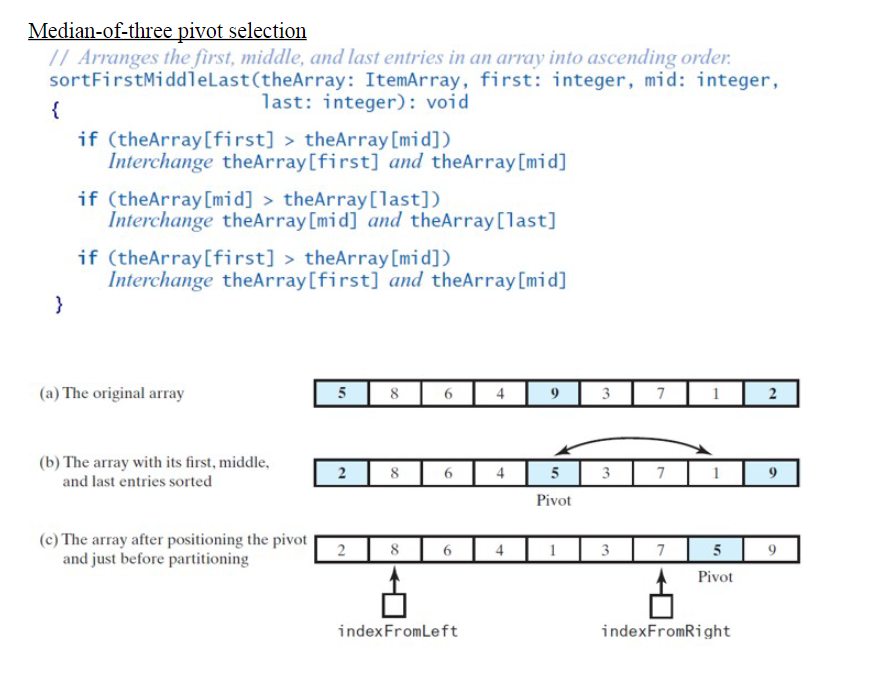
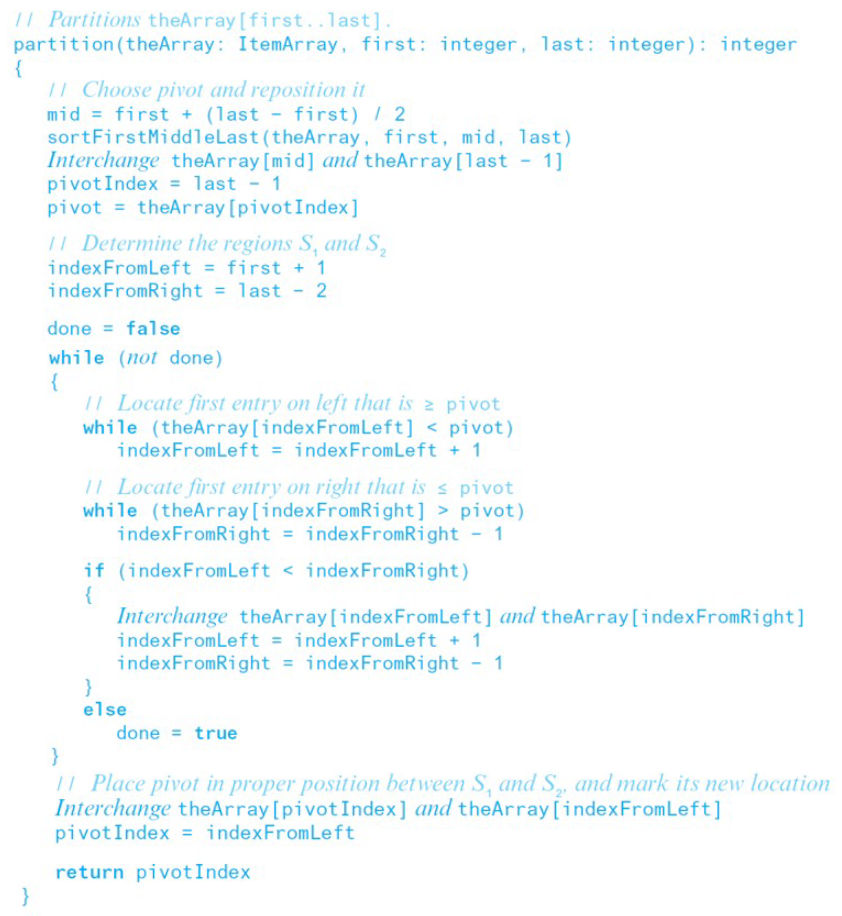
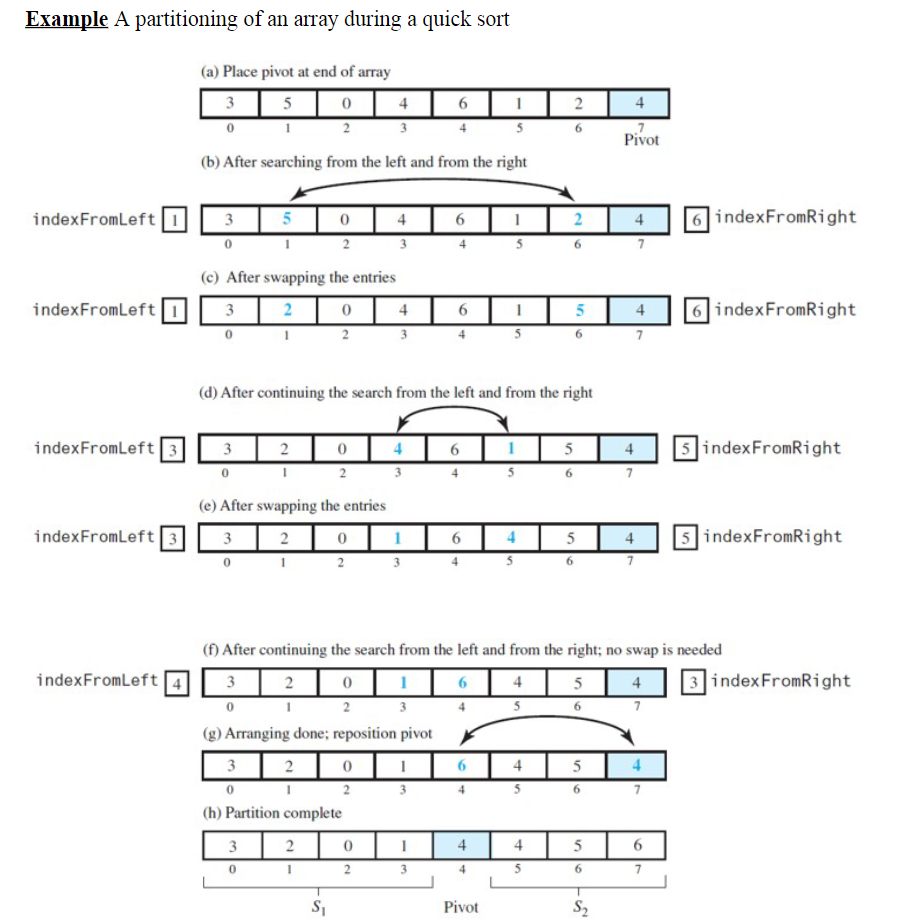
2. The Quick Sort - Another divide-and-conquer algorithm - Partitions an array into items that are - Less than or equal to the pivot and - Those that are greater than or equal to the pivot - Partitioning places pivot in its correct position within the array - Place chosen pivot in theArray[last] before partitioning Median-of-three pivot selection // Arranges the first, middle, and last entries in an array into ascending order: sortFirstMiddleLast(theArray: ItemArray, first: integer, mid: integer, \{ last: integer): void if (theArray [first] > theArray [mid] ) Interchange theArray [first] and theArray [mid] if (theArray [mid]> theArray [ last ] ) Interchange theArray [mid] and theArray [1ast] if (theArray [first] > theArray [mid]) Interchange theArray [first] and theArray [mid] \} (a) The original array (b) The array with its first, middle, and last entries sorted \begin{tabular}{|l|l|l|l|l|l|l|l|l|} \hline 2 & 8 & 6 & 4 & 5 & 3 & 7 & 1 & 9 \\ \hline \end{tabular} Pivot (c) The array after positioning the pivot and just before partitioning \begin{tabular}{|l|l|l|l|l|l|l|l|l|} \hline 2 & 8 & 6 & 4 & 1 & 3 & 7 & 5 & 9 \\ \hline \end{tabular} Example A partitioning of an array during a quick sort (a) Place pivot at end of array (b) After searching from the left and from the right indexFromLeft 1 6 (c) After swapping the entries indexFromLeft (d) After continuing the search from the left and from the right indexFromLeft 3 (e) After swapping the entries indexFromLeft (f) After continuing the search from the left and from the right; no swap is neede indexFromLeft 4 3 (g) Arranging done; reposition pivot (h) Partition complete
Step by Step Solution
There are 3 Steps involved in it

Get step-by-step solutions from verified subject matter experts
 Study Help