







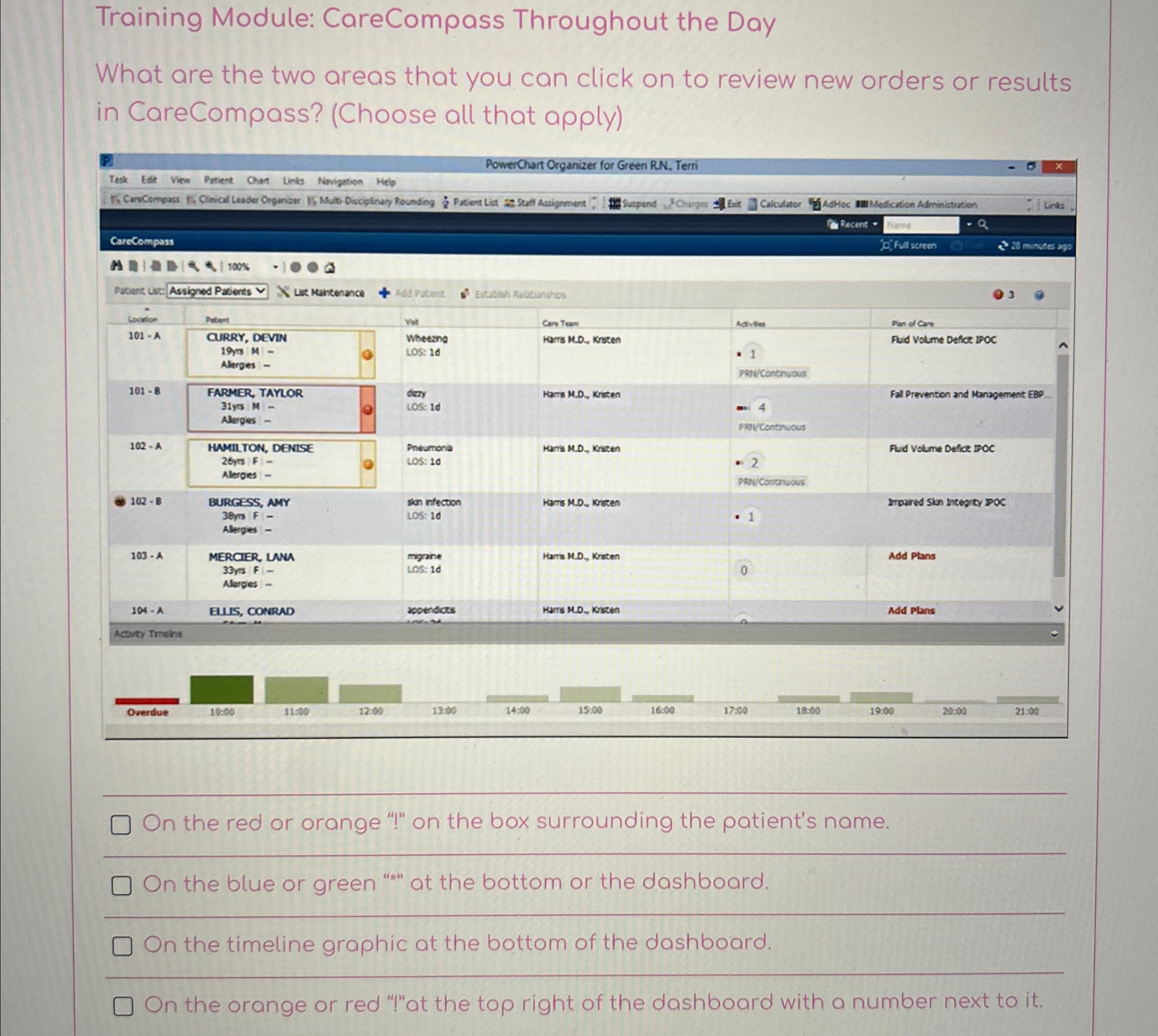
Question: Training Module: CareCompass Throughout the Day What are the two areas that you can click on to review new orders or results in CareCompass? (
Training Module: CareCompass Throughout the Day
What are the two areas that you can click on to review new orders or results in CareCompass? Choose all that apply
On the red or orange on the box surrounding the patient's name.
On the blue or green at the bottom or the dashboard.
On the timeline graphic at the bottom of the dashboard.
the orange or red at the top right of the dashboard with a number next to it
Step by Step Solution
There are 3 Steps involved in it
1 Expert Approved Answer
Step: 1 Unlock

Question Has Been Solved by an Expert!
Get step-by-step solutions from verified subject matter experts
Step: 2 Unlock
Step: 3 Unlock
 Study Help