







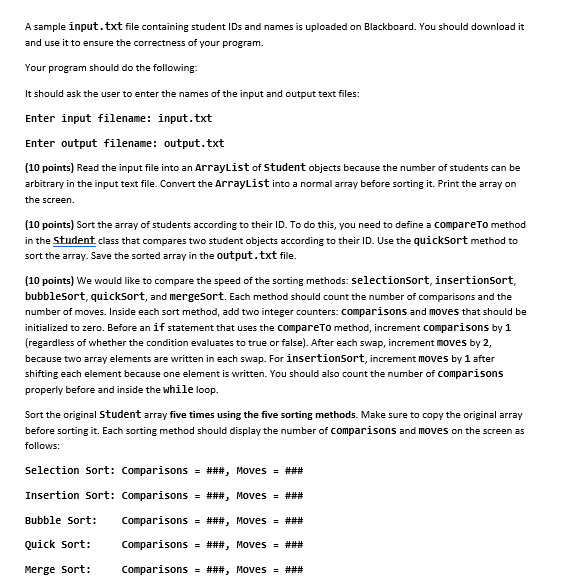
Question: A sample input. txt file containing student IDs and names is uploaded on Blackboard. You should download it and use it to ensure the correctness
A sample input. txt file containing student IDs and names is uploaded on Blackboard. You should download it
and use it to ensure the correctness of your program.
Your program should do the following:
It should ask the user to enter the names of the input and output text files:
Enter input filename: input.txt
Enter output filename: output.txt
points Read the input file into an Arraylist of Student objects because the number of students can be
arbitrary in the input text file. Convert the ArrayList into a normal array before sorting it Print the array on
the screen.
points Sort the array of students according to their ID To do this, you need to define a compareTo method
in the Student class that compares two student objects according to their ID Use the quickSort method to
sort the array. Save the sorted array in the output. txt file.
points We would like to compare the speed of the sorting methods: selectionsort, insertionsort,
bubblesort, quickSort, and mergeSort. Each method should count the number of comparisons and the
number of moves. Inside each sort method, add two integer counters: comparisons and moves that should be
initialized to zero. Before an if statement that uses the compareTo method, increment comparisons by
regardless of whether the condition evaluates to true or false After each swap, increment moves by
because two array elements are written in each swap. For insertionsort, increment moves by after
shifting each element because one element is written. You should also count the number of comparisons
properly before and inside the while loop.
Sort the original Student array five times using the five sorting methods. Make sure to copy the original array
before sorting it Each sorting method should display the number of comparisons and moves on the screen as
follows:
Selection Sort: Comparisons ### Moves ###
Insertion Sort: Comparisons ### Moves ###
Bubble sort: Comparisons ### Moves ###
Quick Sort: Comparisons ### Moves ###
Merge sort: Comparisons ### Moves ###
Step by Step Solution
There are 3 Steps involved in it
1 Expert Approved Answer
Step: 1 Unlock

Question Has Been Solved by an Expert!
Get step-by-step solutions from verified subject matter experts
Step: 2 Unlock
Step: 3 Unlock
 Study Help