







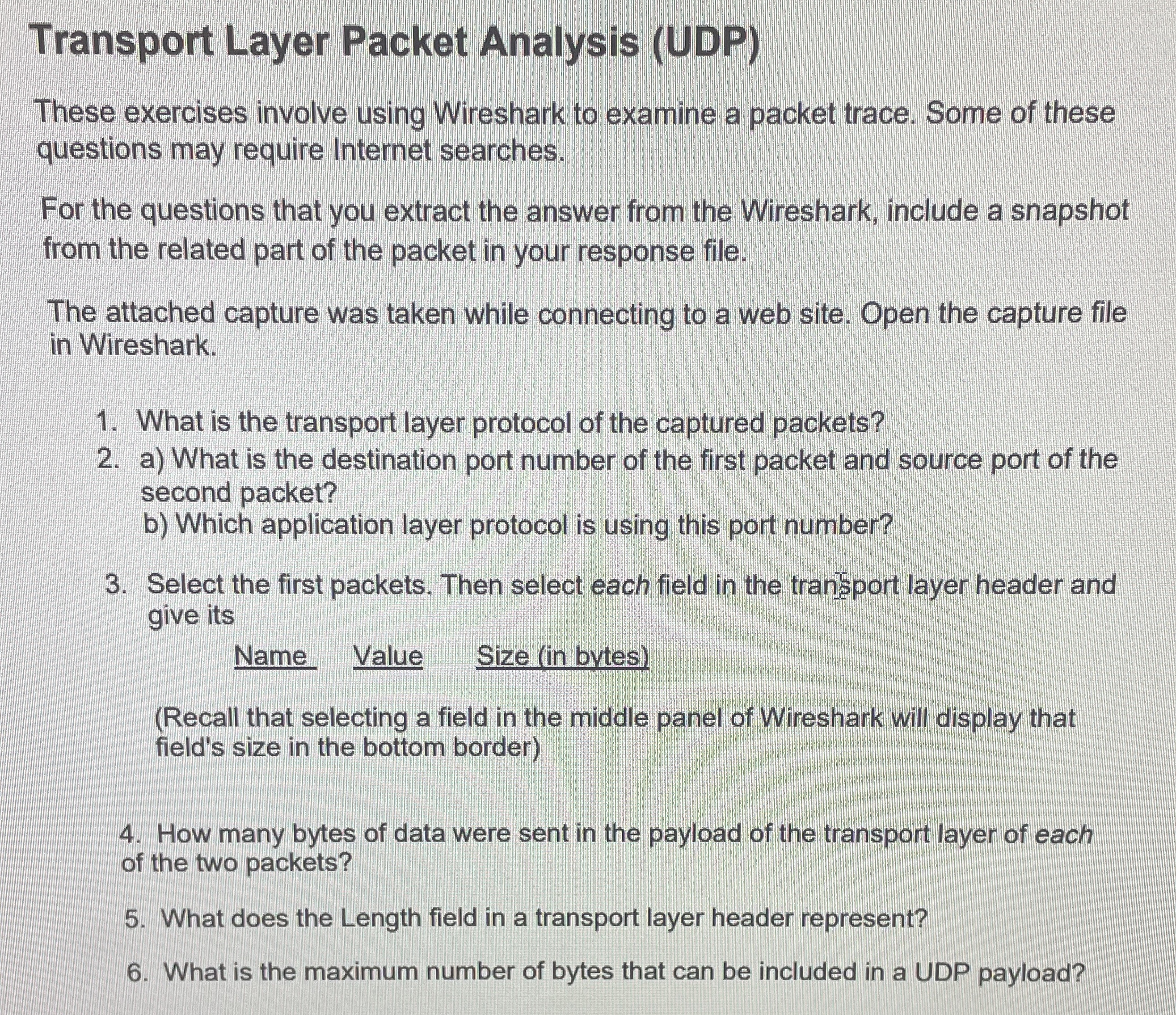
Question: Transport Layer Packet Analysis ( UDP ) These exercises involve using Wireshark to examine a packet trace. Some of these questions may require internet searches.
Transport Layer Packet Analysis UDP
These exercises involve using Wireshark to examine a packet trace. Some of these questions may require internet searches.
For the questions that you extract the answer from the Wireshark, include a snapshot from the related part of the packet in your response file.
The attached capture was taken while connecting to a web site. Open the capture file in Wireshark.
What is the transport layer protocol of the captured packets?
a What is the destination port number of the first packet and source port of the second packet?
b Which application layer protocol is using this port number?
Select the first packets. Then select each field in the tran port layer header and give its
Name
Value
Size in bytes
Recall that selecting a field in the middle panel of Wireshark will display that field's size in the bottom border
How many bytes of data were sent in the payload of the transport layer of each of the two packets?
What does the Length field in a transport layer header represent?
What is the maximum number of bytes that can be included in a UDP payload?
Step by Step Solution
There are 3 Steps involved in it
1 Expert Approved Answer
Step: 1 Unlock

Question Has Been Solved by an Expert!
Get step-by-step solutions from verified subject matter experts
Step: 2 Unlock
Step: 3 Unlock
 Study Help