







Question: Two java files have been added to this project: StudentCreator.java and Student.java. Use the StudentCreator project located in your Data Files to get started. The
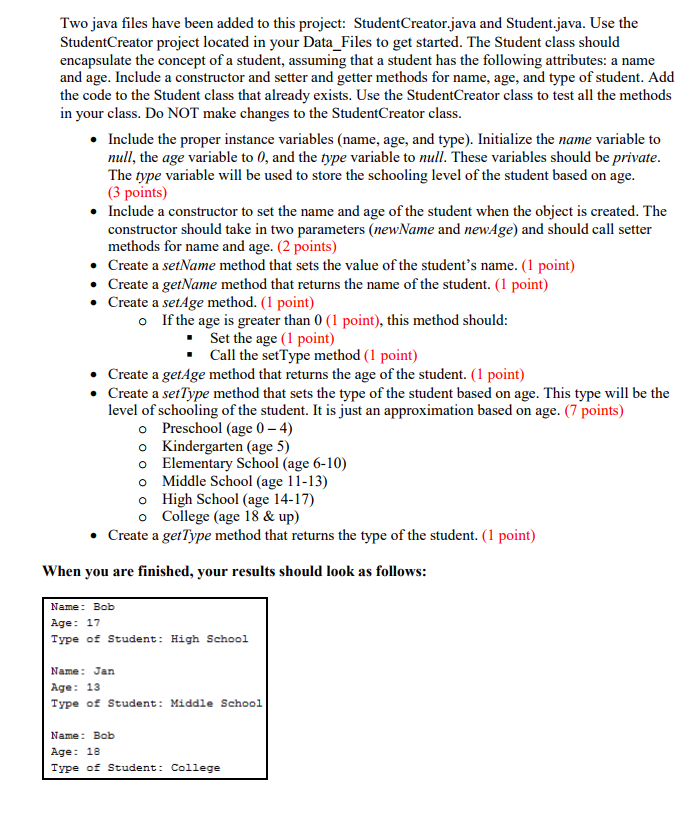
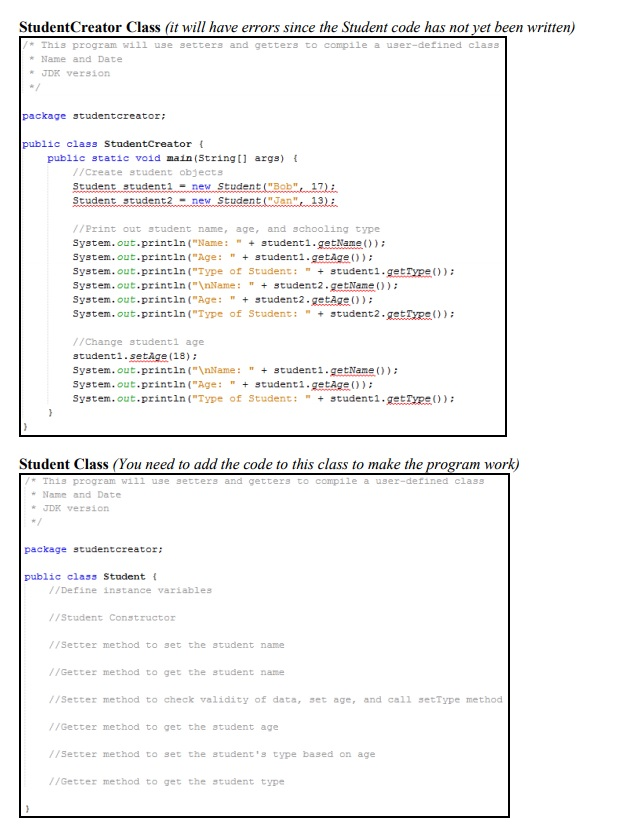
Two java files have been added to this project: StudentCreator.java and Student.java. Use the StudentCreator project located in your Data Files to get started. The Student class should encapsulate the concept of a student, assuming that a student has the following attributes: a name and age. Include a constructor and setter and getter methods for name, age, and type of student. Add the code to the Student class that already exists. Use the StudentCreator class to test all the methods in your class. Do NOT make changes to the StudentCreator class. . Include the proper instance variables (name, age, and type). Initialize the name variable to null, the age variable to 0, and the type variable to null. These variables should be private The type variable will be used to store the schooling level of the student based on age (3 points) .Include a constructor to set the name and age of the student when the object is created. The constructor should take in two parameters (newName and newAge) and should call setter methods for name and age. (2 points) . Create a setName method that sets the value of the student's name. (1 point) . Create a getName method that returns the name of the student. (1 point) . Create a setAge method. (1 point) o If the age is greater than 0 (1 point), this method should: * Set the age (1 point) "Call the setType method (1 point) . Create a getAge method that returns the age of the student. (1 point) . Create a setType method that sets the type of the student based on age. This type will be the level of schooling of the student. It is just an approximation based on age. (7 points) o Preschool (age 0-4) o Kindergarten (age 5) o Elementary School (age 6-10) o Middle School (age 11-13) o High School (age 14-17) o College (age 18 & up) . Create a getType method that returns the type of the student. (1 point) When you are finished, your results should look as follows: Name: Bob Age 17 Type of Student: High School Name: Jan Age: 13 Type of Student: Middle School Name: Bob Age: 18 Type of Student: College
Step by Step Solution
There are 3 Steps involved in it

Get step-by-step solutions from verified subject matter experts
 Study Help