







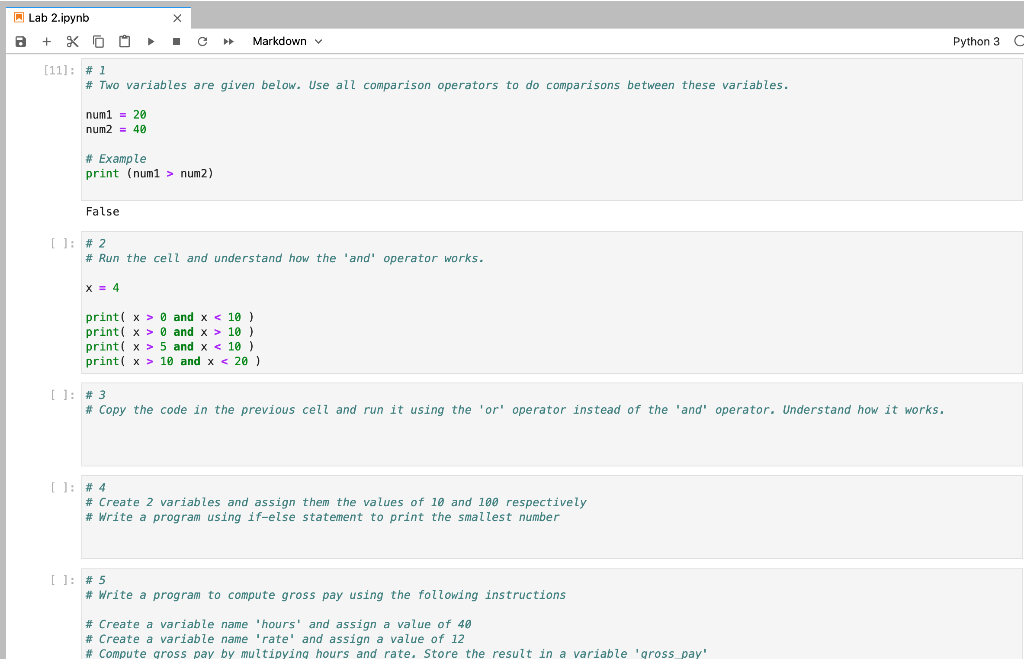
Question: undefined Lab 2.ipynb a + x C > > Markdown Python 3 [11]: # 1 # Two variables are given below. Use all comparison operators
![[11]: # 1 # Two variables are given below. Use all comparison](https://dsd5zvtm8ll6.cloudfront.net/si.experts.images/questions/2024/09/66f2e75684515_96666f2e7560c54d.jpg)
 undefined
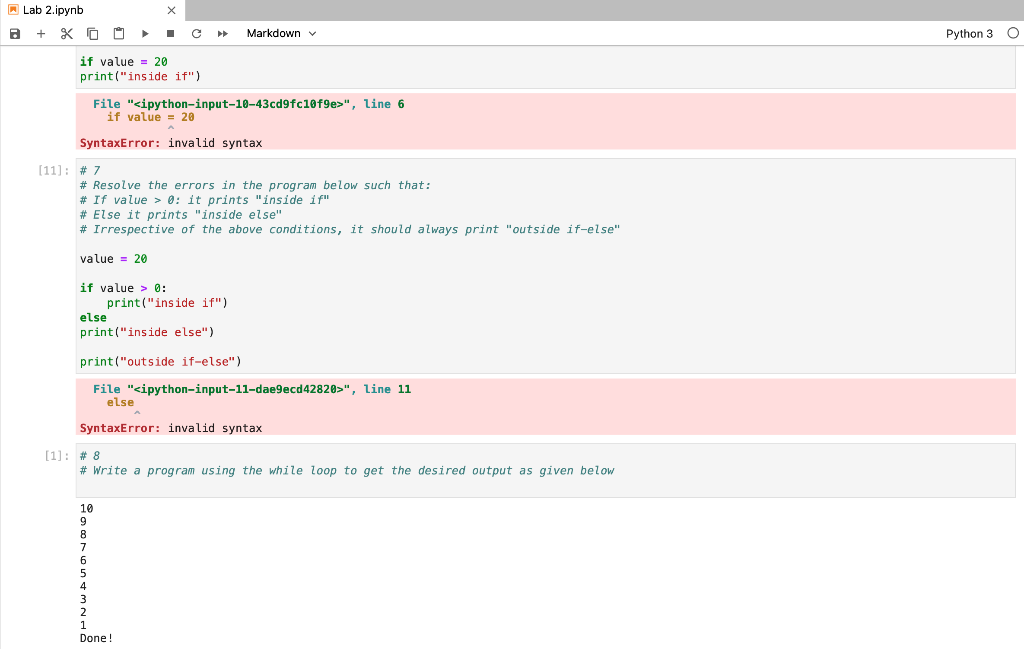
Lab 2.ipynb a + x C > > Markdown Python 3 [11]: # 1 # Two variables are given below. Use all comparison operators to do comparisons between these variables. num1 = 20 num2 = 40 # Example print (num1 > num2) False [ ]: #2 # Run the cell and understand how the 'and' operator works. X = 4 print( x > 0 and x 0 and x > 10 ) print( x > 5 and x 10 and x ", line 6 if value = 20 SyntaxError: invalid syntax [11]: # 7 # Resolve the errors in the program below such that: # If value > 0: it prints "inside if" # Else it prints "inside else" # Irrespective of the above conditions, it should always print "outside if-else" value = 20 if value > 0: print("inside if") else print("inside else") print("outside if-else") Lab 2.ipynb + XO C Markdown Python 3 O if value = 20 print("inside if") File "
Step by Step Solution
There are 3 Steps involved in it

Get step-by-step solutions from verified subject matter experts
 Study Help