







Question: #Unity (15). Create a scene with at least two objects are imported as Blender model files or a Maya mode files. (10). Create at least
#Unity
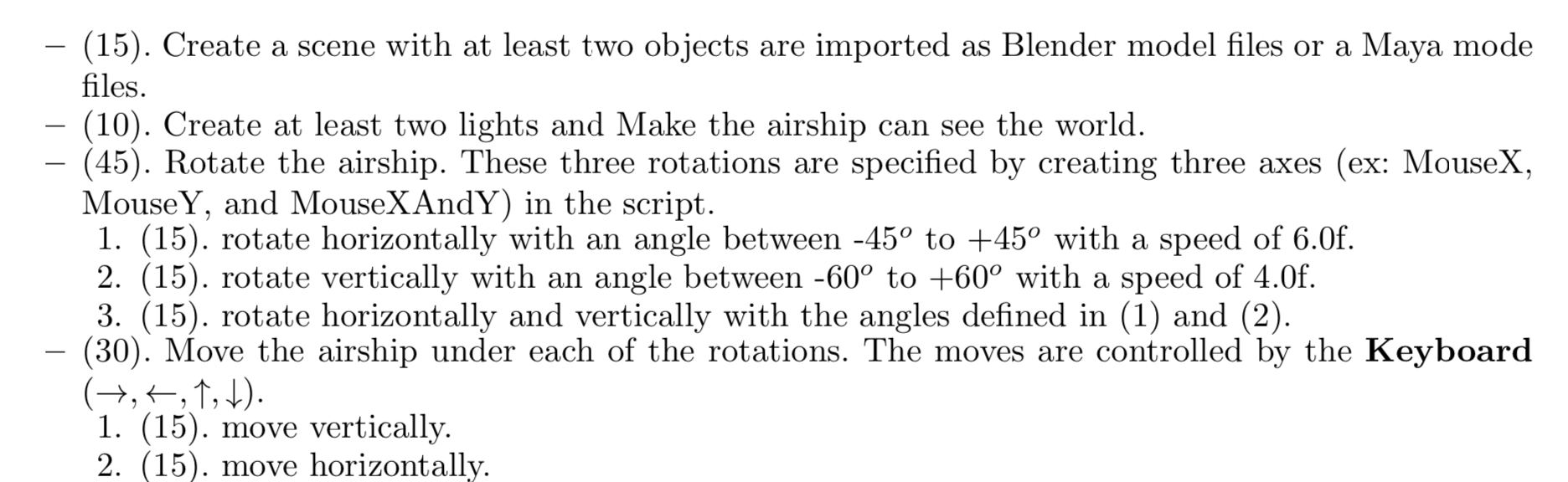
(15). Create a scene with at least two objects are imported as Blender model files or a Maya mode files. (10). Create at least two lights and Make the airship can see the world. - (45). Rotate the airship. These three rotations are specified by creating three axes (ex: MouseX, MouseY, and MouseXAndY) in the script. 1. (15). rotate horizontally with an angle between -45 to +45 with a speed of 6.0f. 2. (15). rotate vertically with an angle between -60 to +60 with a speed of 4.0f. 3. (15). rotate horizontally and vertically with the angles defined in (1) and (2). (30). Move the airship under each of the rotations. The moves are controlled by the Keyboard (+,4,1, D). 1. (15). move vertically. 2. (15). move horizontally. (15). Create a scene with at least two objects are imported as Blender model files or a Maya mode files. (10). Create at least two lights and Make the airship can see the world. - (45). Rotate the airship. These three rotations are specified by creating three axes (ex: MouseX, MouseY, and MouseXAndY) in the script. 1. (15). rotate horizontally with an angle between -45 to +45 with a speed of 6.0f. 2. (15). rotate vertically with an angle between -60 to +60 with a speed of 4.0f. 3. (15). rotate horizontally and vertically with the angles defined in (1) and (2). (30). Move the airship under each of the rotations. The moves are controlled by the Keyboard (+,4,1, D). 1. (15). move vertically. 2. (15). move horizontally
Step by Step Solution
There are 3 Steps involved in it

Get step-by-step solutions from verified subject matter experts
 Study Help