







Question: UNIX (an operating system) uses shells to accept commands given by the users. A Shell provides you with an interface to the UNIX system. It
UNIX (an operating system) uses shells to accept commands given by the users. A Shell provides you with an interface to the UNIX system. It gathers input from you and executes programs based on that input. When a program finishes executing, it displays that program's output. Shell is an environment in which we can run our commands, programs, and shell scripts. There are different flavors of a shell, just as there are different flavors of operating systems. Each flavor of shell has its own set of recognized commands and functions. For the M13 Engage: Discussion Board, you will be utilizing BASH Shell scripts.
To practice BASH Shell scripting, go to the following webpage: https://www.t utorialspoint.com/execute_bash_online.php
On your page, you will see a page that looks like the following
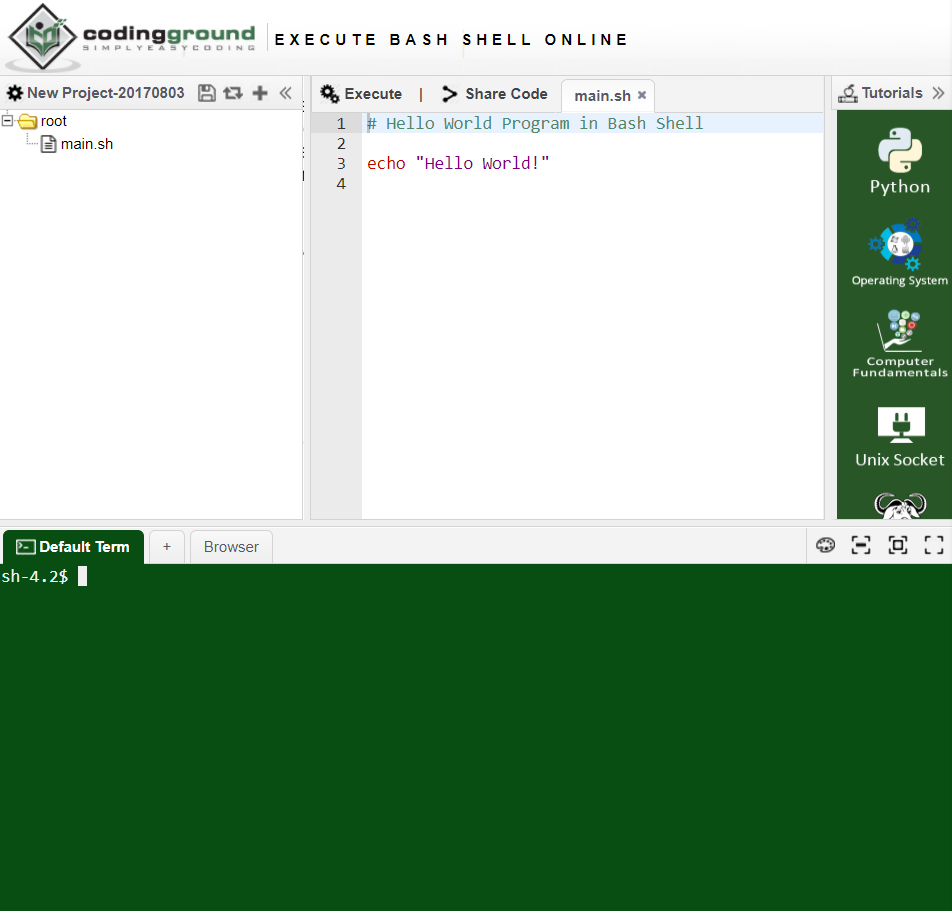
You will be working in the editor area; this area is where you will be adding your script. But first, complete the following steps:
1. Click the Execute button located at the top of the editor screen. In the display window, you will see the output Hello World. Echo is equivalent to the print statement that has been used in pseudocode.
2. Remove the content on line 3.
3. Line 1 holds a comment. Commented lines start with the # symbol. You will remove the current comment and replace it with your name, the date and M13 Engage: Discussion Board.
4. Starting on line 5, add the script below. For accuracy, it is best to copy and paste the code into the editor window.
5. Click the Execute button located at the top of the editor screen.
-----------------------------------------------------------------------------------------------------------------------------------------------------------------------------------------------------------------------------------
a=0
while [ "$a" -lt 10 ] # this is loop1
do
b="$a"
while [ "$b" -ge 0 ] # this is loop2
do
echo -n "$b "
b=`expr $b - 1`
done
echo
a=`expr $a + 1`
done
This script is a simple example of a nested loop. When executed, this script will produce a countdown from 9 to 0 in decrements of 1. Note that the loop operates in the same manner as the loops that have been discussed in this course. Now, you will modify the script to countdown from 100 to 0 in decrements of 5. Here are some things to help:
-lt means less than and works like the
-ge means greater than and works like the >= operator
Once you are done, take a screenshot of your browser showing your script and your output in the display window.
Step by Step Solution
There are 3 Steps involved in it

Get step-by-step solutions from verified subject matter experts
 Study Help