







Question: Unix/ Linux PART B 30% 1. Using vi create the file ~/COMP301/labs/lab1.txt. 2. Using vi save the following data in the file you created in
Unix/ Linux
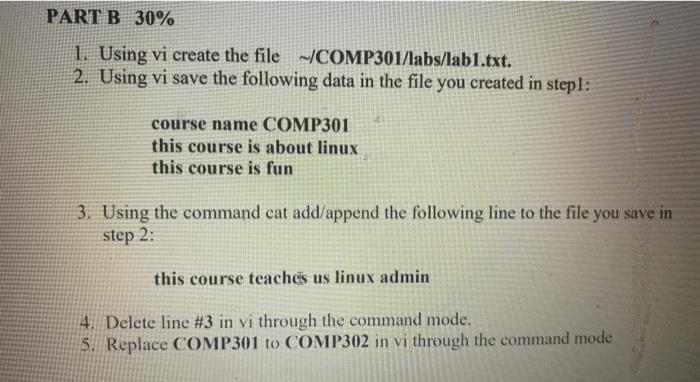
PART B 30% 1. Using vi create the file ~/COMP301/labs/lab1.txt. 2. Using vi save the following data in the file you created in stepl: course name COMP301 this course is about linux this course is fun 3. Using the command cat add/append the following line to the file you save in Step 2: this course teaches us linux admin 4. Delete line #3 in vi through the command mode. 5. Replace COMP301 to COMP302 in vi through the command mode
Step by Step Solution
There are 3 Steps involved in it
1 Expert Approved Answer
Step: 1 Unlock

Question Has Been Solved by an Expert!
Get step-by-step solutions from verified subject matter experts
Step: 2 Unlock
Step: 3 Unlock
 Study Help