







Question: unzip it. Place the folder in where it is easy to find. Use the contents of the unzipped folder to answer the following: 1. State
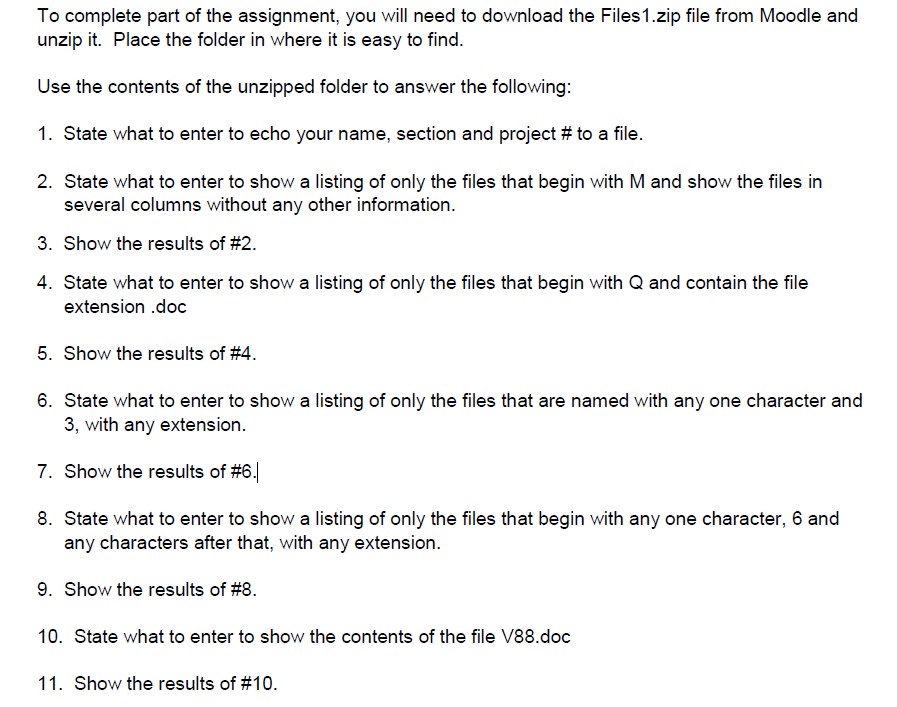
unzip it. Place the folder in where it is easy to find. Use the contents of the unzipped folder to answer the following: 1. State what to enter to echo your name, section and project \# to a file. 2. State what to enter to show a listing of only the files that begin with M and show the files in several columns without any other information. 3. Show the results of \#2. 4. State what to enter to show a listing of only the files that begin with Q and contain the file extension .doc 5. Show the results of \#4. 6. State what to enter to show a listing of only the files that are named with any one character and 3 , with any extension. 7. Show the results of \#6.| 8. State what to enter to show a listing of only the files that begin with any one character, 6 and any characters after that, with any extension. 9. Show the results of \#8. 10. State what to enter to show the contents of the file V88.doc 11. Show the results of #10
Step by Step Solution
There are 3 Steps involved in it

Get step-by-step solutions from verified subject matter experts
 Study Help