







Question: Use a flutter to create an electronic application in your own way, use Android Studio. Applying the following steps. 1. Create a top bar that
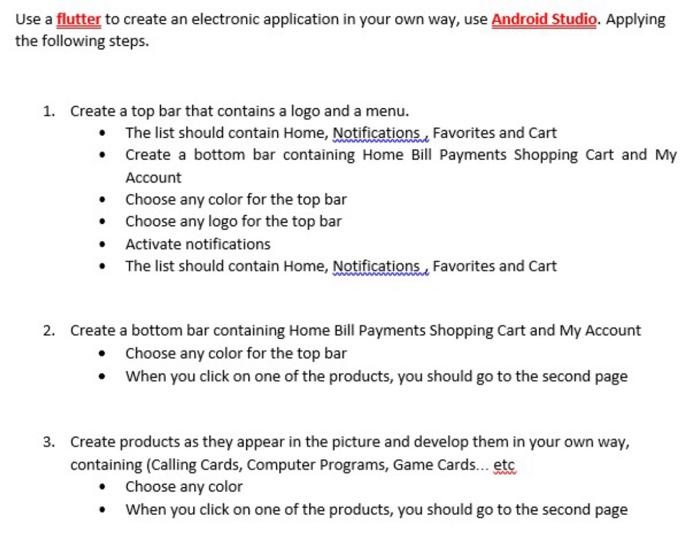
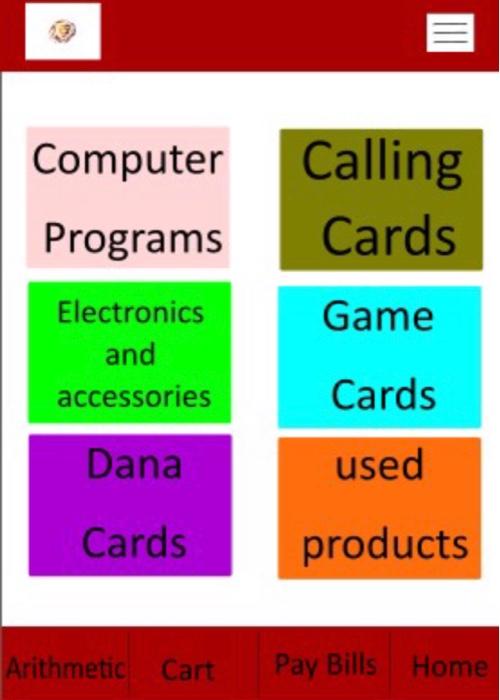
Use a flutter to create an electronic application in your own way, use Android Studio. Applying the following steps. 1. Create a top bar that contains a logo and a menu. The list should contain Home, Notifications, Favorites and Cart Create a bottom bar containing Home Bill Payments Shopping Cart and My Account Choose any color for the top bar Choose any logo for the top bar Activate notifications The list should contain Home, Notifications, Favorites and Cart 2. Create a bottom bar containing Home Bill Payments Shopping Cart and My Account Choose any color for the top bar When you click on one of the products, you should go to the second page 3. Create products as they appear in the picture and develop them in your own way, containing (Calling Cards, Computer Programs, Game Cards...etc Choose any color When you click on one of the products, you should go to the second page . III Computer Calling Cards Programs Electronics Game and Cards accessories Dana used Cards products Arithmetic Cart Pay Bills Home Use a flutter to create an electronic application in your own way, use Android Studio. Applying the following steps. 1. Create a top bar that contains a logo and a menu. The list should contain Home, Notifications, Favorites and Cart Create a bottom bar containing Home Bill Payments Shopping Cart and My Account Choose any color for the top bar Choose any logo for the top bar Activate notifications The list should contain Home, Notifications, Favorites and Cart 2. Create a bottom bar containing Home Bill Payments Shopping Cart and My Account Choose any color for the top bar When you click on one of the products, you should go to the second page 3. Create products as they appear in the picture and develop them in your own way, containing (Calling Cards, Computer Programs, Game Cards...etc Choose any color When you click on one of the products, you should go to the second page . III Computer Calling Cards Programs Electronics Game and Cards accessories Dana used Cards products Arithmetic Cart Pay Bills Home
Step by Step Solution
There are 3 Steps involved in it

Get step-by-step solutions from verified subject matter experts
 Study Help