







Question: Use addressing code for IDE app to program. Modify the code from Laboratory 4 . 3 ( is below ) to add direction and speed
Use addressing code for IDE app to program.
Modify the code from Laboratory is below to add direction and speed control. The program should read the value from the dipswitches at Port T address $
If switch bit and switch bit are both high or both low, the motor should not turn.
If switch is low, the motor should turn clockwise. If switch is low, the motor should turn counterclockwise.
Give the motor two speeds. If switch bit is low, the motor should turn slowly. If switch is high, the motor should turn fast.
For the speed, use a delay of milliseconds between each step of the sequence for the fast speed and a delay of milliseconds between each step for the slow speed. Check switch and load a bit register with the count to generate a proper delay. An ifelse structure can perform this task. The same delay subroutine must be used for both speeds.
For the direction, put the sequence from Laboratory into an array and use an index register or to step through the data. This pointer will track the motor sequence value even if the direction changes. If the motor is to step counterclockwise, decrement the index register as the sequence values are being sent to Port P address $ If the motor is to step clockwise, increment the index register as sequence values are being sent. The best way to do this is to place a terminator at each end of the sequence. If the terminator value is read, reset the index register to point to the end of the sequence if turning counterclockwise, or at the beginning of the sequence if turning clockwise, and then decrementing or incrementing the index register accordingly.
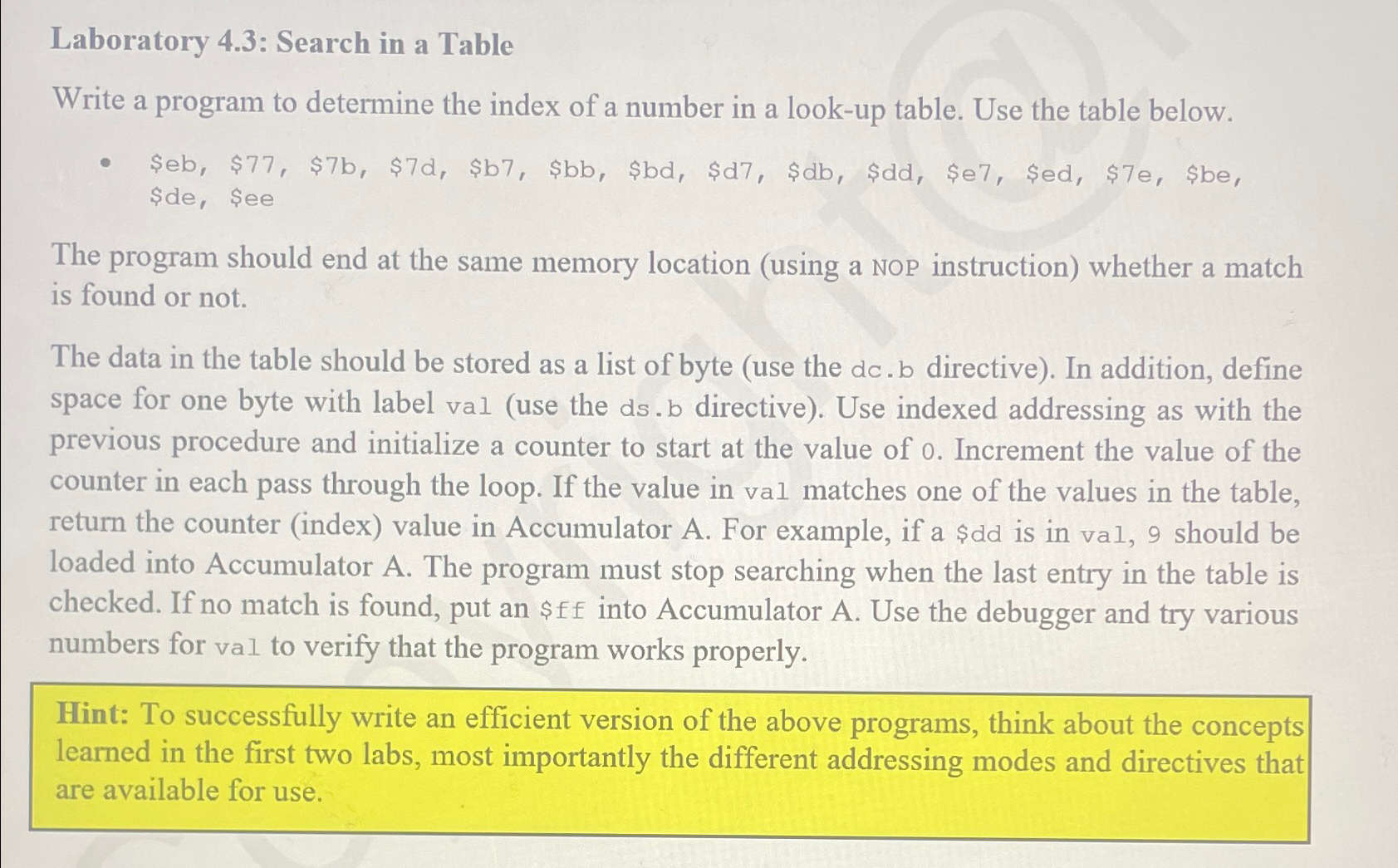
Laboratory : Search in a Table
Write a program to determine the index of a number in a lookup table. Use the table below.
$$$$$$$$$$$$$$ $de $ee
The program should end at the same memory location using a NOP instruction whether a match is found or not.
The data in the table should be stored as a list of byte use the directive In addition, define space for one byte with label val use the dsb directive Use indexed addressing as with the previous procedure and initialize a counter to start at the value of Increment the value of the counter in each pass through the loop. If the value in val matches one of the values in the table, return the counter index value in Accumulator A For example, if a $dd is in val, should be loaded into Accumulator A The program must stop searching when the last entry in the table is checked. If no match is found, put an $ into Accumulator A Use the debugger and try various numbers for val to verify that the program works properly.
Hint: To successfully write an efficient version of the above programs, think about the concepts learned in the first two labs, most importantly the different addressing modes and directives that are available for use.
Step by Step Solution
There are 3 Steps involved in it
1 Expert Approved Answer
Step: 1 Unlock

Question Has Been Solved by an Expert!
Get step-by-step solutions from verified subject matter experts
Step: 2 Unlock
Step: 3 Unlock
 Study Help