







Question: Use C++. ALSO USE THE STARTING POINT CODE I UPLOADED ( VERY IMPORTANT). Make sure the code run correctly, show me the output. Objectives: Make
Use C++. ALSO USE THE STARTING POINT CODE I UPLOADED ( VERY IMPORTANT). Make sure the code run correctly, show me the output.
Objectives:
Make use of multiple Functions
Make use of an array to store data (grades)
Make use of sorting and searching techniques
Instructions:
In this lab, you will be examining a set of grades collected from a class of 22 students. Be sure to make use of an array to store these grades. You will be required to read in the data points from a file. You are required toread in the data using a function. After reading in the data, you will need to write a function that will find the average of the data set. Make sure to print out the average in main. You will also need to write a function to display the grades in the table format shown below.
Table Format:
| Position No. Grade Difference from the Average 0 70 +- ??? 1 95 +- ??? |
|
|
After you finish the function for printing out the data, you need to write a function that will find the lowest data in the array. You could sort the data, and grab the piece of data in the first position. However, this will result in no credit. You will have to use a linear search to find the lowest grade. Once you find it, print out the value you found. In addition to printing out the value, please print out the position number where the value was found.This can be done by having a for loop run over the array, and search for the value using an if statement such as:
| if (tempArray[i] low = tempArray[i]; |
You will need to modify the above code segment to handle getting the position of the lowest value. Once you have written this function, create another function that does the same thing for finding the highest number and its position in the array. Print your results in the function.
Your next task is to write a function that will sort the array in descending order. You can use any of the sorts provided on the sorting sheet: minMax, Selection, Insertion, Bubble. The key is to make sure that you modify the sample code to sort in descending order.
After sorting the array, print out the entire array on a single line. Above, we had a method to print the array in a table, now you need to print out all on one line (use spaces, tabs, or comas to separate values.) You could do this in a separate function, or in main.
Data:
Below is the set of data that you should include in your text file. Remember! Your text file must be in the same folder as your cpp file.
70 95 62 88 90 85 75 79 50 80 82 88 81 93 75 78 62 55 89 94 73 82
Run:
Just run the program, and see if your results are correct.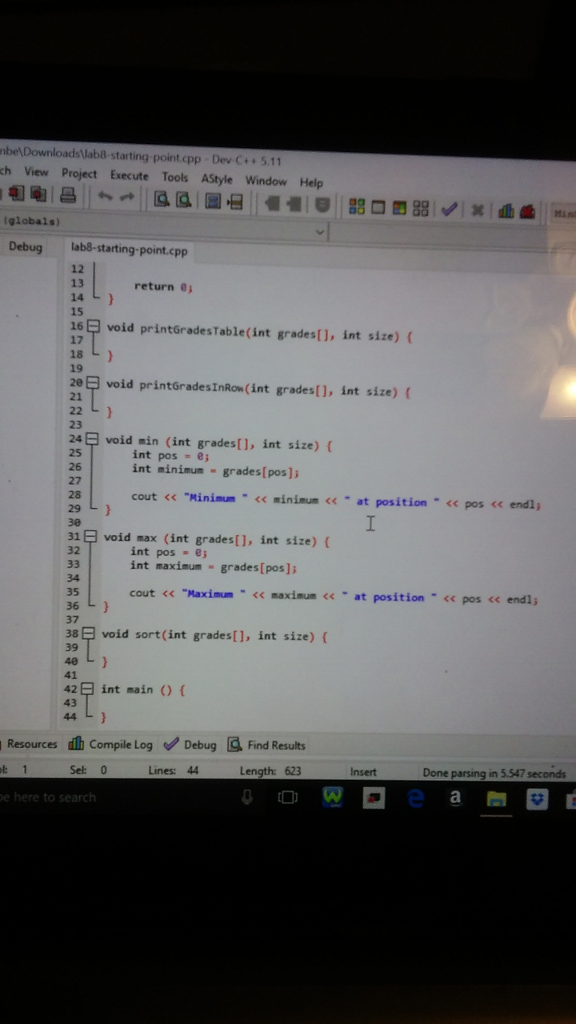
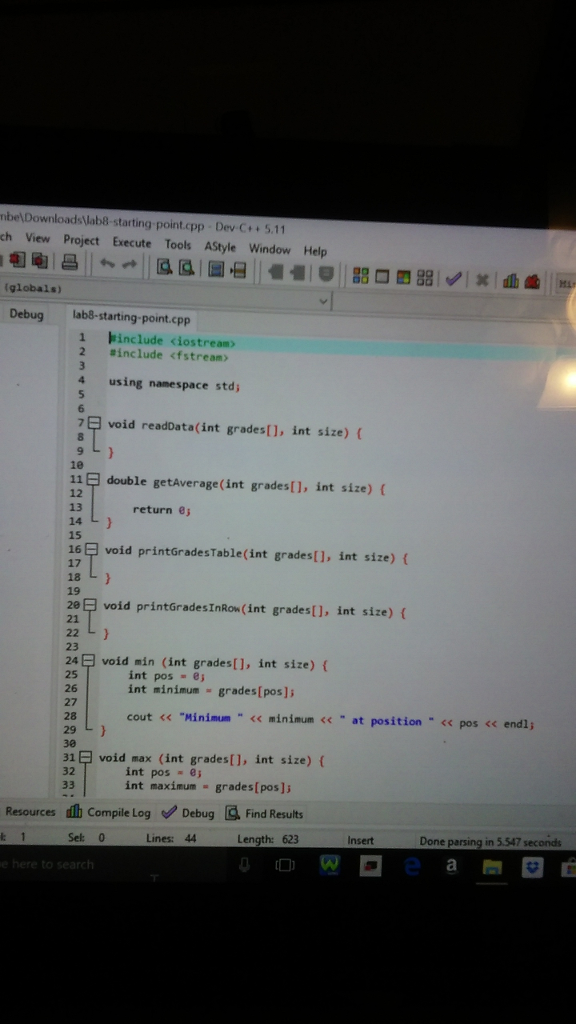
Step by Step Solution
There are 3 Steps involved in it

Get step-by-step solutions from verified subject matter experts
 Study Help