







Question: Use Code Composer Studio and your Launchpad to write and execute one complete assembly language program to perform the following task. Use variables in RAM
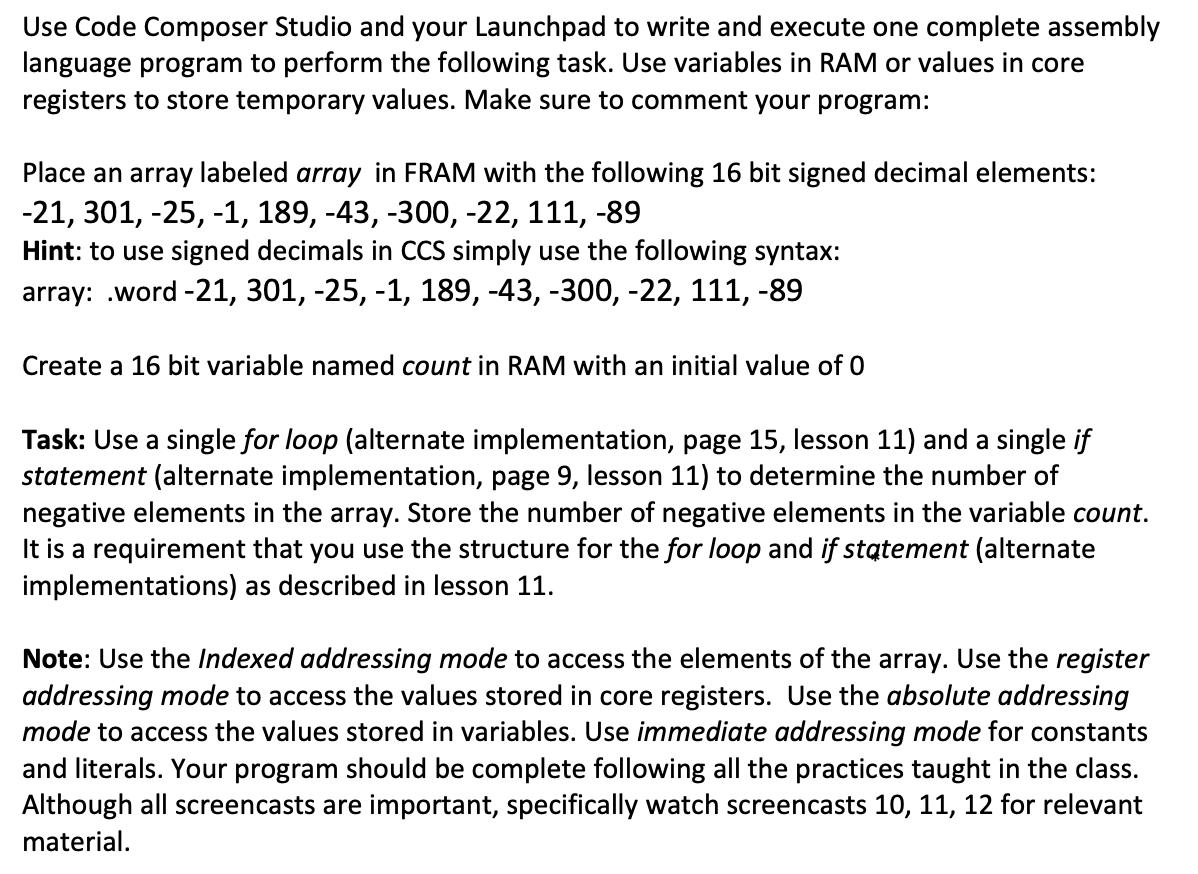
Use Code Composer Studio and your Launchpad to write and execute one complete assembly language program to perform the following task. Use variables in RAM or values in core registers to store temporary values. Make sure to comment your program: Place an array labeled array in FRAM with the following 16 bit signed decimal elements: -21, 301, -25,-1, 189,-43, -300, -22, 111, -89 Hint: to use signed decimals in CCS simply use the following syntax: array: .word -21, 301, -25,-1, 189,-43,-300, -22, 111, -89 Create a 16 bit variable named count in RAM with an initial value of o Task: Use a single for loop (alternate implementation, page 15, lesson 11) and a single if statement (alternate implementation, page 9, lesson 11) to determine the number of negative elements in the array. Store the number of negative elements in the variable count. It is a requirement that you use the structure for the for loop and if statement (alternate implementations) as described in lesson 11. Note: Use the Indexed addressing mode to access the elements of the array. Use the register addressing mode to access the values stored in core registers. Use the absolute addressing mode to access the values stored in variables. Use immediate addressing mode for constants and literals. Your program should be complete following all the practices taught in the class. Although all screencasts are important, specifically watch screencasts 10, 11, 12 for relevant material. Use Code Composer Studio and your Launchpad to write and execute one complete assembly language program to perform the following task. Use variables in RAM or values in core registers to store temporary values. Make sure to comment your program: Place an array labeled array in FRAM with the following 16 bit signed decimal elements: -21, 301, -25,-1, 189,-43, -300, -22, 111, -89 Hint: to use signed decimals in CCS simply use the following syntax: array: .word -21, 301, -25,-1, 189,-43,-300, -22, 111, -89 Create a 16 bit variable named count in RAM with an initial value of o Task: Use a single for loop (alternate implementation, page 15, lesson 11) and a single if statement (alternate implementation, page 9, lesson 11) to determine the number of negative elements in the array. Store the number of negative elements in the variable count. It is a requirement that you use the structure for the for loop and if statement (alternate implementations) as described in lesson 11. Note: Use the Indexed addressing mode to access the elements of the array. Use the register addressing mode to access the values stored in core registers. Use the absolute addressing mode to access the values stored in variables. Use immediate addressing mode for constants and literals. Your program should be complete following all the practices taught in the class. Although all screencasts are important, specifically watch screencasts 10, 11, 12 for relevant material
Step by Step Solution
There are 3 Steps involved in it

Get step-by-step solutions from verified subject matter experts
 Study Help