







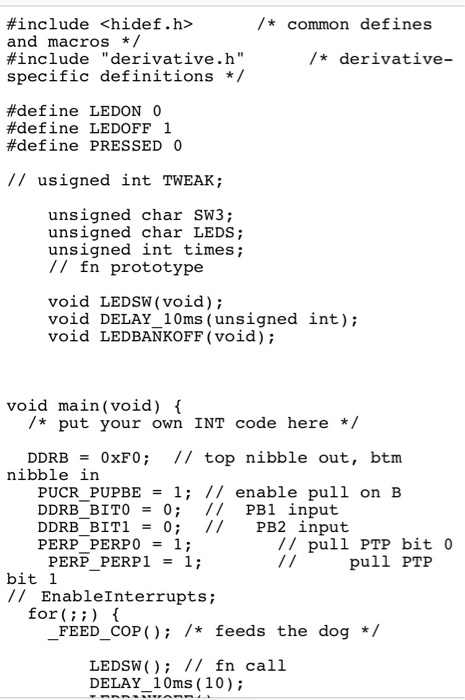
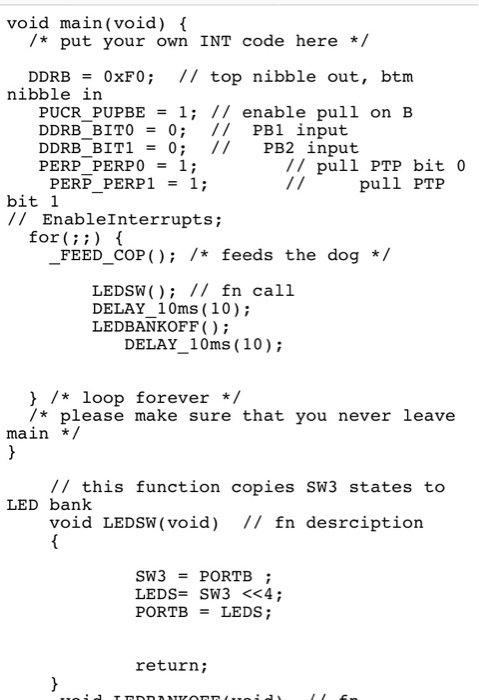
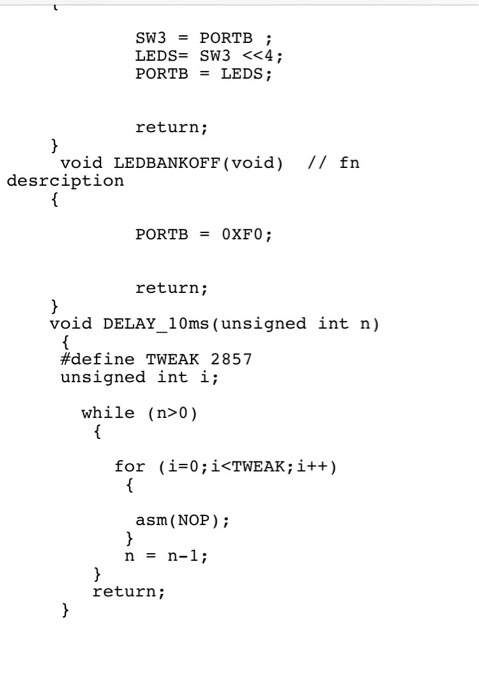
Question: Use Code warrior C to do part 2. I attached the code part 1. Use the same format. You can use case (0), case(1), case(2).
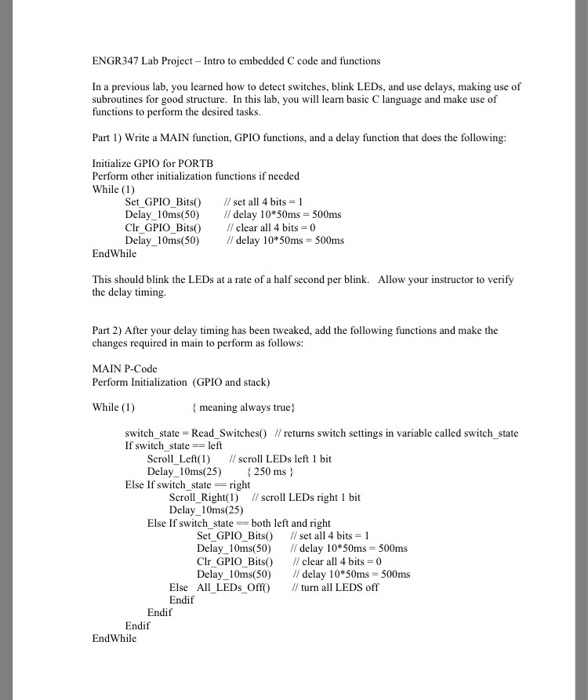
ENGR347 Lab Project Intro to embedded C code and functions In a previous lab, you learned how to detect switches, blink LEDs, and use delays, making use of subroutines for good structure. In this lab, you will learn basic C language and make use of functions to perform the desired tasks. Part 1) Write a MAIN function, GPIO functions, and a delay function that does the following: Initialize GPIO for PORTB Perform other initialization functions if needed While (1) Set GPIO Bits Delay. I0ms(50) Clr GPIO Bits Delay10ms(50) set all 4 bits-1 // delay 10*50ms= 500ms clear all 4 bits 0 // delay 10*50ms= 500ms EndWhile This should blink the LEDs at a rate of a half second per blink. Allow your instructor to verify the delay timing. Part 2) After your delay timing has been tweaked, add the following functions and make the changes required in main to perform as follows: MAIN P-Code Perform Initialization (GPIO and stack) While (1) meaning always true) switch state Read Switches0 Wreturns switch settings in variable called switch state If switch state left Scroll Left(l) scroll LEDs left 1 bit Delay 10ms(25) 250 ms Else If switch state right Scroll Right() scroll LEDs right 1 bit Delay10ms(25) Else If switch stateboth left and right Set GPIO Bits Delay.. 10ms(50) ClrGPIO Bits() Delay. I0ms(50) I/ set all 4 bits 1 // delay 10*50ms = 500ms // clear all 4 bits = 0 //delay 10*50ms = 500ms - Else All LEDs O Endif turn all LEDS off Endif Endif EndWhile
Step by Step Solution
There are 3 Steps involved in it

Get step-by-step solutions from verified subject matter experts
 Study Help