







Question: Use excel VBA to code a macro and button. Part a: Create a button to heThis sheet is labeled as sales and goes up to
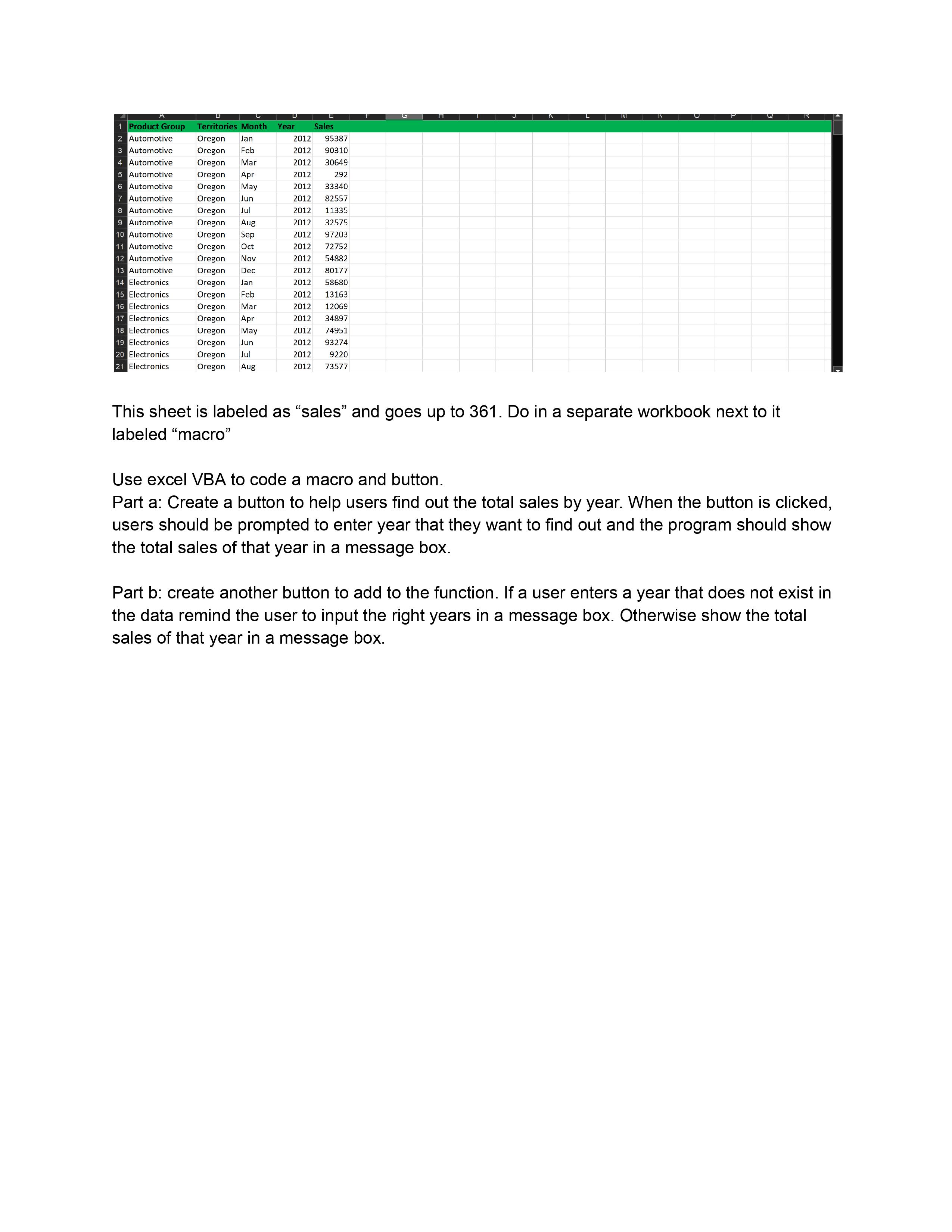
Use excel VBA to code a macro and button. Part a: Create a button to heThis sheet is labeled as "sales" and goes up to Do in a separate workbook next to it labeled "macro"
Use excel VBA to code a macro and button.
Part a: Create a button to help users find out the total sales by year. When the button is clicked, users should be prompted to enter year that they want to find out and the program should show the total sales of that year in a message box.
Part : create another button to add to the function. If a user enters a year that does not exist in the data remind the user to input the right years in a message box. Otherwise show the total sales of that year in a message box.
Step by Step Solution
There are 3 Steps involved in it
1 Expert Approved Answer
Step: 1 Unlock

Question Has Been Solved by an Expert!
Get step-by-step solutions from verified subject matter experts
Step: 2 Unlock
Step: 3 Unlock
 Study Help