







Question: Use Excel's regression function to develop a multiple regression forecast. Please fill out all the yellow cells( F, FE, MFE, AD, MAD, APE, MAPE, TS)
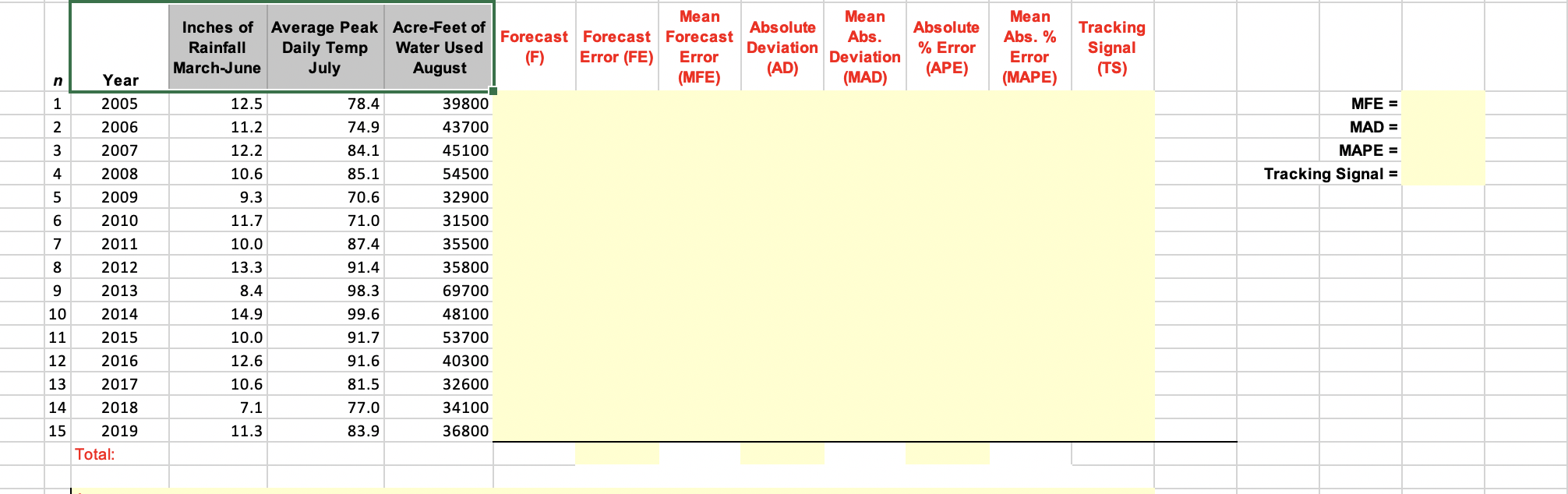
Use Excel's regression function to develop a multiple regression forecast. Please fill out all the yellow cells( F, FE, MFE, AD, MAD, APE, MAPE, TS) and show your work. Thank you!
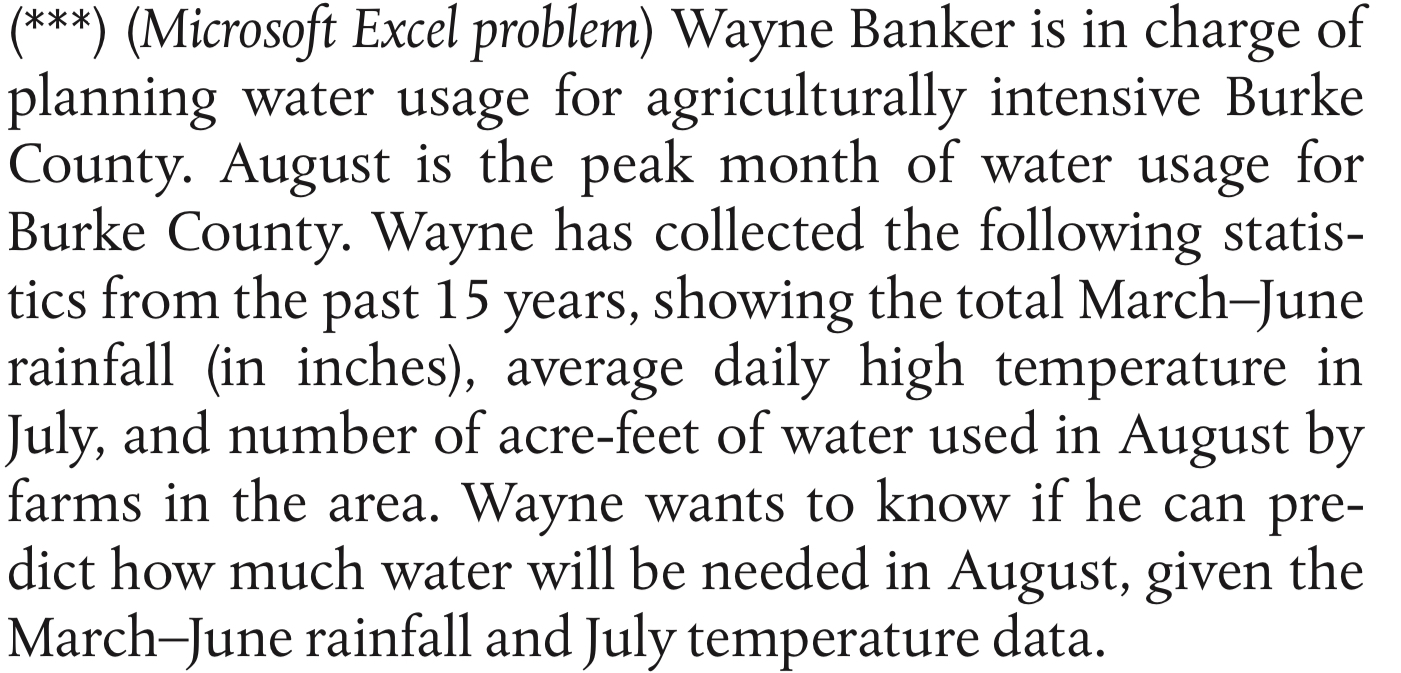
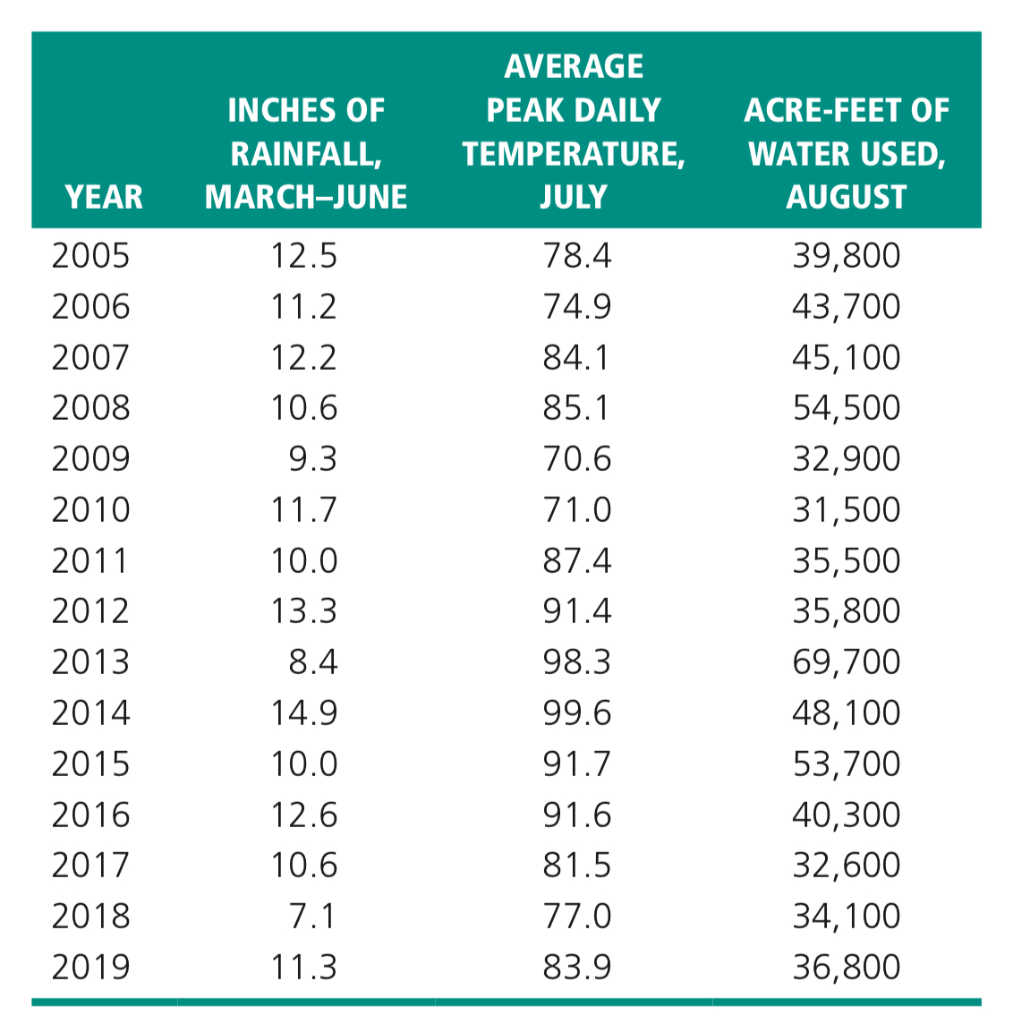
(***) (Microsoft Excel problem) Wayne Banker is in charge of planning water usage for agriculturally intensive Burke County. August is the peak month of water usage for Burke County. Wayne has collected the following statis- tics from the past 15 years, showing the total March-June rainfall (in inches), average daily high temperature in July, and number of acre-feet of water used in August by farms in the area. Wayne wants to know if he can pre- dict how much water will be needed in August, given the March-June rainfall and July temperature data. AVERAGE PEAK DAILY TEMPERATURE, JULY 78.4 74.9 84.1 85.1 70.6 71.0 87.4 INCHES OF RAINFALL, MARCH-JUNE 12.5 11.2. 12.2. 10.6 9.3 11.7 10.0 13.3 8.4 14.9 10.0 12.6 10.6 YEAR 2005 2006 2007 2008 2009 2010 2011 2012 2013 2014 2015 2016 2017 2018 2019 ACRE-FEET OF WATER USED, AUGUST 39,800 43,700 45,100 54,500 32,900 31,500 35,500 35,800 69,700 48,100 53,700 40,300 32,600 34,100 36,800 91.4 98.3 99.6 91.7 91.6 81.5 77.0 83.9 7.1 11.3 Inches of Average Peak Acre-Feet of Rainfall Daily Temp Water Used March-June July August Mean Forecast Forecast Forecast (F) Error (FE) Error (MFE) Absolute Deviation (AD) Mean Abs. Deviation (MAD) Absolute % Error (APE) Mean Abs. % Error (MAPE) Tracking Signal (TS) MFE = MAD = MAPE = Tracking Signal = Year 2005 2006 2007 2008 2009 2010 2011 2012 2013 2014 2015 2016 2017 2018 2019 Total: 12.5 11.2 12.2 10.6 9.3 11.7 10.0 13.3 8.4 14.9 10.0 12.6 10.6 7.1 11.3 78.4 74.9 84.1 85.1 70.6 71.0 87.4 91.4 98.3 99.6 91.7 91.6 81.5 77.0 83.9 39800 43700 45100 54500 32900 31500 35500 35800 69700 48100 53700 40300 32600 34100 36800 13 14 15Step by Step Solution
There are 3 Steps involved in it
1 Expert Approved Answer
Step: 1 Unlock

Question Has Been Solved by an Expert!
Get step-by-step solutions from verified subject matter experts
Step: 2 Unlock
Step: 3 Unlock
 Study Help