







Question: Use Google Books API Create the following three pages. Provide a main menu with two items: home (book search page) and my bookshelf Book
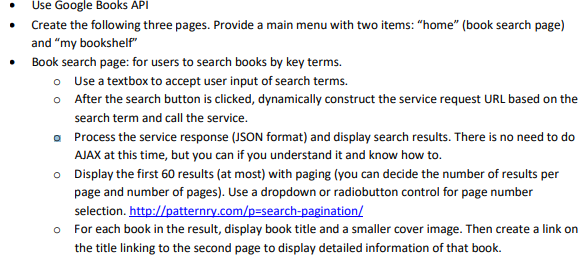
Use Google Books API Create the following three pages. Provide a main menu with two items: "home" (book search page) and "my bookshelf" Book search page: for users to search books by key terms. o Use a textbox to accept user input of search terms. o After the search button is clicked, dynamically construct the service request URL based on the search term and call the service. a Process the service response (JSON format) and display search results. There is no need to do AJAX at this time, but you can if you understand it and know how to. o Display the first 60 results (at most) with paging (you can decide the number of results per page and number of pages). Use a dropdown or radiobutton control for page number selection. http://patternry.com/p-search-pagination/ o For each book in the result, display book title and a smaller cover image. Then create a link on the title linking to the second page to display detailed information of that book.
Step by Step Solution
There are 3 Steps involved in it

Get step-by-step solutions from verified subject matter experts
 Study Help