







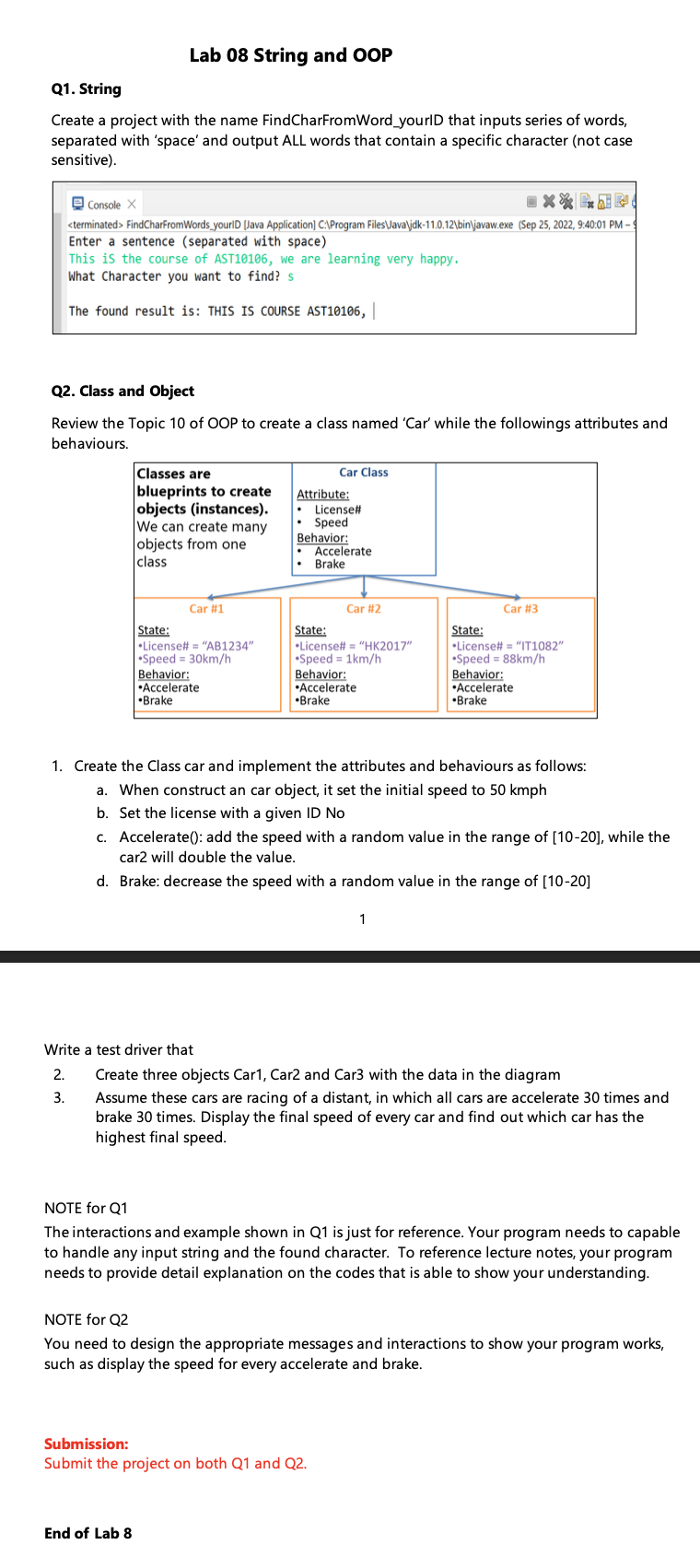
Question: ( use java and eclipse software to write please ) Lab 0 8 String and OOP Q 1 . String Create a project with the
use java and eclipse software to write please
Lab String and OOP
Q String
Create a project with the name FindCharFromWordyourID that inputs series of words, separated with 'space' and output ALL words that contain a specific character not case sensitive
Console
FindCharFromWordsyourID Java Application C:Program FilesUavajdkbinljavawexe Sep :: PM
Enter a sentence separated with space
This is the course of AST we are learning very happy.
What Character you want to find? s
The found result is: THIS IS COURSE AST
Q Class and Object
Review the Topic of OOP to create a class named 'Car' while the followings attributes and behaviours.
Create the Class car and implement the attributes and behaviours as follows:
a When construct an car object, it set the initial speed to kmph
b Set the license with a given ID No
c Accelerate: add the speed with a random value in the range of while the car will double the value.
d Brake: decrease the speed with a random value in the range of
Write a test driver that
Create three objects Car Car and Car with the data in the diagram
Assume these cars are racing of a distant, in which all cars are accelerate times and brake times. Display the final speed of every car and find out which car has the highest final speed.
NOTE for Q
The interactions and example shown in Q is just for reference. Your program needs to capable to handle any input string and the found character. To reference lecture notes, your program needs to provide detail explanation on the codes that is able to show your understanding.
NOTE for Q
You need to design the appropriate messages and interactions to show your program works, such as display the speed for every accelerate and brake.
Submission:
Submit the project on both Q and Q
End of Lab
Step by Step Solution
There are 3 Steps involved in it
1 Expert Approved Answer
Step: 1 Unlock

Question Has Been Solved by an Expert!
Get step-by-step solutions from verified subject matter experts
Step: 2 Unlock
Step: 3 Unlock
 Study Help