







Question: Use Java programming TestInputTriangle Program. (Total 100 point) The program will read in an input data file. The data file contains multiple rows of data.
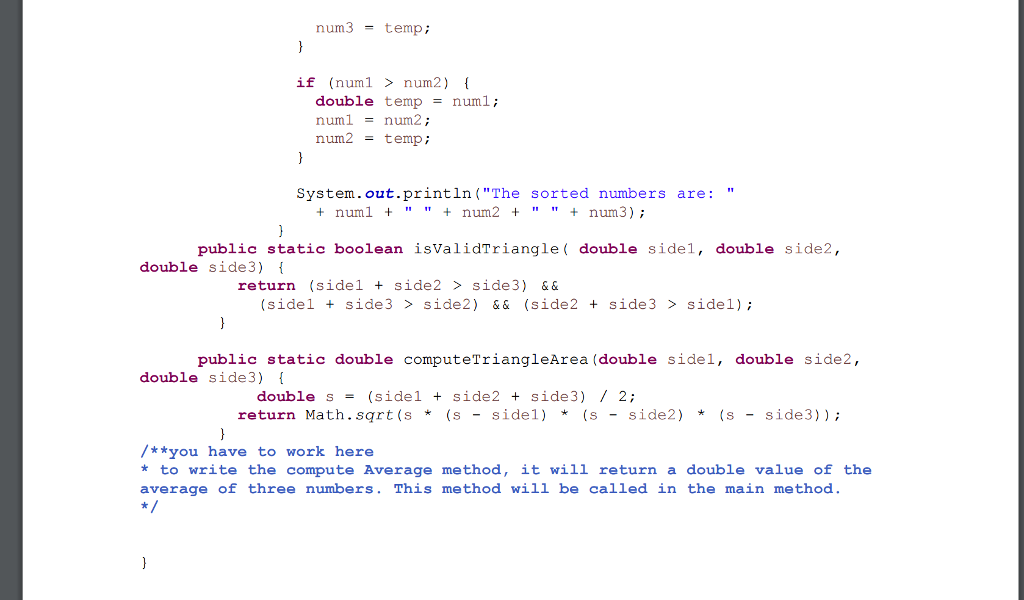
Use Java programming
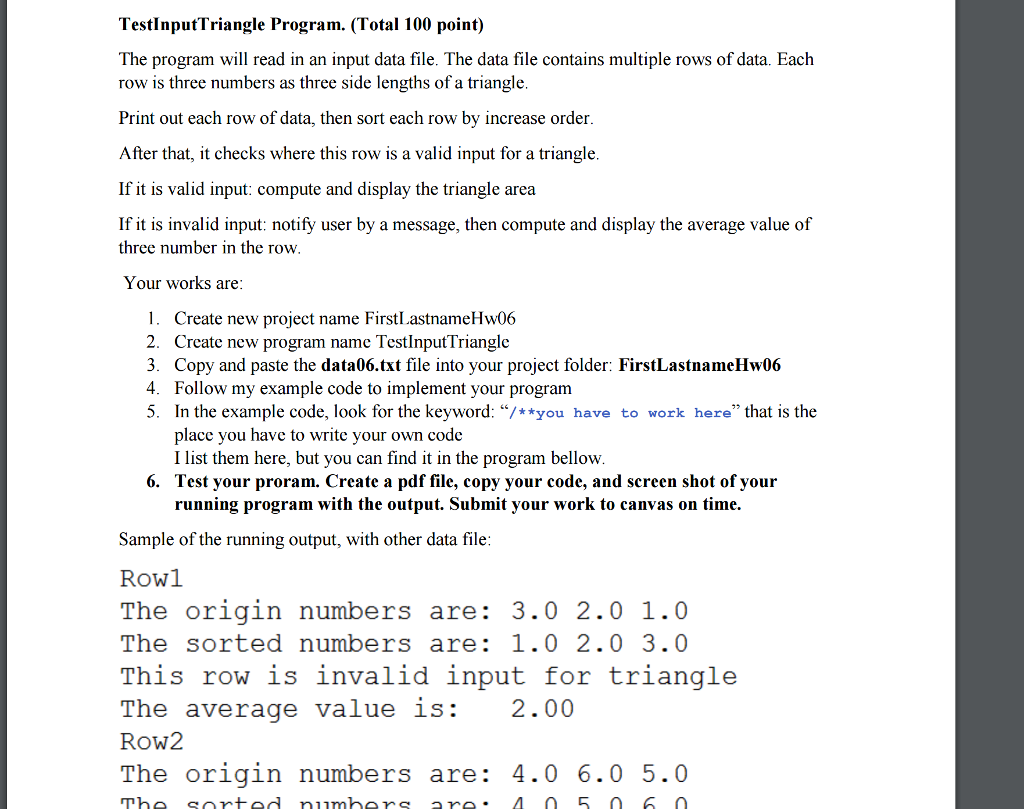
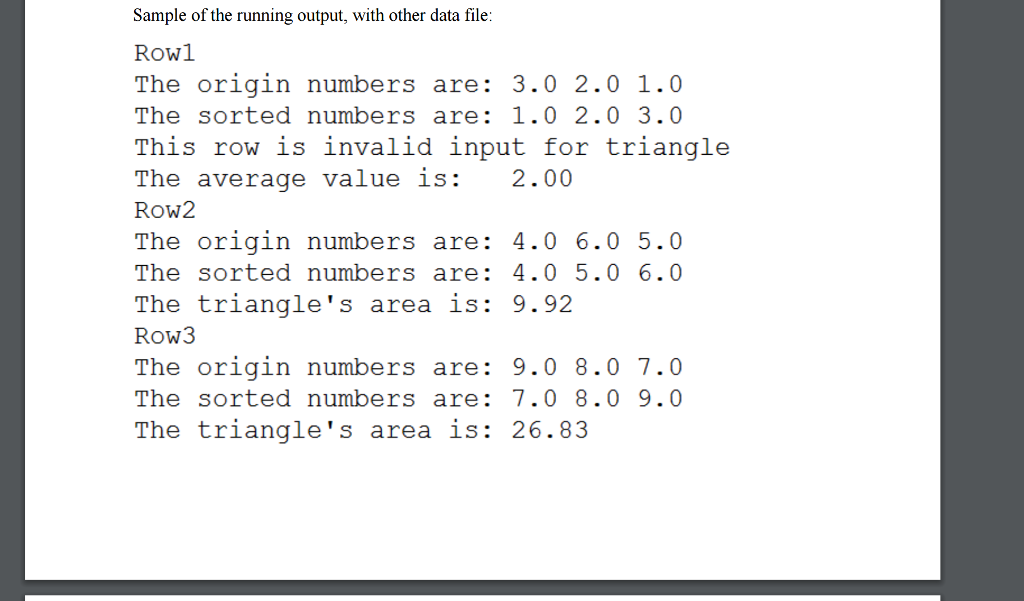
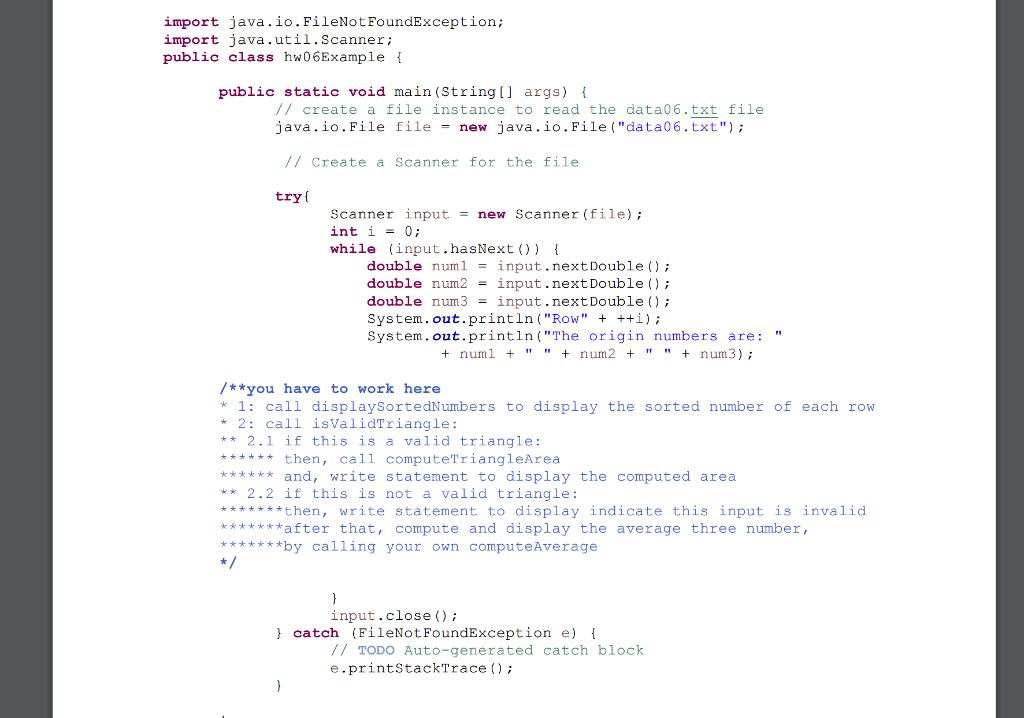
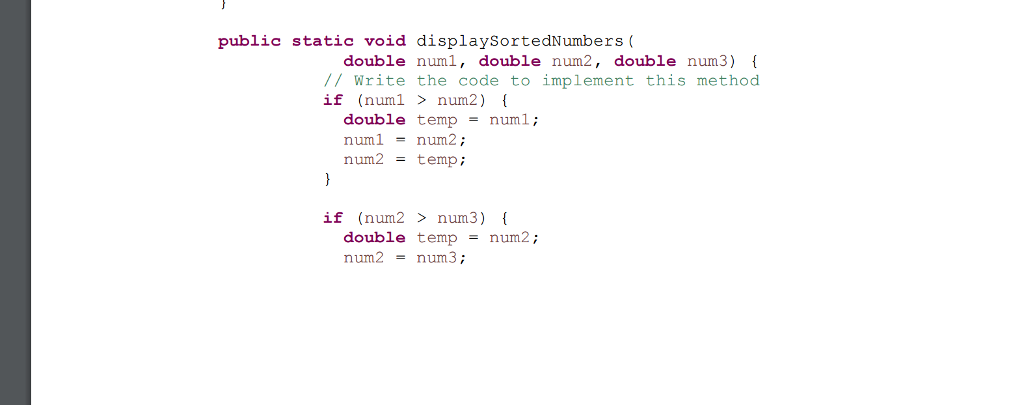
TestInputTriangle Program. (Total 100 point) The program will read in an input data file. The data file contains multiple rows of data. Each row is three numbers as three side lengths of a triangle Print out each row of data, then sort each row by increase order After that, it checks where this row is a valid input for a triangle. If it is valid input, compute and display the triangle area If it is invalid input: notify user by a message, then compute and display the average value of three number in the row Your works are 1. Create new project name First Lastname Hw06 2. Create new program name TestInputTriangle 3. Copy and paste the data06.txt file into your project folder: FirstLastnameHw06 4. Follow my example code to implement your program 5. In the example code, look for the keyword: "/**you have to work here that is the place you have to write your own code Ilist them here, but you can find it in the program bellow 6. Test your proram. Create a pdf file, copy your code, and screen shot of your running program with the output. Submit your work to canvas on time. Sample of the running output, with other data file Row1 The origin numbers are 3.0 2.0 1.0 The sorted numbers are 1.0 2.0 3.0 This row is invalid input for triangle The average value is 2.00 ROW2 The origin numbers are: 4.0 6.0 5.0
Step by Step Solution
There are 3 Steps involved in it

Get step-by-step solutions from verified subject matter experts
 Study Help