







Question: Use list to create a vertical navigation bar. Home is the current page (active), with a green background color and a white text. The other
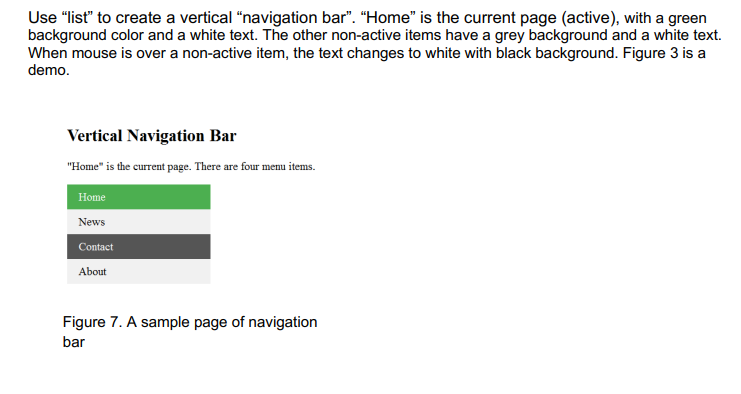
Use "list" to create a vertical "navigation bar". "Home" is the current page (active), with a green background color and a white text. The other non-active items have a grey background and a white text. When mouse is over a non-active item, the text changes to white with black background. Figure 3 is a demo. Vertical Navigation Bar "Home" is the current page. There are four menu items. Figure 7. A sample page of navigation bar
Step by Step Solution
There are 3 Steps involved in it
1 Expert Approved Answer
Step: 1 Unlock

Question Has Been Solved by an Expert!
Get step-by-step solutions from verified subject matter experts
Step: 2 Unlock
Step: 3 Unlock
 Study Help