







Question: use MATLAB 3 ARRAY: CHAR ARRAY VS. STRING ARRAY (a) Define helloChar, worldChar, helloString, worldString to be 'hello', 'world', hello , world, respectively. Concatenate the
use MATLAB
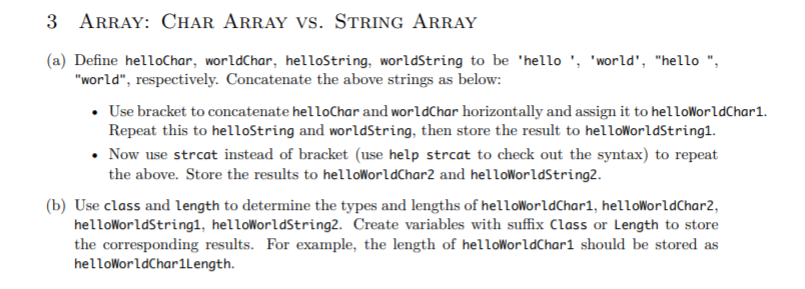
3 ARRAY: CHAR ARRAY VS. STRING ARRAY (a) Define helloChar, worldChar, helloString, worldString to be 'hello', 'world', "hello ", "world", respectively. Concatenate the above strings as below: Use bracket to concatenate helloChar and worldChar horizontally and assign it to helloWorldChar1. Repeat this to helloString and worldString, then store the result to helloWorldStringi. Now use strcat instead of bracket (use help strcat to check out the syntax) to repeat the above. Store the results to helloWorldChar2 and helloWorldString2. (b) Use class and length to determine the types and lengths of helloWorldChar1, helloWorldChar2, helloWorldString1, helloWorldString2. Create variables with suffix Class or Length to store the corresponding results. For example, the length of helloWorldChar1 should be stored as helloWorldCharlLength
Step by Step Solution
There are 3 Steps involved in it

Get step-by-step solutions from verified subject matter experts
 Study Help