Question: - Use Microsoft Excel ONLY to solve the problems. If an answer requires written arguments or explanations, you must do it in the Excel file.
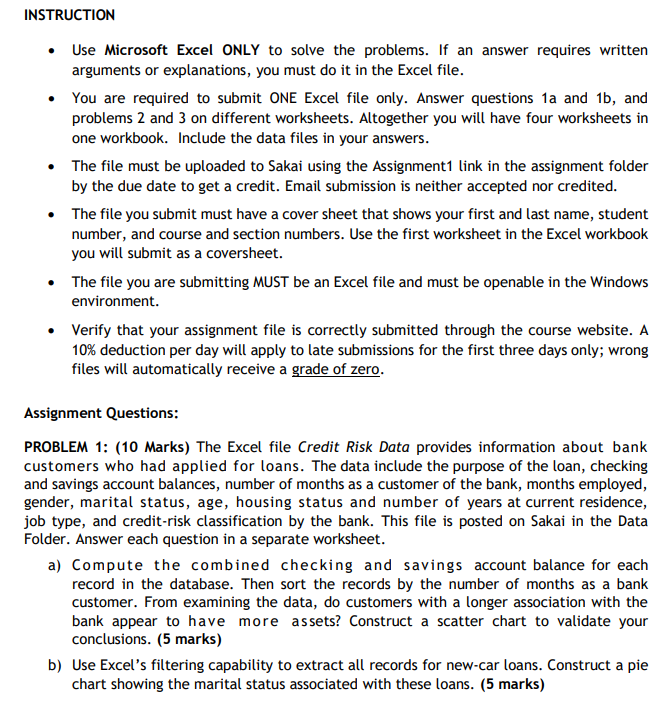
- Use Microsoft Excel ONLY to solve the problems. If an answer requires written arguments or explanations, you must do it in the Excel file. - You are required to submit ONE Excel file only. Answer questions 1a and 1b, and problems 2 and 3 on different worksheets. Altogether you will have four worksheets in one workbook. Include the data files in your answers. - The file must be uploaded to Sakai using the Assignment1 link in the assignment folder by the due date to get a credit. Email submission is neither accepted nor credited. - The file you submit must have a cover sheet that shows your first and last name, student number, and course and section numbers. Use the first worksheet in the Excel workbook you will submit as a coversheet. - The file you are submitting MUST be an Excel file and must be openable in the Windows environment. - Verify that your assignment file is correctly submitted through the course website. A 10% deduction per day will apply to late submissions for the first three days only; wrong files will automatically receive a grade of zero. Assignment Questions: PROBLEM 1: (10 Marks) The Excel file Credit Risk Data provides information about bank customers who had applied for loans. The data include the purpose of the loan, checking and savings account balances, number of months as a customer of the bank, months employed, gender, marital status, age, housing status and number of years at current residence, job type, and credit-risk classification by the bank. This file is posted on Sakai in the Data Folder. Answer each question in a separate worksheet. a) Compute the combined checking and savings account balance for each record in the database. Then sort the records by the number of months as a bank customer. From examining the data, do customers with a longer association with the bank appear to have more assets? Construct a scatter chart to validate your conclusions. (5 marks) b) Use Excel's filtering capability to extract all records for new-car loans. Construct a pie chart showing the marital status associated with these loans. (5 marks) - Use Microsoft Excel ONLY to solve the problems. If an answer requires written arguments or explanations, you must do it in the Excel file. - You are required to submit ONE Excel file only. Answer questions 1a and 1b, and problems 2 and 3 on different worksheets. Altogether you will have four worksheets in one workbook. Include the data files in your answers. - The file must be uploaded to Sakai using the Assignment1 link in the assignment folder by the due date to get a credit. Email submission is neither accepted nor credited. - The file you submit must have a cover sheet that shows your first and last name, student number, and course and section numbers. Use the first worksheet in the Excel workbook you will submit as a coversheet. - The file you are submitting MUST be an Excel file and must be openable in the Windows environment. - Verify that your assignment file is correctly submitted through the course website. A 10% deduction per day will apply to late submissions for the first three days only; wrong files will automatically receive a grade of zero. Assignment Questions: PROBLEM 1: (10 Marks) The Excel file Credit Risk Data provides information about bank customers who had applied for loans. The data include the purpose of the loan, checking and savings account balances, number of months as a customer of the bank, months employed, gender, marital status, age, housing status and number of years at current residence, job type, and credit-risk classification by the bank. This file is posted on Sakai in the Data Folder. Answer each question in a separate worksheet. a) Compute the combined checking and savings account balance for each record in the database. Then sort the records by the number of months as a bank customer. From examining the data, do customers with a longer association with the bank appear to have more assets? Construct a scatter chart to validate your conclusions. (5 marks) b) Use Excel's filtering capability to extract all records for new-car loans. Construct a pie chart showing the marital status associated with these loans









 Study Help