







Question: USE MICROSOFT PROJECT When using Project, note that you can adjust the time scale so that you can view the entire project on one or
USE MICROSOFT PROJECT
When using Project, note that you can adjust the time scale so that you can view the entire project on one or two sheets. Use the tool to show the critical path and look at the project properties to determine how many days will be required to complete the project.
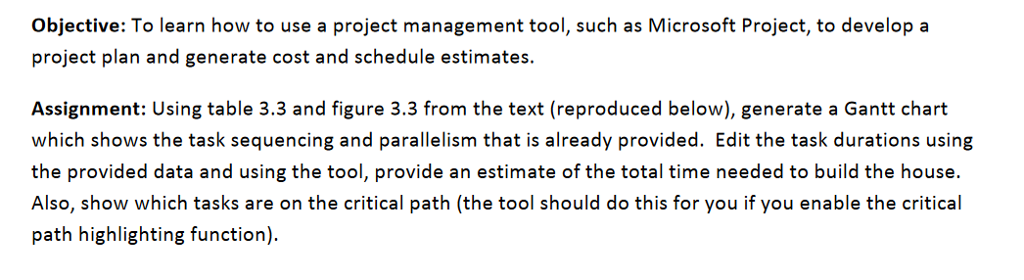
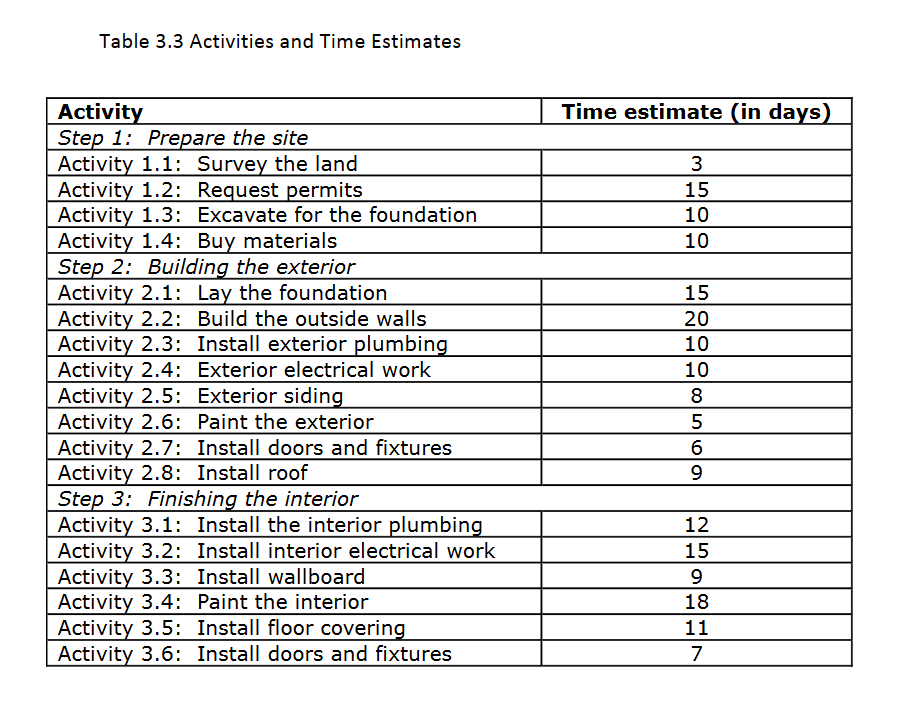
Objective: To learn how to use a project management tool, such as Microsoft Project, to develop a project plan and generate cost and schedule estimates. Assignment: Using table 3.3 and figure 3.3 from the text (reproduced below), generate a Gantt chart which shows the task sequencing and parallelism that is already provided. Edit the task durations using the provided data and using the tool, provide an estimate of the total time needed to build the house. Also, show which tasks are on the critical path (the tool should do this for you if you enable the critical path highlighting function). Objective: To learn how to use a project management tool, such as Microsoft Project, to develop a project plan and generate cost and schedule estimates. Assignment: Using table 3.3 and figure 3.3 from the text (reproduced below), generate a Gantt chart which shows the task sequencing and parallelism that is already provided. Edit the task durations using the provided data and using the tool, provide an estimate of the total time needed to build the house. Also, show which tasks are on the critical path (the tool should do this for you if you enable the critical path highlighting function)
Step by Step Solution
There are 3 Steps involved in it

Get step-by-step solutions from verified subject matter experts
 Study Help