







Question: Use nested for loops statements to draw empty boxes of any character (user input). The boxes have the same number of rows and columns (user
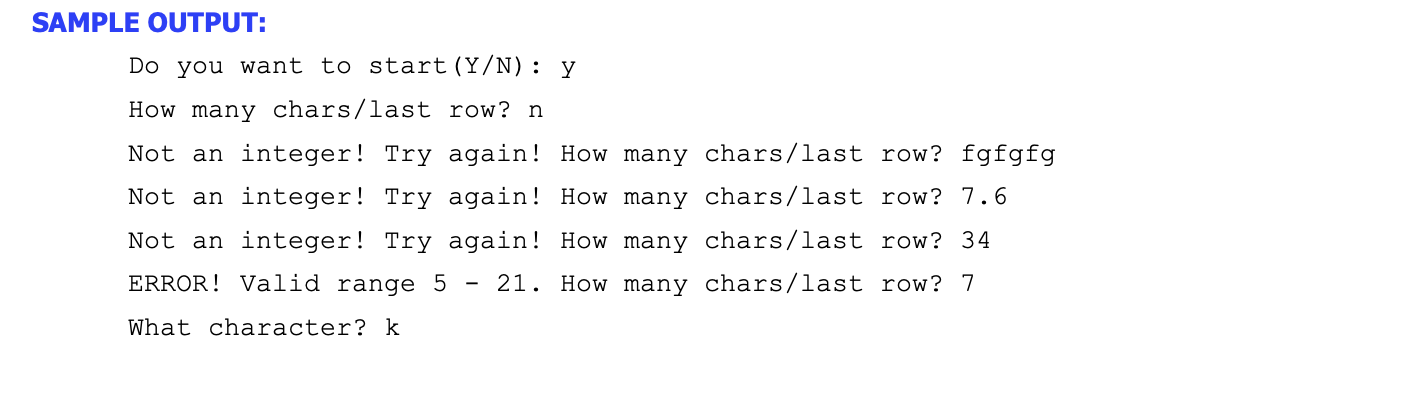
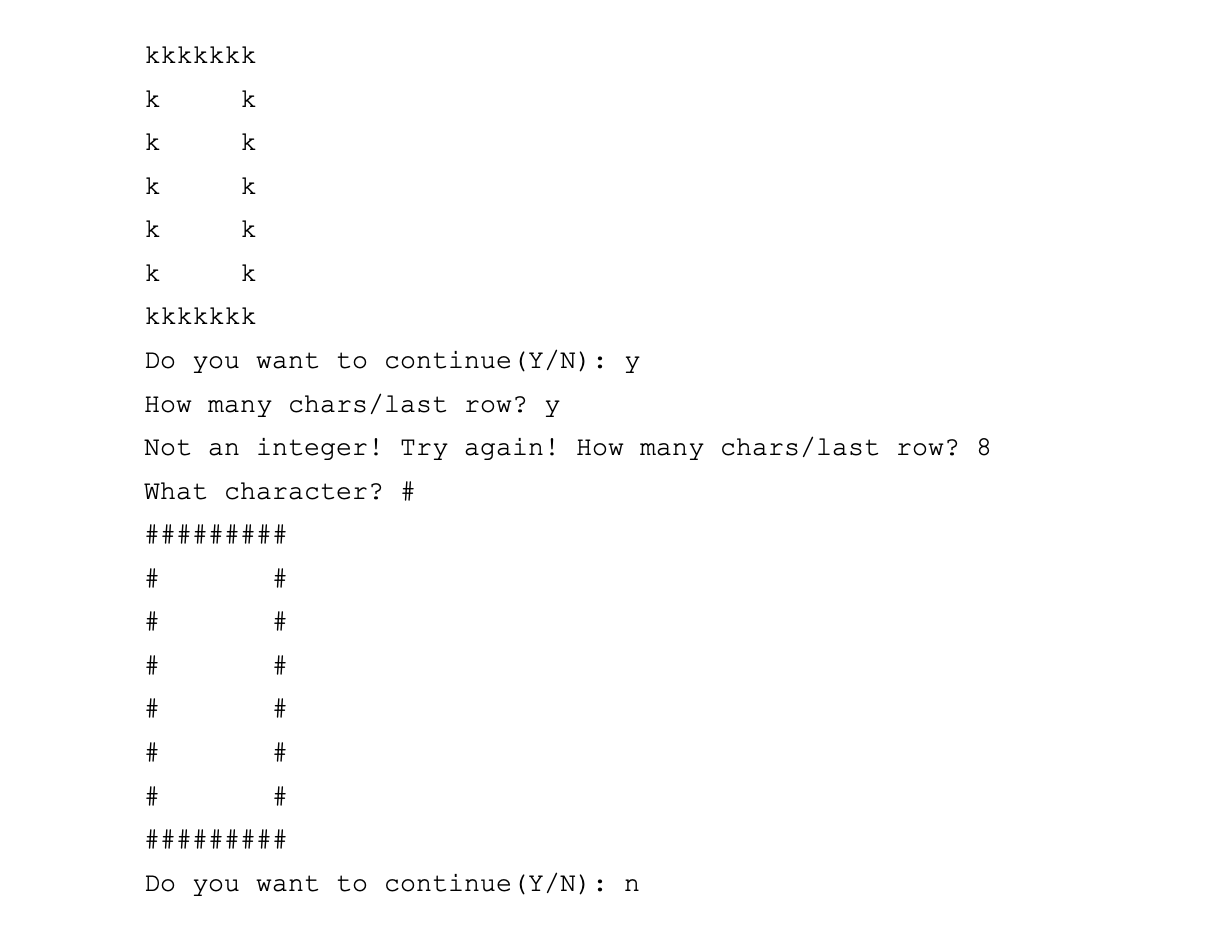
Use nested for loops statements to draw empty boxes of any character (user input). The boxes have the same number of rows and columns (user input - valid range: 5 to 21). Test for errors in input (including type). Use the sample output to fully understand the program requirements.
How do I fix this?
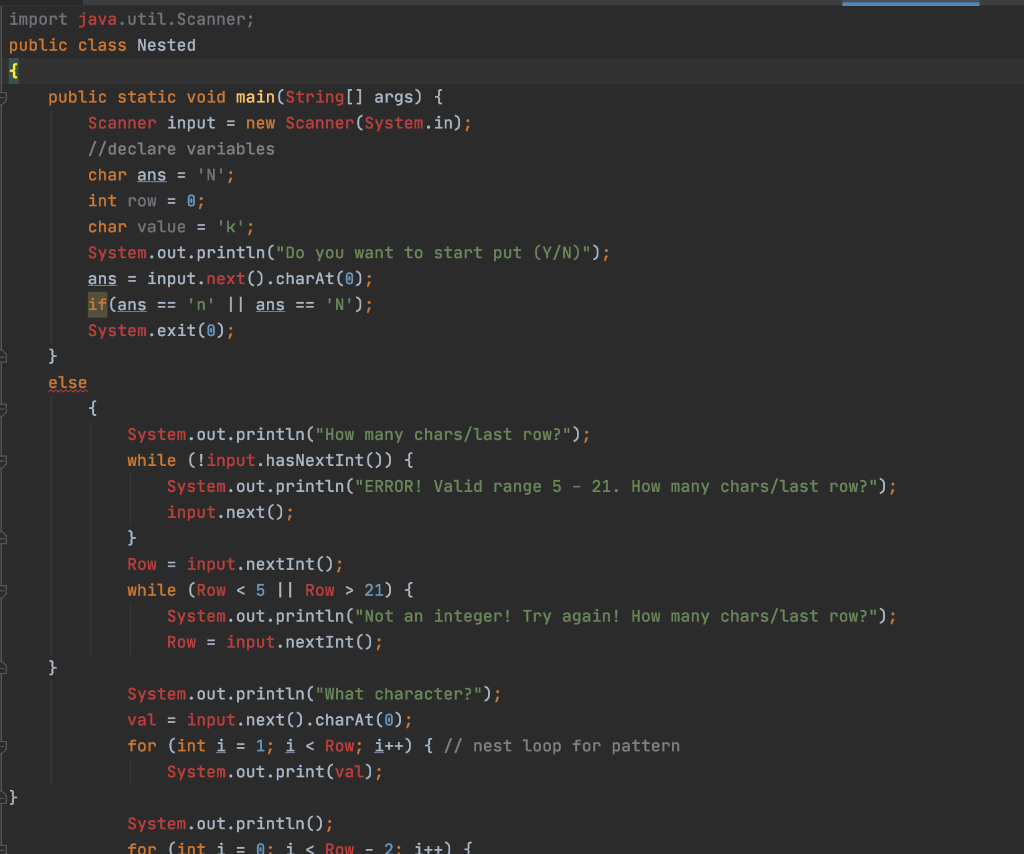
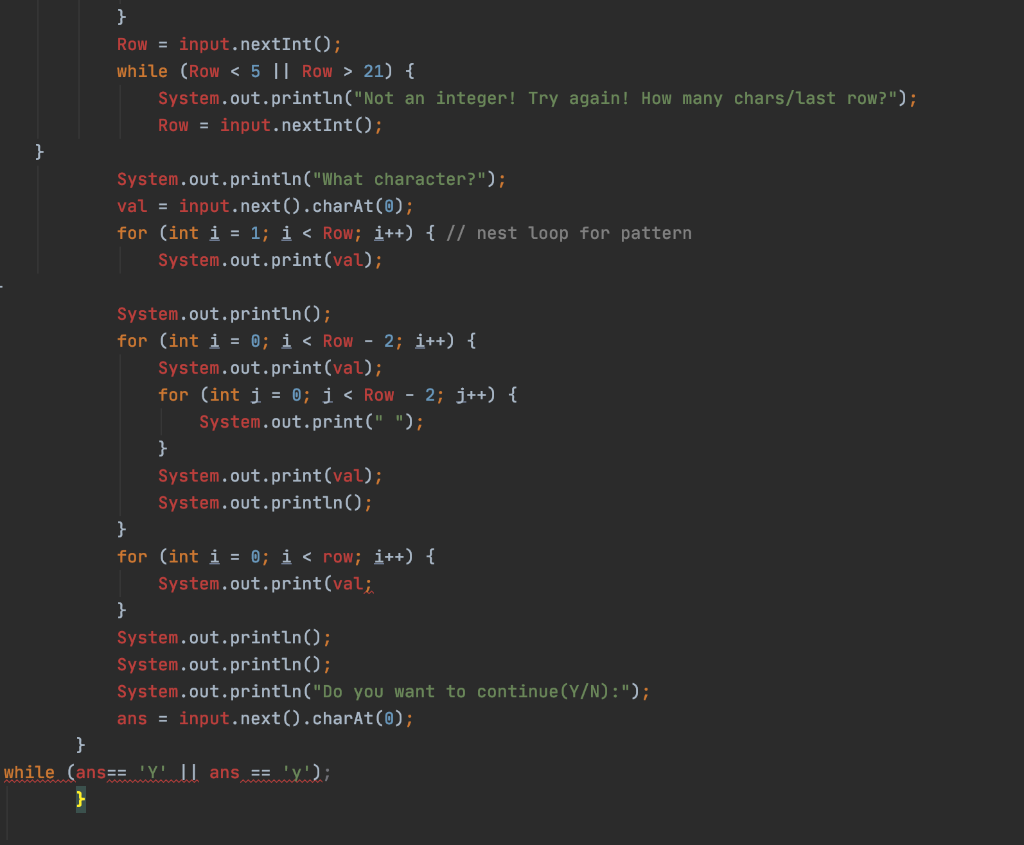
import java.util.Scanner; public class Nested { 5 public static void main(String[] args) { Scanner input = new Scanner(System.in); //declare variables char ans = 'N'; int row = 0; char value = 'k'; System.out.println("Do you want to start put (Y/N)"); ans = input.next().charAt(0); if(ans == 'n' || ans == 'N'); System.exit(0); } else { System.out.println("How many chars/last row?"); while (!input.hasNextInt()) { System.out.println("ERROR! Valid range 5 - 21. How many chars/last row?"); input.next(); } Row = input.nextInt(); while (Row 21) { System.out.println("Not an integer! Try again! How many chars/last row?"); Row = input.nextInt(); } System.out.println("What character?"); val = input.next().charAt(0); for (int i = 1; i 21) { System.out.println("Not an integer! Try again! How many chars/last row?"); Row = input.nextInt(); } System.out.println("What character?"); val = input.next().charAt(0); for (int i = 1; i
Step by Step Solution
There are 3 Steps involved in it

Get step-by-step solutions from verified subject matter experts
 Study Help