







Question: Use Notepad as your editor (on mac use sublime, on linux use vim). Do not use an IDE. Create a webpage (.html) that looks like
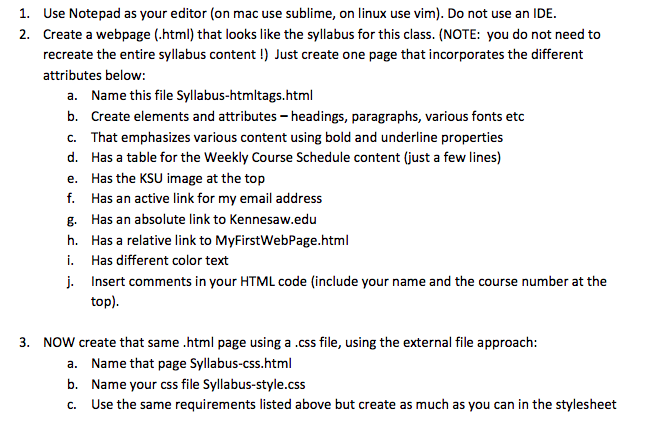
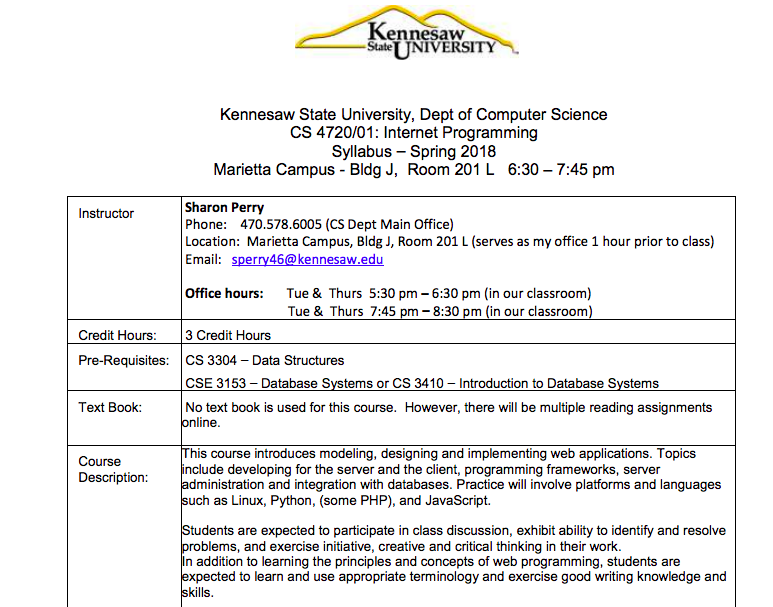
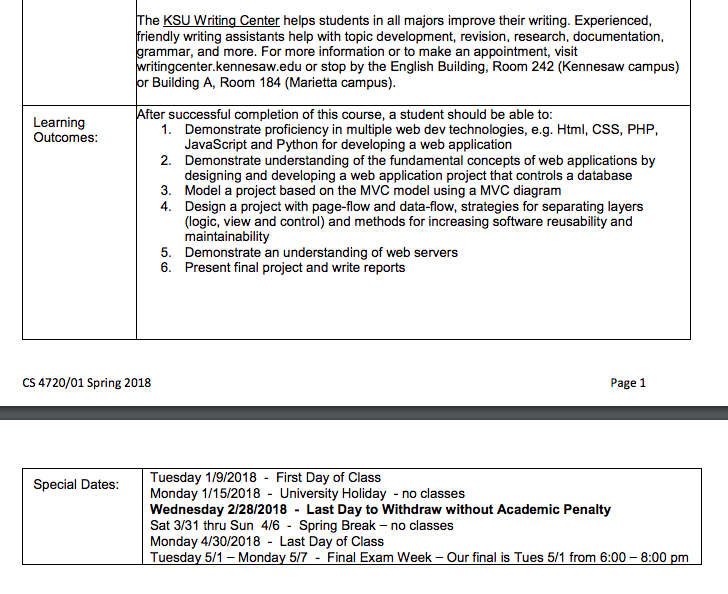
Use Notepad as your editor (on mac use sublime, on linux use vim). Do not use an IDE. Create a webpage (.html) that looks like the syllabus for this class. (NOTE: you do not need to recreate the entire syllabus content!) Just create one page that incorporates the different attributes below: 1. 2. a. Name this file Syllabus-htmltags.html b. Create elements and attributes-headings, paragraphs, various fonts etoc C. That emphasizes various content using bold and underline properties d. Has a table for the Weekly Course Schedule content (just a few lines) e. Has the KSU image at the top f. Has an active link for my email address g. Has an absolute link to Kennesaw.edu h. Has a relative link to MyFirstWebPage.html i. Has different color text Insert comments in your HTML code (include your name and the course number at the top) 3. NOW create that same .html page using a.css file, using the external file approach: a. b. c. Name that page Syllabus-css.html Name your css file Syllabus-style.css Use the same requirements listed above but create as much as you can in the stylesheet
Step by Step Solution
There are 3 Steps involved in it

Get step-by-step solutions from verified subject matter experts
 Study Help