







Question: use python IDLE when providing your solution and answer everything above 1. Compose a function called calc_final_price that accepts two numerical arguments: the original price
use python IDLE when providing your solution and answer everything above
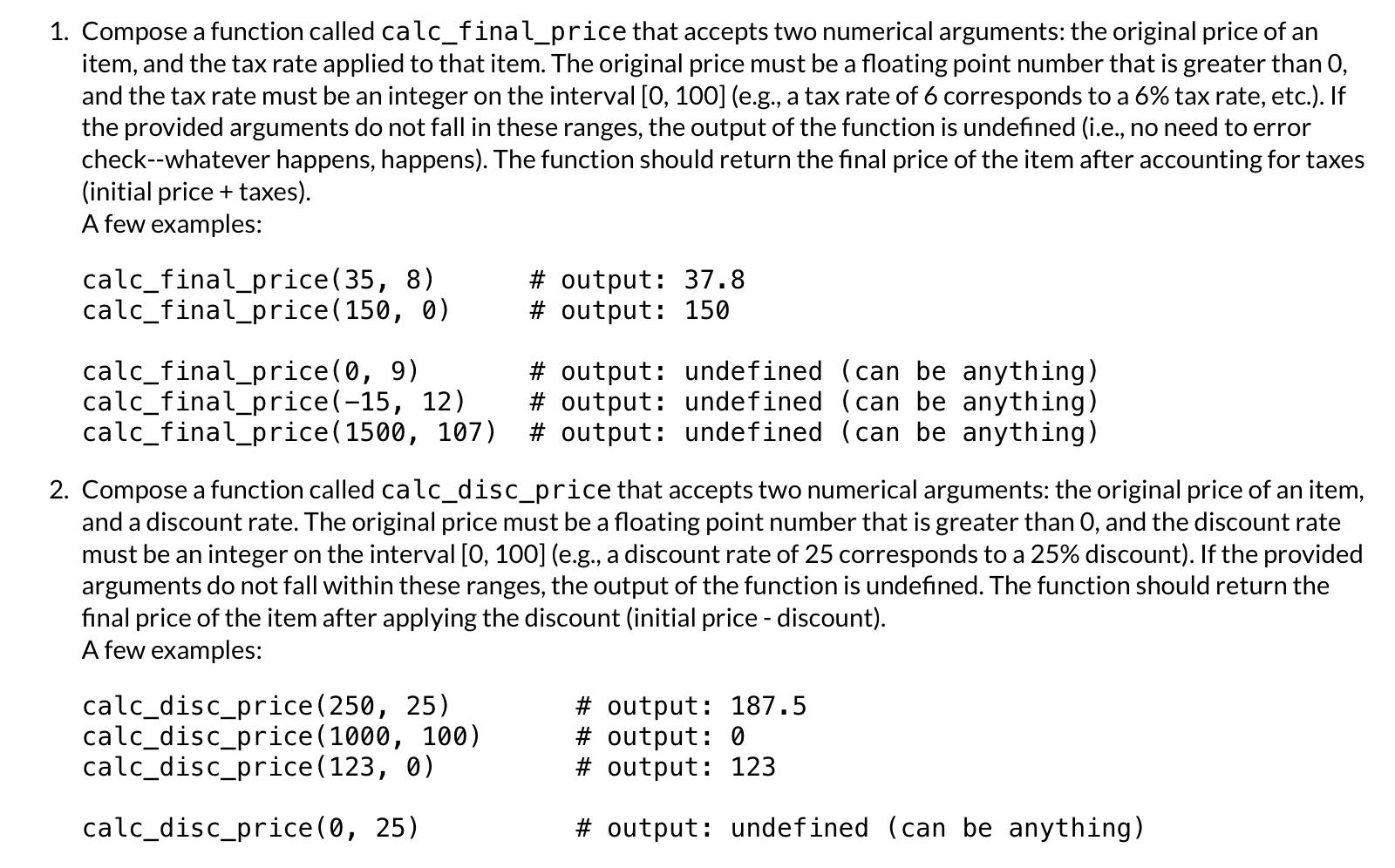
1. Compose a function called calc_final_price that accepts two numerical arguments: the original price of an item, and the tax rate applied to that item. The original price must be a floating point number that is greater than 0 , and the tax rate must be an integer on the interval [0, 100] (e.g., a tax rate of 6 corresponds to a 6% tax rate, etc.). If the provided arguments do not fall in these ranges, the output of the function is undefined (i.e., no need to error check--whatever happens, happens). The function should return the final price of the item after accounting for taxes (initial price + taxes). A few examples: calc_final_price (35,8)# output: 37.8 calc_final_price (150,0)# output: 150 calc_final_price (0,9)# output: undefined (can be anything) calc_final_price(-15, 12) \# output: undefined (can be anything) calc_final_price (1500,107) \# output: undefined (can be anything) 2. Compose a function called calc_disc_price that accepts two numerical arguments: the original price of an item, and a discount rate. The original price must be a floating point number that is greater than 0 , and the discount rate must be an integer on the interval [0,100] (e.g., a discount rate of 25 corresponds to a 25% discount). If the provided arguments do not fall within these ranges, the output of the function is undefined. The function should return the final price of the item after applying the discount (initial price - discount). A few examples: \( \begin{array}{ll}\text { calc_disc_price }(250,25) & \# \text { output: } 187.5 \\ \text { calc_disc_price }(1000,100) & \# \text { output: } 0 \\ \text { calc_disc_price }(123,0) & \# \text { output: } 123 \\ \text { calc_disc_price }(0,25) & \text { \# output: undefined (can be anything) }\end{array} \)
Step by Step Solution
There are 3 Steps involved in it

Get step-by-step solutions from verified subject matter experts
 Study Help