







Question: Use SAS Studio to run the above program to answer the question. Please show details of work/screenshot /*To access the tables in the homework, run
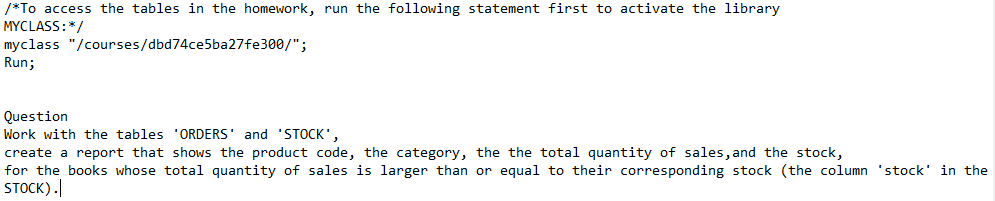
Use SAS Studio to run the above program to answer the question. Please show details of work/screenshot
/*To access the tables in the homework, run the following statement first to activate the library MYCLASS:*/ myclass "/courses/dbd74ce5ba27fe300/"; Run; Question Work with the tables 'ORDERS' and 'STOCK', create a report that shows the product code, the category, the the total quantity of sales, and the stock, for the books whose total quantity of sales is larger than or equal to their corresponding stock (the column 'stock' in the STOCK). /*To access the tables in the homework, run the following statement first to activate the library MYCLASS:*/ myclass "/courses/dbd74ce5ba27fe300/"; Run; Question Work with the tables 'ORDERS' and 'STOCK', create a report that shows the product code, the category, the the total quantity of sales, and the stock, for the books whose total quantity of sales is larger than or equal to their corresponding stock (the column 'stock' in the STOCK)
Step by Step Solution
There are 3 Steps involved in it

Get step-by-step solutions from verified subject matter experts
 Study Help